
SoniClear RealTime 10
SoniClear RealTime 10: A Windows tool for live legal transcription with speaker attribution and court-ready formatting. Ranked #13 of 24 in Legal Transcription Software by our editors (8.1/10); pricing: Pricing on request; best for courts needing live legal-format transcription.
At a glance
- Editor score8.1 / 10
- PricingPricing on request
- Best forCourts needing live legal-format transcription
- Free planNo
- Speaker identificationYes
- Founded1978 · La Canada, California, United States
- Facts checked20 Sep 2026
Where it wins
- Streams spoken words to the screen within 1–2 seconds
- Supports speaker attribution, live editing, and legal-format output
- Synchronizes transcripts, notes, and audio with Court Recorder 10
Where it doesn't
- Runs on Windows 11
- Cloud transcription usage is billed by session time
- Integration is centered on SoniClear Court Recorder 10
Our verdict on SoniClear RealTime 10
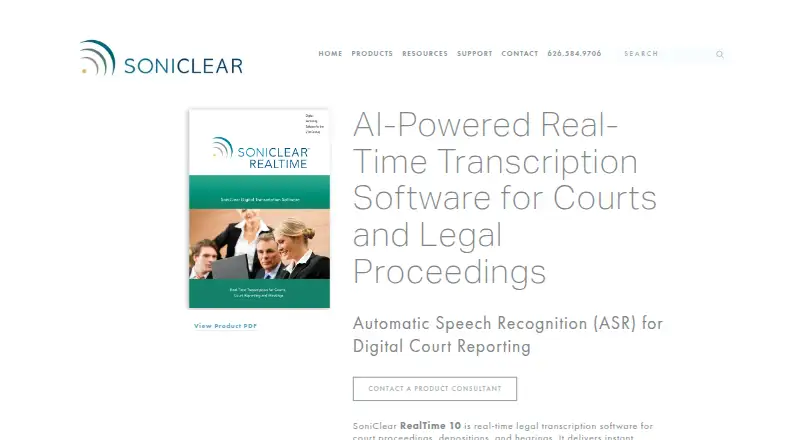
SoniClear RealTime 10 is Windows 11 software for live, AI-powered transcription of court proceedings, depositions, and hearings. It streams spoken words to the screen within 1–2 seconds, automatically attributes speakers, and lets court professionals edit text and speaker labels during a session. Its Live, Edit, and Final Draft views are designed for moving from active transcription to review and a finished legal-style transcript. The fit is strongest for courts and legal professionals that need live output rather than post-session transcription.
The published plan structure centers on Cloud transcription usage. The software license is included with the purchase of transcription time, and cloud usage is based on session time. Prospective customers are directed to contact sales, while the stated 30-day refund policy applies to software purchased directly from Trio Systems. This model may suit teams that want licensing and transcription usage handled together, but it provides less upfront pricing clarity than a fixed subscription. Buyers should evaluate expected session volume and workflow before choosing it.
Its standout capability is the combination of live streaming, legal formatting, and in-session control. Users can search full text, create freeform or marker-based notes, review timestamps, and export text files. Legal-format output includes line and page numbers, while multilingual transcription broadens the range of proceedings it can support. Court Recorder 10 integration synchronizes audio, transcripts, and notes, making the product a natural choice for workflows already centered on that recorder. Teams working outside Windows 11 or seeking a broader integration ecosystem should consider an alternative; courts needing synchronized legal proceedings and live court-format transcription are the clearest match.
Your product? Our editors can test SoniClear RealTime 10 in depth and publish a review, labelled as paid · from $149/mo →
SoniClear RealTime 10 pricing
All 1 SoniClear RealTime 10 plans and prices →
SoniClear RealTime 10 fact sheet
| Free plan | No |
|---|---|
| Paid from | Not verified |
| Speaker identification | Yes |
| Timestamp controls | Yes |
| Legal formatting | Yes |
| Maximum file length | Not verified |
| Transcription mode | Live |
| Security certifications | Not verified |
| Money-back guarantee | 30 days |
| Deployment | Cloud, Desktop |
| Platforms | Windows |
| Support | Email, Phone, Tickets, Docs |
| Built for | Mid-market, Enterprise (editorial estimate) |
| Integrations | 1 integrations: SoniClear Court Recorder 10 |
| Pricing | Pricing on request (source) |
| Website | soniclear.com |
| Facts checked | 20 Sep 2026 |
SoniClear RealTime 10 integrations
SoniClear RealTime 10 lists 1 integrations on its own site.
- SoniClear Court Recorder 10
Alternatives to SoniClear RealTime 10
- HappyScribe LegalBroad legal transcription coverage with flexible workflows across web, mobile and API.9.4
- Prevail CheckMateA proceedings workspace combining certified transcripts, collaboration, search, and AI analysis.9.3
- Zanus AI for Transcription & LitigationA litigation-focused transcript system with citations, review gates, and deployment flexibility.9.2


See all SoniClear RealTime 10 alternatives →
Used SoniClear RealTime 10? Be the first to review it
The editor score above is our own research. What this page doesn't have yet is a reader's view — what you used SoniClear RealTime 10 for, what worked and what didn't. No stars are seeded and no review is paid for; an editor reads every one before it appears.
Write a reviewTwo minutes · verified accounts only · read by an editor before it appears
Featured on iTechGuides

SoniClear RealTime 10 is listed in our Legal Transcription Software directory. Add the badge to your site — it links back to this page.
<a href="https://www.itechguides.com/products/soniclear-realtime-10/"><img src="https://www.itechguides.com/best/badge/soniclear-realtime-10.svg" alt="Featured on iTechGuides" width="230" height="46"></a>
Reviewed by iTechGuides Editors · Editorial team · Updated Oct 2026
Advertiser disclosure: iTechGuides is reader-supported. Vendors can pay for top positions in our rankings and for a place on other products' pages, and we may earn a commission when you click some links. Bought places stand at the number bought; this page and our disclosure say so. Paying vendors may get a fuller, more detailed review from our editors, and that review can change their score. How we rank.
Last updated · How we research and update