
SODA
SODA: A focused mobile editor for fast selfie retouching, batch edits, and short videos. Ranked #143 of 158 in Photo Editing Software by our editors (3.0/10); pricing: Free plan; best for mobile selfie retouching with batch tools.
At a glance
- Editor score3.0 / 10
- PricingFree plan
- Best forMobile selfie retouching with batch tools
- Free planYes
- PlatformMulti-platform
- Founded2015 · Seongnam-si, Gyeonggi-do, Republic of Korea
- Facts checked22 Sep 2026
Where it wins
- Real-time skin retouching, makeup filters, and portrait focus
- Batch editing plus selective edits for people in group photos
- AI removal of creases, shadows, glare, and other distractions
Where it doesn't
- Limited to iOS and Android rather than desktop or web workflows
- No verified support for layers, RAW editing, or masking
- No cloud sync for moving projects across devices
Our verdict on SODA
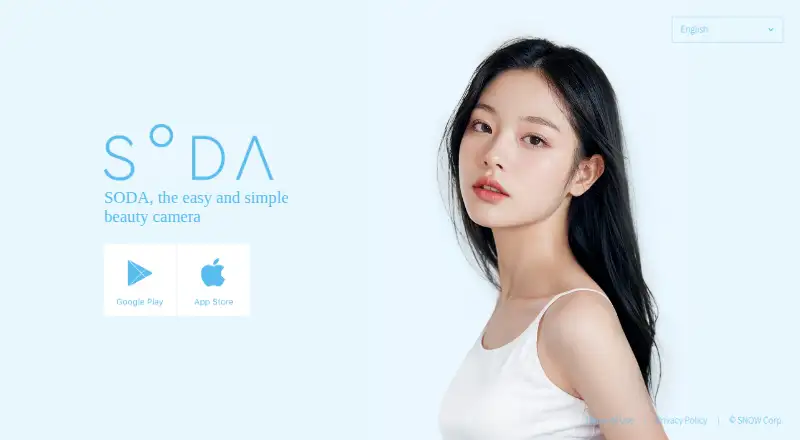
SODA is a mobile beauty camera and photo editor from SNOW Corporation for people who want to create polished selfies and short videos quickly. Its focus is personal portraits rather than general-purpose photo production: real-time skin retouching, makeup effects, selfie color filters, portrait focus, face and body adjustments, and high-resolution capture are central to the experience. It also supports imported photos, group-person selection, and video trimming with individual video retouching, making it a practical fit for casual creators who primarily edit on a phone.
The free plan provides access to the app, while SODA VIP subscriptions add the paid tier. Pricing varies by region, and annual VIP purchase prices are shown in App Store listings; the published category information gives a starting price of 9.99. The strongest feature set is built around fast, targeted corrections: AI tools can remove creases, shadows, glare, and other distractions, while wrinkle and skin-detail controls support more specific portrait adjustments. Batch editing is especially useful when several photos from the same session need similar treatment.
SODA’s narrow focus is also its main boundary. It covers mobile portrait editing well, but it is not positioned as a full desktop photo workflow. The available product details do not include verified layers, RAW support, masking, cloud sync, or desktop and web coverage. Choose SODA if selfie retouching, beauty effects, group-photo selection, and batch tools matter more than advanced compositing or cross-device project management. Choose a broader editor instead if your work depends on detailed layer-based editing, RAW files, masking, or desktop production.
Your product? Our editors can test SODA in depth and publish a review, labelled as paid · from $149/mo →
SODA pricing
SODA fact sheet
| Free plan | Yes |
|---|---|
| Paid from | Not verified |
| Platform | Multi-platform |
| RAW photo support | Not verified |
| Layer editing | Not verified |
| Masking tools | Not verified |
| Batch editing | Yes |
| Cloud sync | Not verified |
| AI retouching | Yes |
| Deployment | Mobile |
| Platforms | iOS, Android |
| Support | |
| Built for | Solo, Small business (editorial estimate) |
| Pricing | Free plan (source) |
| Website | soda.snow.me |
| Facts checked | 22 Sep 2026 |
Alternatives to SODA
- Adobe PhotoshopA deep, multi-platform editor for compositing, retouching, RAW work, and AI-assisted edits.9.4
- Adobe LightroomA broad Lightroom workflow for RAW editing, masking, organization, and synchronized access.9.2
- Capture OneA deep choice for professional RAW and tethered workflows, without a free plan.9.0



Also Ranked In
SODA is ranked in 2 of our directories.
Used SODA? Be the first to review it
The editor score above is our own research. What this page doesn't have yet is a reader's view — what you used SODA for, what worked and what didn't. No stars are seeded and no review is paid for; an editor reads every one before it appears.
Write a reviewTwo minutes · verified accounts only · read by an editor before it appears
Featured on iTechGuides

SODA is listed in our Photo Editing Software directory. Add the badge to your site — it links back to this page.
<a href="https://www.itechguides.com/products/soda-photo-editor/"><img src="https://www.itechguides.com/best/badge/soda-photo-editor.svg" alt="Featured on iTechGuides" width="230" height="46"></a>
Reviewed by iTechGuides Editors · Editorial team · Updated Oct 2026
Advertiser disclosure: iTechGuides is reader-supported. Vendors can pay for top positions in our rankings and for a place on other products' pages, and we may earn a commission when you click some links. Bought places stand at the number bought; this page and our disclosure say so. Paying vendors may get a fuller, more detailed review from our editors, and that review can change their score. How we rank.
Last updated · How we research and update