
Soda PDF
Soda PDF: A broad PDF toolkit spanning document editing, automation, AI and multiple platforms. Ranked #13 of 102 in PDF Editors by our editors (8.2/10); pricing: Free plan · 7-day trial; best for broad platform and AI coverage.
At a glance
- Editor score8.2 / 10
- PricingFree plan · 7-day trial
- Best forBroad platform and AI coverage
- Free planYes
- OCRYes
- Facts checked20 Sep 2026
Where it wins
- Covers editing, OCR, forms, conversion, signatures and batch processing
- Supports web, Windows, macOS, Linux, iOS, Android and Chrome
- Adds AI tools for PDF questions and document summaries
Where it doesn't
- No free plan is available
- Advanced capabilities require a paid plan
- Business deployment options are limited to the Business plan
Our verdict on Soda PDF
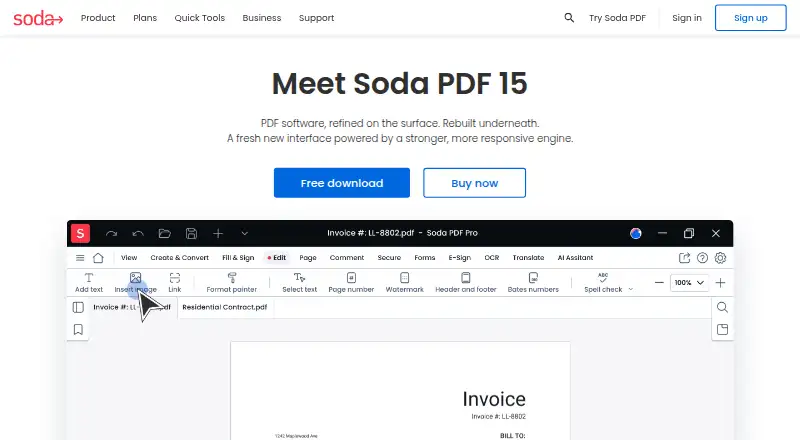
Soda PDF is a paid PDF application for individuals, professionals and businesses that need to create, edit, convert, organize and secure documents. It supports editing existing text, annotations, page management, password and permission controls, fillable forms, e-signatures and conversion to and from Microsoft Office formats, images and other file types. OCR supports recognizing and editing text in scanned documents, while AI tools can answer questions about PDFs and summarize documents. It is suited to users who need more than basic PDF annotation or viewing, including teams handling forms, signatures and document processing.
Its platform coverage is a central strength. Soda PDF provides browser-based tools through Soda PDF Online, desktop software for Windows and support across macOS, Linux, iOS, Android and Chrome through an extension. Integrations with Google Drive, Dropbox, Microsoft SharePoint and Evernote extend its document workflow. The published plans show Pro with enhanced AI tools, cloud storage, e-signatures, OCR, batch processing and forms. Team adds all Pro features, team licensing for 3–19 licenses and a per-license discount. Business adds all Pro features, self-service plan management, deployment options and phone support.
The product’s breadth makes it a fit for organizations that want one PDF toolkit across document editing, scanned-document work, forms, signatures, conversions and batch processing. Its AI features add a document-question and summarization layer rather than limiting the product to file changes. Users who need a free PDF editor should look elsewhere, since Soda PDF is paid and its editing, OCR and forms capabilities require an upgrade. Teams needing deployment options or phone support should consider Business, while smaller groups can look at Team licensing. For users who only need occasional basic PDF tasks, the wider feature set may be more than necessary.
Your product? Our editors can test Soda PDF in depth and publish a review, labelled as paid · from $149/mo →
Soda PDF pricing
All 3 Soda PDF plans and prices →
Soda PDF fact sheet
| Free plan | Yes |
|---|---|
| Paid from | Not verified |
| Text editing | Yes |
| Annotation tools | Yes |
| OCR | Yes |
| PDF conversion | Yes |
| Form creation | Yes |
| Supported platforms | web, windows, macos, linux, ios, android, chrome_extension |
| Free trial | 7 days |
| Money-back guarantee | 30 days |
| Deployment | Cloud, Desktop, Mobile, Browser extension |
| Platforms | Web, Windows, macOS, Linux, iOS, Android, Chrome extension |
| Support | Email, Tickets, Docs |
| Built for | Solo, Small business, Mid-market, Enterprise (editorial estimate) |
| Integrations | 4 integrations: Dropbox, Google Drive, SharePoint, Evernote |
| Pricing | Free plan · 7-day trial (source) |
| Website | sodapdf.com |
| Facts checked | 20 Sep 2026 |
Soda PDF integrations
Soda PDF lists 4 integrations on its own site.
- Dropbox
- Google Drive
- SharePoint
- Evernote
Alternatives to Soda PDF
- Foxit PDF EditorA mature PDF workspace with deep editing, OCR, forms, security, and integrations.9.3
- iLovePDFA broad PDF toolkit with free access, offline desktop processing, and cross-device apps.9.2
- SmallpdfA broad PDF toolkit for simple editing across web, Windows, mobile, and Chrome.9.1


See all Soda PDF alternatives →
Also Ranked In
Soda PDF is ranked in 2 of our directories.
Used Soda PDF? Be the first to review it
The editor score above is our own research. What this page doesn't have yet is a reader's view — what you used Soda PDF for, what worked and what didn't. No stars are seeded and no review is paid for; an editor reads every one before it appears.
Write a reviewTwo minutes · verified accounts only · read by an editor before it appears
Featured on iTechGuides

Soda PDF is listed in our PDF Editors directory. Add the badge to your site — it links back to this page.
<a href="https://www.itechguides.com/products/soda-pdf/"><img src="https://www.itechguides.com/best/badge/soda-pdf.svg" alt="Featured on iTechGuides" width="230" height="46"></a>
Reviewed by iTechGuides Editors · Editorial team · Updated Oct 2026
Advertiser disclosure: iTechGuides is reader-supported. Vendors can pay for top positions in our rankings and for a place on other products' pages, and we may earn a commission when you click some links. Bought places stand at the number bought; this page and our disclosure say so. Paying vendors may get a fuller, more detailed review from our editors, and that review can change their score. How we rank.
Last updated · How we research and update