
Snippy Snip
Snippy Snip: A macOS capture and annotation app with a free editor and one-time Pro upgrade. Ranked #53 of 75 in Screenshot Annotation Software by our editors (3.8/10); pricing: Free plan; best for mac users wanting affordable annotated recording.
At a glance
- Editor score3.8 / 10
- PricingFree plan
- Best forMac users wanting affordable annotated recording
- Free planYes
- Paid from$19 one-time
- Redaction toolsYes
- Facts checked24 Sep 2026
Where it wins
- Free tier includes capture, a full annotation editor, and clipboard workflows
- Redaction bars and pixelation help obscure screenshot details
- Pro adds screen recording, full-page capture, OCR, QR reading, and GIF export
Where it doesn't
- Available only for macOS
- Team collaboration and browser extensions are not supported
- Recording and GIF export require the Pro plan
Our verdict on Snippy Snip
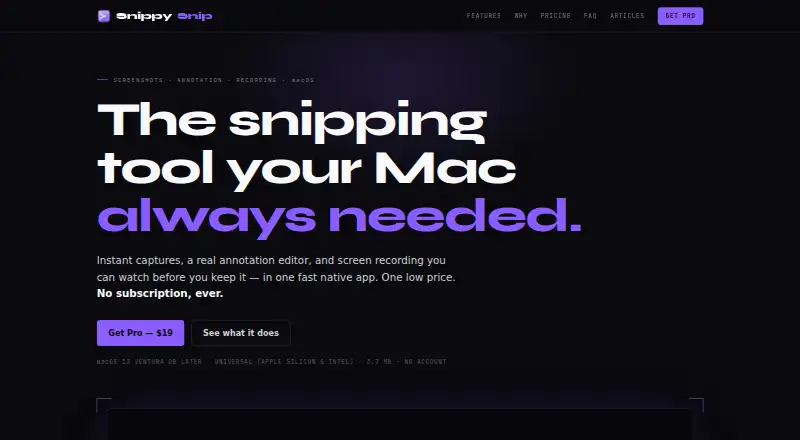
Snippy Snip is a native macOS app for capturing and annotating screenshots, aimed at solo users and small teams who want a desktop workflow. It captures a region, window, or full screen, then opens the image in an editor with a pen, highlighter, arrows, shapes, text, numbered callouts, crop, zoom, and undo. Redaction bars and pixelation can obscure details. Users can copy captures, save them as PNG or JPEG, or share through macOS. The app supports macOS 13 Ventura or later on Apple Silicon and Intel Macs.
The free plan includes capture, the full annotation editor, a session carousel with named captures, and copy, save, and share actions. Pro costs $19 as a one-time purchase and adds screen recording with in-editor playback, full-page website capture, OCR and QR reading, pinned screenshots and backdrops, and GIF export. Organization costs $250 one-time and includes unlimited seats across the organization, a license tied to the company email domain, and one invoice. This structure makes the free tier useful for static screenshot work, while Pro is the step up for annotated recording and expanded capture or extraction tasks.
Its focus is a macOS desktop workflow rather than a broad collaboration or browser-based toolkit: team collaboration and browser extensions are not part of the offering. Email is the listed support channel. Choose Snippy Snip if you work on a Mac and value quick capture, direct clipboard handling, and detailed markup, with recording available through Pro. Look elsewhere if you need a Windows or browser extension workflow, or collaboration features built into the annotation process.
Your product? Our editors can test Snippy Snip in depth and publish a review, labelled as paid · from $149/mo →
Snippy Snip pricing
All 3 Snippy Snip plans and prices →
Snippy Snip fact sheet
| Free plan | Yes |
|---|---|
| Paid from | $19 one-time |
| Redaction tools | Yes |
| Measurement tools | Not verified |
| Team collaboration | No |
| Browser extension | No |
| Export formats | PNG, JPEG; video and GIF recording exports |
| Maximum file size | Not verified |
| Deployment | Desktop |
| Platforms | macOS |
| Support | |
| Built for | Solo, Small business (editorial estimate) |
| Pricing | Free plan (source) |
| Website | snippysnip.com |
| Facts checked | 24 Sep 2026 |
Alternatives to Snippy Snip
- SnagitA paid desktop suite for detailed screenshot capture, annotation, OCR, and short video creation.9.3
- ShareXA highly configurable Windows capture tool for annotation, OCR, recording, and automated sharing.9.1
- ScreenpressoA broad Windows capture toolkit with strong annotation, OCR, document, and sharing features.8.9



See all Snippy Snip alternatives →
Used Snippy Snip? Be the first to review it
The editor score above is our own research. What this page doesn't have yet is a reader's view — what you used Snippy Snip for, what worked and what didn't. No stars are seeded and no review is paid for; an editor reads every one before it appears.
Write a reviewTwo minutes · verified accounts only · read by an editor before it appears
Featured on iTechGuides

Snippy Snip is listed in our Screenshot Annotation Software directory. Add the badge to your site — it links back to this page.
<a href="https://www.itechguides.com/products/snippy-snip/"><img src="https://www.itechguides.com/best/badge/snippy-snip.svg" alt="Featured on iTechGuides" width="230" height="46"></a>
Reviewed by iTechGuides Editors · Editorial team · Updated Oct 2026
Advertiser disclosure: iTechGuides is reader-supported. Vendors can pay for top positions in our rankings and for a place on other products' pages, and we may earn a commission when you click some links. Bought places stand at the number bought; this page and our disclosure say so. Paying vendors may get a fuller, more detailed review from our editors, and that review can change their score. How we rank.
Last updated · How we research and update