
SmartScan
SmartScan: A capable free Android scanner with local OCR, PDFs, search, and document protection. Ranked #57 of 75 in Mobile Scanning Apps by our editors (3.0/10); pricing: Free plan; best for users wanting a free Android scanner.
At a glance
- Editor score3.0 / 10
- PricingFree plan
- Best forUsers wanting a free Android scanner
- Free planYes
- Paid fromFree
- OCR includedYes
- Founded2026 · Andhra Pradesh, India
- Facts checked22 Sep 2026
Where it wins
- Automatic capture, cropping, and on-device OCR
- Searchable multipage PDFs with AES password protection
- Folders, favorites, library search, and app lock
Where it doesn't
- Android-only; there is no iOS app
- Free plan includes advertising
- No integrations or paid tier for expanded capabilities
Our verdict on SmartScan
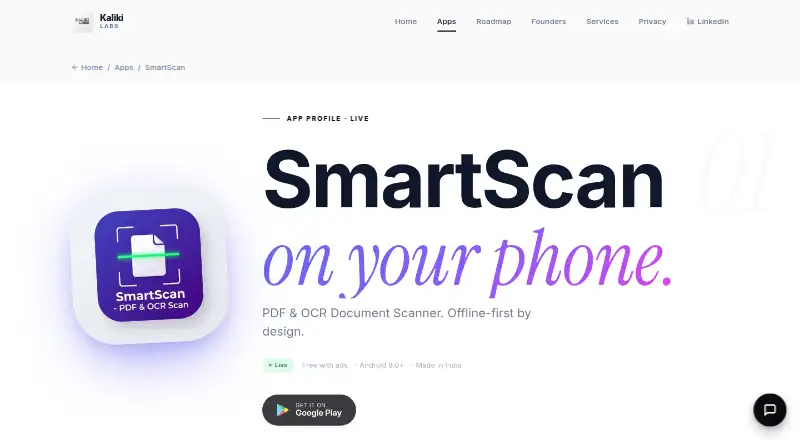
SmartScan is a free Android document-scanning app from Kaliki Labs for people who want to capture, organize, and export documents from an Android phone. It uses automatic document edge detection and cropping, extracts text with on-device OCR, and creates multipage PDFs. Scans, extracted text, and generated PDFs remain stored locally on the device. The app requires no account and supports Android 8.0 and later, making it a focused option for personal document capture rather than a cross-platform scanning system.
Its feature set covers the core scanning workflow in one free plan. Automatic capture is paired with brightness, contrast, rotation, duplication, and page-reordering controls. Users can organize documents with folders and favorites, search the document library, and export files as PDF or JPEG. On-device OCR supports searchable documents without requiring text processing outside the phone. Security features include AES password-protected PDFs and biometric or PIN app lock, giving the app useful protection for locally stored scans.
The main trade-off is platform and product scope. SmartScan is available on Android only, with no iOS app or integrations, so it is not suited to teams that need shared workflows or connections to other services. The Free plan includes ads, and there is no paid tier described for removing them or adding capabilities. Users who want a straightforward Android scanner with OCR, multipage PDF creation, local storage, search, and document protection should find the feature coverage well matched to that need. Those requiring cross-device availability, integrations, or a broader ecosystem should choose another app.
Your product? Our editors can test SmartScan in depth and publish a review, labelled as paid · from $149/mo →
SmartScan pricing
All 1 SmartScan plans and prices →
SmartScan fact sheet
| Free plan | Yes |
|---|---|
| Paid from | Free |
| iOS app | No |
| Android app | Yes |
| OCR included | Yes |
| Searchable PDF | Yes |
| Auto capture | Yes |
| Multipage PDF | Yes |
| Scan limit | Not verified |
| Deployment | Mobile |
| Platforms | Android |
| Support | |
| Built for | Solo, Small business (editorial estimate) |
| Pricing | Free plan (source) |
| Website | kalikilabs.tech |
| Facts checked | 22 Sep 2026 |
Alternatives to SmartScan
- Adobe ScanA capable free scanner with strong OCR and useful Adobe ecosystem connections.9.4
- Zoho ScannerA broad scanning app for Zoho users who need OCR, workflows, signing, and sync.9.2
- SmallpdfA broad PDF toolkit that adds OCR and scanning across web, desktop, and mobile.9.0



See all SmartScan alternatives →
Used SmartScan? Be the first to review it
The editor score above is our own research. What this page doesn't have yet is a reader's view — what you used SmartScan for, what worked and what didn't. No stars are seeded and no review is paid for; an editor reads every one before it appears.
Write a reviewTwo minutes · verified accounts only · read by an editor before it appears
Featured on iTechGuides

SmartScan is listed in our Mobile Scanning Apps directory. Add the badge to your site — it links back to this page.
<a href="https://www.itechguides.com/products/smartscan/"><img src="https://www.itechguides.com/best/badge/smartscan.svg" alt="Featured on iTechGuides" width="230" height="46"></a>
Reviewed by iTechGuides Editors · Editorial team · Updated Oct 2026
Advertiser disclosure: iTechGuides is reader-supported. Vendors can pay for top positions in our rankings and for a place on other products' pages, and we may earn a commission when you click some links. Bought places stand at the number bought; this page and our disclosure say so. Paying vendors may get a fuller, more detailed review from our editors, and that review can change their score. How we rank.
Last updated · How we research and update