
SlidesPilot
SlidesPilot: A flexible document-to-deck tool with broad inputs, editing and export options. Ranked #9 of 26 in AI Presentation Software by our editors (8.6/10); pricing: Free plan; best for high-volume document-to-deck workflows.
At a glance
- Editor score8.6 / 10
- PricingFree plan
- Best forHigh-volume document-to-deck workflows
- Free planYes
- Generation inputsPDF, Word, PowerPoint, web pages, YouTube videos, pasted text, notes, prompts, existing decks
- Facts checked19 Sep 2026
Where it wins
- Creates decks from documents, webpages, videos, notes or prompts
- Edits content at block, slide or deck level with AI assistance
- Exports to editable PPTX, Google Slides, PDF, images, Word or text
Where it doesn't
- Plan details beyond Free, Plus and Pro are limited here
- No specific collaboration controls beyond team sharing are described
- Its broad input and export options may exceed simpler deck-making needs
Our verdict on SlidesPilot
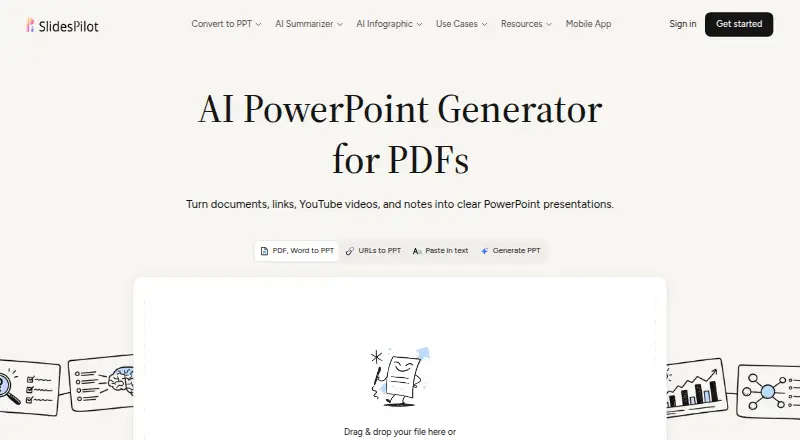
SlidesPilot turns source material into editable presentations for students, educators, researchers, consultants and business users. It accepts PDFs, Word and PPTX files, webpages, YouTube videos, pasted text, notes, prompts and existing decks, then gives users a block-based editor to rearrange and refine slides. The Free plan is available after registration without a credit card, while Plus and Pro are also named plans. Its range of inputs makes it particularly suited to people who regularly convert existing material into decks rather than starting with a blank slide.
The editing and branding tools are central to its appeal. AI can assist with individual blocks, slides or entire decks, and themes can reuse fonts, colors, backgrounds and logos. Presentations can include charts, tables, diagrams and supporting visuals. Users can share view-only links or present directly from the SlidesPilot workspace. Those options suit teams that need to review or present a deck in the product, though the described collaboration centers on sharing rather than a detailed set of co-editing controls.
Exports cover editable PPTX and Google Slides as well as PDF, PNG, JPG, Word and text, with Google Slides, PowerPoint, YouTube and Wikipedia among its integrations. SlidesPilot is available on web, iOS and Android. The published comparison specifies a 200-slide limit, useful for large decks, while its named formats and source types support a broad document-to-deck workflow. Choose it if converting varied source material, applying reusable branding and exporting in multiple formats matter. A simpler presentation tool may be a better fit if you do not need this range of inputs, editing levels or outputs.
Your product? Our editors can test SlidesPilot in depth and publish a review, labelled as paid · from $149/mo →
SlidesPilot pricing
All 3 SlidesPilot plans and prices →
SlidesPilot fact sheet
| Free plan | Yes |
|---|---|
| Paid from | Not verified |
| Generation inputs | PDF, Word, PowerPoint, web pages, YouTube videos, pasted text, notes, prompts, existing decks |
| Slide limit | 200 slides/deck |
| Export formats | PPTX, Google Slides, PDF, PNG, JPG, Word, text |
| Brand controls | Advanced |
| Collaboration | Team |
| Presentation formats | PowerPoint, Google Slides, PDF, PNG, JPG |
| Deployment | Cloud, Mobile |
| Platforms | Web, iOS, Android |
| Integrations | 4 integrations: Google Slides, PowerPoint, YouTube, Wikipedia |
| Pricing | Free plan (source) |
| Website | slidespilot.com |
| Facts checked | 19 Sep 2026 |
SlidesPilot integrations
SlidesPilot lists 4 integrations on its own site.
- Google Slides
- PowerPoint
- YouTube
- Wikipedia
Alternatives to SlidesPilot
- Canva PresentationsDraft with AI, refine with a full editor, and collaborate across web and mobile.9.4
- GammaA collaborative AI content tool for building and sharing decks alongside other visual content.9.3
- Microsoft PowerPointA mature, cross-platform slide editor with Copilot, brand controls, and collaboration.9.2



See all SlidesPilot alternatives →
Also Ranked In
SlidesPilot is ranked in 3 of our directories.
Used SlidesPilot? Be the first to review it
The editor score above is our own research. What this page doesn't have yet is a reader's view — what you used SlidesPilot for, what worked and what didn't. No stars are seeded and no review is paid for; an editor reads every one before it appears.
Write a reviewTwo minutes · verified accounts only · read by an editor before it appears
Featured on iTechGuides

SlidesPilot is listed in our AI Presentation Software directory. Add the badge to your site — it links back to this page.
<a href="https://www.itechguides.com/products/slidespilot/"><img src="https://www.itechguides.com/best/badge/slidespilot.svg" alt="Featured on iTechGuides" width="230" height="46"></a>
Guides on AI presentation software
- Best AI Presentation Tools for Turning a Prompt or Document Into SlidesOct 2026
- How to Choose an AI Presentation Tool for PowerPoint and Google SlidesOct 2026
- Prezi Review (2026): Is This AI Presentation Tool Better Than PowerPoint?Aug 2026
Reviewed by iTechGuides Editors · Editorial team · Updated Oct 2026
Advertiser disclosure: iTechGuides is reader-supported. Vendors can pay for top positions in our rankings and for a place on other products' pages, and we may earn a commission when you click some links. Bought places stand at the number bought; this page and our disclosure say so. Paying vendors may get a fuller, more detailed review from our editors, and that review can change their score. How we rank.
Last updated · How we research and update