
SlideShare
SlideShare: A public presentation hub with flexible sharing, embeds, analytics, and subscription-based extras. Ranked #2 of 27 in Presentation Sharing Software by our editors (9.1/10); pricing: Free plan · 30-day trial; best for public presentation discovery and sharing.
At a glance
- Editor score9.1 / 10
- PricingFree plan · 30-day trial
- Best forPublic presentation discovery and sharing
- Free planYes
- Embeddable playerYes
- Facts checked20 Sep 2026
Where it wins
- Supports public, private, limited-link, and password-protected sharing
- Provides embeds plus analytics for views, traffic, actions, and shares
- Searches presentations, documents, and infographics with personalized recommendations
Where it doesn't
- Original-format downloads require a subscription
- Free access is ad-supported
- The product is available on the web rather than across multiple platforms
Our verdict on SlideShare
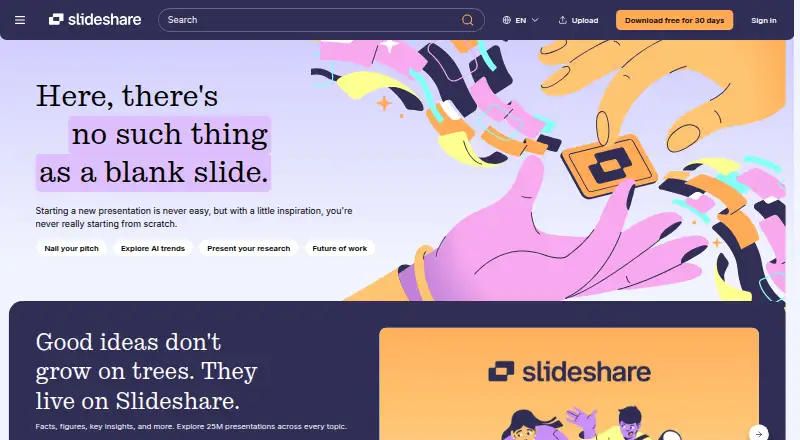
SlideShare is a web-based presentation-sharing service for people and organizations that want to publish, discover, read, and distribute presentations, documents, and infographics. It accepts PowerPoint, PDF, and Word files, so it can accommodate common business and educational formats. Sharing controls range from public access to private, limited-link, and password-protected distribution. Readers can search and browse published material, while creators can embed uploaded presentations on external websites and review performance analytics.
Its strongest fit is public knowledge discovery combined with controlled distribution. Personalized recommendations support browsing, and uploaded content can be measured through views, traffic sources, actions, exports, and social shares. Embedding extends a presentation beyond SlideShare itself, which suits publishers, educators, speakers, and teams that want presentation content to live on a website. The web-only platform keeps the core workflow focused: upload, share, discover, embed, and measure.
The pricing structure separates ad-supported access from subscription features. The free experience covers browsing presentations and documents, uploading and sharing knowledge, and receiving personalized recommendations. A free 30-day trial adds downloads in the original file format, AI rewriting, rephrasing and simplification, copy-and-paste extraction of key insights, and ad-free access. Subscription access includes presentation downloads, text copying, ad-free browsing, and access to millions of Scribd documents. SlideShare is a strong choice for public presentation reach and embedded publishing; teams that need a broader multi-platform ecosystem or downloads without a paid tier should consider alternatives.
Your product? Our editors can test SlideShare in depth and publish a review, labelled as paid · from $149/mo →
SlideShare pricing
All 3 SlideShare plans and prices →
SlideShare fact sheet
| Free plan | Yes |
|---|---|
| Paid from | Not verified |
| Embeddable player | Yes |
| Viewer analytics | Yes |
| Access control | Password |
| Custom branding | Not verified |
| Lead capture | Not verified |
| Deck limit | Not verified |
| Free trial | 30 days · card required |
| Money-back guarantee | 30 days |
| Deployment | Cloud |
| Platforms | Web |
| Support | Live chat, Docs |
| Built for | Solo, Small business (editorial estimate) |
| Pricing | Free plan · 30-day trial (source) |
| Website | slideshare.net |
| Facts checked | 20 Sep 2026 |
Alternatives to SlideShare
- PowerPoint for the webA capable web PowerPoint workspace for co-authoring, controlled sharing, and embeds.9.3
- Speaker DeckA focused way to host and embed PDF decks, with useful privacy controls on Pro.8.9
- FlowVellaA focused choice for multimedia presentations, kiosk displays, and offline Apple presenting.8.7



See all SlideShare alternatives →
SlideShare vs the competition
- SlideShare vs PowerPoint for the web
- SlideShare vs Speaker Deck
- SlideShare vs FlowVella
- SlideShare vs VCASMO
- SlideShare vs Storydoc
- SlideShare vs SlideServe



Compare SlideShare with any tool side by side →
Used SlideShare? Be the first to review it
The editor score above is our own research. What this page doesn't have yet is a reader's view — what you used SlideShare for, what worked and what didn't. No stars are seeded and no review is paid for; an editor reads every one before it appears.
Write a reviewTwo minutes · verified accounts only · read by an editor before it appears
Featured on iTechGuides

SlideShare is listed in our Presentation Sharing Software directory. Add the badge to your site — it links back to this page.
<a href="https://www.itechguides.com/products/slideshare/"><img src="https://www.itechguides.com/best/badge/slideshare.svg" alt="Featured on iTechGuides" width="230" height="46"></a>
Reviewed by iTechGuides Editors · Editorial team · Updated Oct 2026
Advertiser disclosure: iTechGuides is reader-supported. Vendors can pay for top positions in our rankings and for a place on other products' pages, and we may earn a commission when you click some links. Bought places stand at the number bought; this page and our disclosure say so. Paying vendors may get a fuller, more detailed review from our editors, and that review can change their score. How we rank.
Last updated · How we research and update