
PowerPoint for the web
PowerPoint for the web: A capable web PowerPoint workspace for co-authoring, controlled sharing, and embeds. Ranked #1 of 27 in Presentation Sharing Software by our editors (9.3/10); pricing: Free plan; best for teams creating and sharing presentations online.
At a glance
- Editor score9.3 / 10
- PricingFree plan
- Best forTeams creating and sharing presentations online
- Free planYes
- Embeddable playerYes
- Founded1975 · Redmond, Washington, USA
- Facts checked20 Sep 2026
Where it wins
- Real-time co-authoring with comments and automatic saving
- View, edit, download restrictions plus public links and embeds
- OneDrive, SharePoint, Dropbox, and YouTube integrations
Where it doesn't
- Web-only access limits platform coverage to browser workflows
- Animations are limited to selected options
- Some media playback is limited to Reading view or Slide Show
Our verdict on PowerPoint for the web
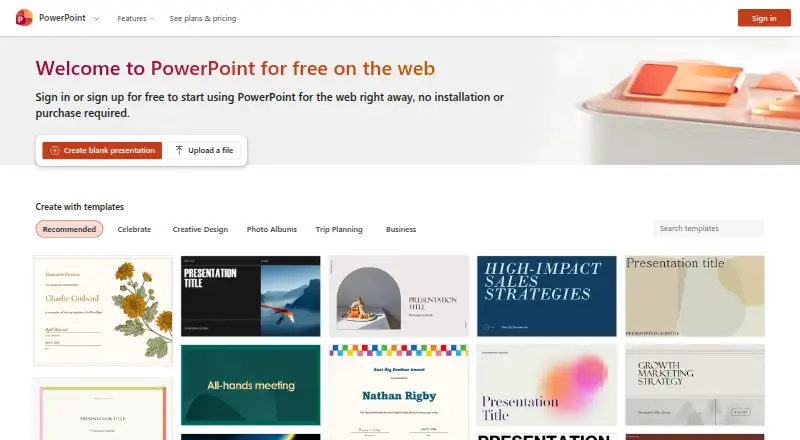
PowerPoint for the web brings presentation creation, editing, playback, storage, and sharing into a browser. It suits individuals, schools, teams, and organizations that need to work with PowerPoint files online. Users can create slides with themes, SmartArt, tables, shapes, selected animations and transitions, then run slide shows in a browser. Real-time co-authoring, comments, automatic saving, and downloadable copies support collaborative presentation work.
The free web plan covers the core browser experience, while Microsoft 365 subscriptions add broader app and storage access. Microsoft 365 Personal is for 1 person, works across PCs, Macs, phones, and tablets, includes 1 TB of cloud storage, and includes PowerPoint. Microsoft 365 Family supports 1 to 6 people, allows each person to use up to 5 devices simultaneously, provides up to 6 TB of cloud storage, and includes PowerPoint. Microsoft 365 Premium includes everything in Family, plus advanced Copilot chat and extensive usage for selected Copilot features.
Sharing and ecosystem fit are major strengths. Presentations can be shared with view, edit, or download restrictions, published publicly through OneDrive links, or embedded in webpages and blogs. OneDrive and SharePoint support Microsoft workflows, while Dropbox and YouTube extend storage and media options. YouTube video insertion is supported, with media playback available in Reading view or Slide Show. PowerPoint for the web is a strong choice for teams that prioritize browser collaboration and controlled sharing; teams needing broader platform coverage or a wider set of animation options should consider a different workflow.
Your product? Our editors can test PowerPoint for the web in depth and publish a review, labelled as paid · from $149/mo →
PowerPoint for the web pricing
All 3 PowerPoint for the web plans and prices →
PowerPoint for the web fact sheet
| Free plan | Yes |
|---|---|
| Paid from | Not verified |
| Embeddable player | Yes |
| Viewer analytics | Not verified |
| Access control | Restricted |
| Custom branding | Not verified |
| Lead capture | Not verified |
| Deck limit | Not verified |
| Deployment | Cloud |
| Platforms | Web |
| Support | Docs |
| Built for | Solo, Small business, Mid-market, Enterprise (editorial estimate) |
| Integrations | 4 integrations: OneDrive, SharePoint, Dropbox, YouTube |
| Pricing | Free plan (source) |
| Website | powerpoint.cloud.microsoft |
| Facts checked | 20 Sep 2026 |
PowerPoint for the web integrations
PowerPoint for the web lists 4 integrations on its own site.
- OneDrive
- SharePoint
- Dropbox
- YouTube
Alternatives to PowerPoint for the web
- SlideShareA public presentation hub with flexible sharing, embeds, analytics, and subscription-based extras.9.1
- Speaker DeckA focused way to host and embed PDF decks, with useful privacy controls on Pro.8.9
- FlowVellaA focused choice for multimedia presentations, kiosk displays, and offline Apple presenting.8.7



See all PowerPoint for the web alternatives →
PowerPoint for the web vs the competition
- PowerPoint for the web vs SlideShare
- PowerPoint for the web vs Speaker Deck
- PowerPoint for the web vs FlowVella
- PowerPoint for the web vs VCASMO
- PowerPoint for the web vs Storydoc
- PowerPoint for the web vs SlideServe



Compare PowerPoint for the web with any tool side by side →
Also Ranked In
PowerPoint for the web is ranked in 2 of our directories.
Used PowerPoint for the web? Be the first to review it
The editor score above is our own research. What this page doesn't have yet is a reader's view — what you used PowerPoint for the web for, what worked and what didn't. No stars are seeded and no review is paid for; an editor reads every one before it appears.
Write a reviewTwo minutes · verified accounts only · read by an editor before it appears
Featured on iTechGuides

PowerPoint for the web is listed in our Presentation Sharing Software directory. Add the badge to your site — it links back to this page.
<a href="https://www.itechguides.com/products/powerpoint-for-the-web/"><img src="https://www.itechguides.com/best/badge/powerpoint-for-the-web.svg" alt="Featured on iTechGuides" width="230" height="46"></a>
Reviewed by iTechGuides Editors · Editorial team · Updated Oct 2026
Advertiser disclosure: iTechGuides is reader-supported. Vendors can pay for top positions in our rankings and for a place on other products' pages, and we may earn a commission when you click some links. Bought places stand at the number bought; this page and our disclosure say so. Paying vendors may get a fuller, more detailed review from our editors, and that review can change their score. How we rank.
Last updated · How we research and update