
SkyPDF Converter 8
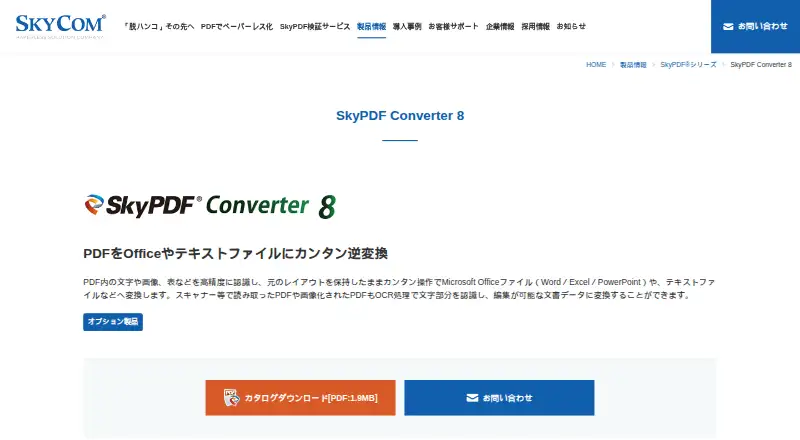
SkyPDF Converter 8: A Windows OCR converter for Japanese and English documents with batch processing and Office output. Ranked #39 of 46 in PDF Converter Software by our editors (5.1/10); pricing: 30-day trial; best for japanese and English OCR conversion on Windows.
At a glance
- Editor score5.1 / 10
- Pricing30-day trial
- Best forJapanese and English OCR conversion on Windows
- Free planNo
- OCR conversionYes
- Founded1997 · Tokyo, Japan
- Facts checked19 Sep 2026
Where it wins
- OCR converts scanned PDFs into editable or searchable files
- Preserves layouts and identifies paragraphs and tables
- Batch-converts up to 20 files with Japanese and English output
Where it doesn't
- Windows-only availability limits cross-platform use
- Requires a SkyPDF Standard, Professional, or Terminal Server product
- Annual maintenance and support are required for products
Our verdict on SkyPDF Converter 8
SkyPDF Converter 8 is a Windows utility for converting text-based, transparent-text, and image-based PDFs into Word, Excel, PowerPoint, text, or PDF files. It also converts JPEG, BMP, PNG, TIFF, and GIF images into those formats. The software is suited to organizations and individuals working with Japanese or English documents, especially scanned files that need editable content or searchable PDFs. It is sold as an optional product for SkyPDF Standard 8, SkyPDF Professional 8, or SkyPDF Terminal Server Pro 8.
OCR is the central capability. SkyPDF Converter 8 can re-convert scanned documents into searchable PDFs with transparent text, while its recognition features preserve layouts and identify paragraphs and tables. Users can edit recognized table borders and lines, and adjust image processing for resolution, noise removal, skew correction, and character correction. Batch conversion handles up to 20 files. Office integration covers Microsoft Word, Excel, and PowerPoint, alongside the listed SkyPDF products, making the software a focused fit for document conversion workflows built around those applications.
The published plans are Corporate, with the product price shown for corporate users and tax included, and Individual, which includes two years of maintenance support with tax included. A 30-day trial is available, while there is no free plan. The starting price shown is 3300. SkyPDF Converter 8 should suit Windows users who need Japanese and English OCR, layout-aware conversion, and batch processing. It is less suitable for teams seeking a standalone cross-platform converter or a product that works without a SkyPDF base product. API-related workflows use SkyPDF WebAPI, a separate server product; Office-to-PDF conversion through it additionally requires SkyPDF Web Server.
Your product? Our editors can test SkyPDF Converter 8 in depth and publish a review, labelled as paid · from $149/mo →
SkyPDF Converter 8 pricing
All 2 SkyPDF Converter 8 plans and prices →
SkyPDF Converter 8 fact sheet
| Free plan | No |
|---|---|
| Paid from | Not verified |
| Conversion targets | PDF → Word, Excel, PowerPoint, TXT, or PDF; JPEG, BMP, PNG, TIFF, and GIF → Word, Excel, PowerPoint, TXT, or PDF |
| OCR conversion | Yes |
| Batch conversion | Yes |
| Maximum file size | Not verified |
| Supported platforms | Windows |
| API access | Yes |
| Free trial | 30 days |
| Deployment | Desktop |
| Platforms | Windows |
| Integrations | 6 integrations: Microsoft Word, Microsoft Excel, Microsoft PowerPoint, SkyPDF Standard 8, SkyPDF Professional 8, SkyPDF Terminal Server Pro 8 |
| Pricing | 30-day trial (source) |
| Website | skycom.jp |
| Facts checked | 19 Sep 2026 |
SkyPDF Converter 8 integrations
SkyPDF Converter 8 lists 6 integrations on its own site.
- Microsoft Word
- Microsoft Excel
- Microsoft PowerPoint
- SkyPDF Standard 8
- SkyPDF Professional 8
- SkyPDF Terminal Server Pro 8
Alternatives to SkyPDF Converter 8
- Wondershare PDFelementA full PDF workbench with conversion, OCR, forms, security, signatures, and AI tools.9.3
- Adobe PDF Services APIA broad PDF automation API with a useful free tier and quote-based paid scaling.9.1
- ConvertioA broad cloud converter for documents, media, images, and automated workflows.9.0



See all SkyPDF Converter 8 alternatives →
Used SkyPDF Converter 8? Be the first to review it
The editor score above is our own research. What this page doesn't have yet is a reader's view — what you used SkyPDF Converter 8 for, what worked and what didn't. No stars are seeded and no review is paid for; an editor reads every one before it appears.
Write a reviewTwo minutes · verified accounts only · read by an editor before it appears
Featured on iTechGuides

SkyPDF Converter 8 is listed in our PDF Converter Software directory. Add the badge to your site — it links back to this page.
<a href="https://www.itechguides.com/products/skypdf-converter-8/"><img src="https://www.itechguides.com/best/badge/skypdf-converter-8.svg" alt="Featured on iTechGuides" width="230" height="46"></a>
Reviewed by iTechGuides Editors · Editorial team · Updated Oct 2026
Advertiser disclosure: iTechGuides is reader-supported. Vendors can pay for top positions in our rankings and for a place on other products' pages, and we may earn a commission when you click some links. Bought places stand at the number bought; this page and our disclosure say so. Paying vendors may get a fuller, more detailed review from our editors, and that review can change their score. How we rank.
Last updated · How we research and update