
SkyBlue MCEE Minecraft Tools
SkyBlue MCEE Minecraft Tools: A free local browser editor for Bedrock world settings, packs, gamerules, and permissions. Ranked #31 of 34 in Minecraft World Editors by our editors (5.4/10); pricing: Free plan; best for free Bedrock world-settings editing.
At a glance
- Editor score5.4 / 10
- PricingFree plan
- Best forFree Bedrock world-settings editing
- Free planYes
- Paid fromFree
- Minecraft editionsBedrock
- Facts checked22 Sep 2026
Where it wins
- Edits exported .mcworld files locally in the browser
- Covers gamerules, permissions, packs, and experimental features
- Saves a modified copy while preserving the original
Where it doesn't
- Supports Bedrock and Education worlds, not Java Edition
- Requires an exported .mcworld file as the editing input
- Does not edit terrain, regions, or entities
Our verdict on SkyBlue MCEE Minecraft Tools
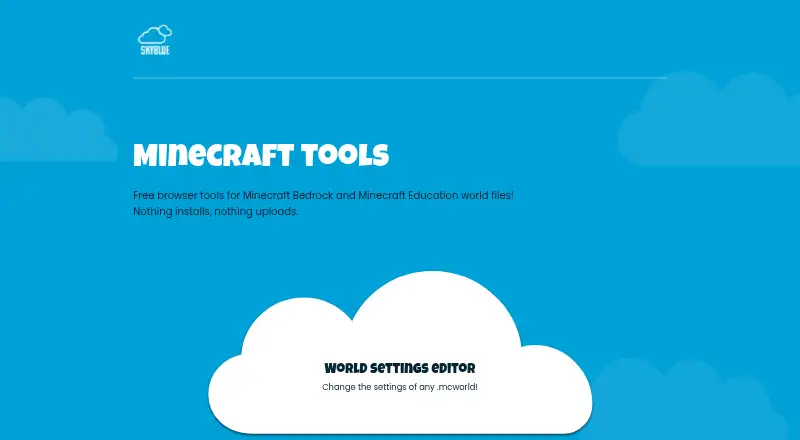
SkyBlue MCEE Minecraft Tools is a free browser-based toolkit for Minecraft Bedrock Edition and Minecraft Education players and creators. Its available World Settings Editor works with exported .mcworld files and focuses on configuration rather than world-structure editing. Users can change game mode and difficulty, enable cheats, show coordinates, modify player permissions and world options, edit gamerules, manage experimental features, and manage enabled behavior and resource packs.
The strongest fit is for solo players, small teams, and creators who need a focused way to adjust Bedrock world settings without installing a desktop application. Files are processed locally in the browser, and the editor saves a modified copy while preserving the original. That workflow suits people who want to keep the source world intact while creating an adjusted version for testing, sharing, or play. The product is available on the web and is free to use.
Its scope is also its clearest boundary. SkyBlue MCEE Minecraft Tools supports Bedrock and Education world files, but not Java Edition worlds. It works with the .mcworld format and is centered on settings, gamerules, permissions, packs, and experimental options; it does not provide verified terrain, region, or entity editing. Choose it when world configuration is the priority and a local browser workflow is sufficient. Choose an alternative when you need to reshape terrain, edit regions, change entities, or work with Java Edition saves.
Your product? Our editors can test SkyBlue MCEE Minecraft Tools in depth and publish a review, labelled as paid · from $149/mo →
SkyBlue MCEE Minecraft Tools pricing
SkyBlue MCEE Minecraft Tools fact sheet
| Free plan | Yes |
|---|---|
| Paid from | Free |
| Minecraft editions | Bedrock |
| Supported platforms | web |
| Region editing | Not verified |
| Terrain editing | Not verified |
| Entity editing | Not verified |
| Batch operations | Not verified |
| Supported world formats | .mcworld |
| Deployment | Cloud |
| Platforms | Web |
| Support | Email, Community |
| Built for | Solo, Small business (editorial estimate) |
| Pricing | Free plan |
| Website | skybluemcee.github.io |
| Facts checked | 22 Sep 2026 |
Alternatives to SkyBlue MCEE Minecraft Tools
- Universal Minecraft ToolA broad Windows toolkit for editing, converting, and pruning Java and Bedrock worlds.9.4
- VoxelierA free, feature-rich Java world editor for detailed terrain and generation work.9.2
- Bedrock ToolchestA broad, free Bedrock editor for Windows, with strong world-data and backup tools.9.0



See all SkyBlue MCEE Minecraft Tools alternatives →
Used SkyBlue MCEE Minecraft Tools? Be the first to review it
The editor score above is our own research. What this page doesn't have yet is a reader's view — what you used SkyBlue MCEE Minecraft Tools for, what worked and what didn't. No stars are seeded and no review is paid for; an editor reads every one before it appears.
Write a reviewTwo minutes · verified accounts only · read by an editor before it appears
Featured on iTechGuides

SkyBlue MCEE Minecraft Tools is listed in our Minecraft World Editors directory. Add the badge to your site — it links back to this page.
<a href="https://www.itechguides.com/products/skyblue-mcee-minecraft-tools/"><img src="https://www.itechguides.com/best/badge/skyblue-mcee-minecraft-tools.svg" alt="Featured on iTechGuides" width="230" height="46"></a>
Reviewed by iTechGuides Editors · Editorial team · Updated Oct 2026
Advertiser disclosure: iTechGuides is reader-supported. Vendors can pay for top positions in our rankings and for a place on other products' pages, and we may earn a commission when you click some links. Bought places stand at the number bought; this page and our disclosure say so. Paying vendors may get a fuller, more detailed review from our editors, and that review can change their score. How we rank.
Last updated · How we research and update