
Signature Edits
Signature Edits: A Lightroom preset library with AI tools, mobile files, and commercial-use support. Ranked #17 of 35 in Photo Preset Libraries by our editors (7.5/10); pricing: Paid; best for lightroom users wanting AI-assisted preset workflows.
At a glance
- Editor score7.5 / 10
- PricingPaid
- Best forLightroom users wanting AI-assisted preset workflows
- Free planNo
- Paid from$59 one-time
- Founded2016
- Facts checked20 Sep 2026
Where it wins
- Includes mobile DNG, desktop XMP, brushes, and AI editing tools
- Supports Lightroom Classic, CC, Mobile, and Adobe Camera Raw
- Includes RAW/JPEG support and a commercial license
Where it doesn't
- The collection includes eight presets at the $59 entry price
- There is no free plan for evaluating the collection
- It is focused on Adobe Lightroom workflows rather than video editing
Our verdict on Signature Edits
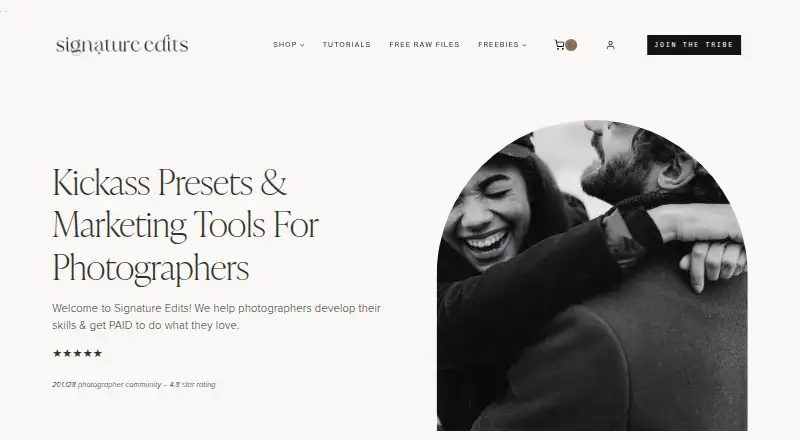
Signature Edits is a downloadable library of Lightroom presets and editing tools for photographers, bloggers, influencers, travelers, and photography businesses. Its collections support RAW and JPEG workflows and are delivered as instant digital downloads. The product covers desktop and mobile use through DNG and XMP files, with compatibility across Lightroom Classic, Lightroom CC, Lightroom Mobile, and Adobe Camera Raw. A commercial license is included, making it relevant for photography businesses as well as personal projects.
Pricing is organized around two one-time purchases. The Individual preset collection costs $59 and includes Lightroom presets, mobile and desktop files, and instant download access. The Lightroom AI Engine Preset Toolkit costs $75 and adds AI-powered Lightroom effects and a preset toolkit. The $59 entry price is relatively high for a verified collection of eight presets, particularly because there is no free plan. Buyers should choose the Individual collection for a preset-focused workflow and the AI Engine Preset Toolkit when AI-powered effects are the priority.
The strongest fit is for Lightroom users who want more than static presets. Custom adjustment brush templates, one-fader preset intensity control, AI-powered editing, step-by-step installation tutorials, and support for both mobile and desktop workflows give the collection broader editing utility. The limitation is its narrow Adobe-centered scope: it is not a video preset product, and the offering is less suited to buyers seeking a large preset volume at a lower entry cost. Choose Signature Edits if cross-device Lightroom support, AI tools, and commercial use matter more than collection size; consider an alternative if you want free evaluation or a broader library.
Your product? Our editors can test Signature Edits in depth and publish a review, labelled as paid · from $149/mo →
Signature Edits pricing
All 2 Signature Edits plans and prices →
Signature Edits fact sheet
| Free plan | No |
|---|---|
| Paid from | $59 one-time |
| Delivery type | Download |
| Included presets | 8 presets |
| Software support | Adobe Lightroom CC, Lightroom Classic, Lightroom Mobile, Adobe Camera Raw |
| Video presets | No |
| Mobile support | Yes |
| Commercial license | Yes |
| Deployment | Desktop, Mobile |
| Platforms | Windows, macOS, iOS, Android |
| Built for | Solo, Small business (editorial estimate) |
| Integrations | 4 integrations: Adobe Lightroom Classic, Adobe Lightroom CC, Adobe Lightroom Mobile, Adobe Camera Raw |
| Pricing | Paid (source) |
| Website | signatureedits.com |
| Facts checked | 20 Sep 2026 |
Signature Edits integrations
Signature Edits lists 4 integrations on its own site.
- Adobe Lightroom Classic
- Adobe Lightroom CC
- Adobe Lightroom Mobile
- Adobe Camera Raw
Alternatives to Signature Edits
- Greater Than GatsbyA broad preset library with free samples, mobile support, and bundles up to $249.9.4
- Lightroom Presets by peva3A broad free preset library for Lightroom users who want maximum variety.9.2
- 123PresetsA $15 one-time pack for Lightroom workflows, mobile editing, and video LUTs.9.0


See all Signature Edits alternatives →
Used Signature Edits? Be the first to review it
The editor score above is our own research. What this page doesn't have yet is a reader's view — what you used Signature Edits for, what worked and what didn't. No stars are seeded and no review is paid for; an editor reads every one before it appears.
Write a reviewTwo minutes · verified accounts only · read by an editor before it appears
Featured on iTechGuides

Signature Edits is listed in our Photo Preset Libraries directory. Add the badge to your site — it links back to this page.
<a href="https://www.itechguides.com/products/signature-edits/"><img src="https://www.itechguides.com/best/badge/signature-edits.svg" alt="Featured on iTechGuides" width="230" height="46"></a>
Reviewed by iTechGuides Editors · Editorial team · Updated Oct 2026
Advertiser disclosure: iTechGuides is reader-supported. Vendors can pay for top positions in our rankings and for a place on other products' pages, and we may earn a commission when you click some links. Bought places stand at the number bought; this page and our disclosure say so. Paying vendors may get a fuller, more detailed review from our editors, and that review can change their score. How we rank.
Last updated · How we research and update