Shotpad
Shotpad: A focused, open-source Linux screenshot tool for offline OCR and layered annotation. Ranked #44 of 75 in Screenshot Annotation Software by our editors (4.8/10); pricing: Free plan; best for linux users needing offline OCR annotation.
At a glance
- Editor score4.8 / 10
- PricingFree plan
- Best forLinux users needing offline OCR annotation
- Free planYes
- Paid fromFree
- Redaction toolsYes
- Facts checked20 Sep 2026
Where it wins
- Works with X11 and Wayland capture
- Includes blur, pixelate, and solid-block redaction
- Offline OCR and export scaling up to 3×
Where it doesn't
- Available only on Linux
- Export scaling uses four preset options
- OCR relies on bundled language support
Our verdict on Shotpad
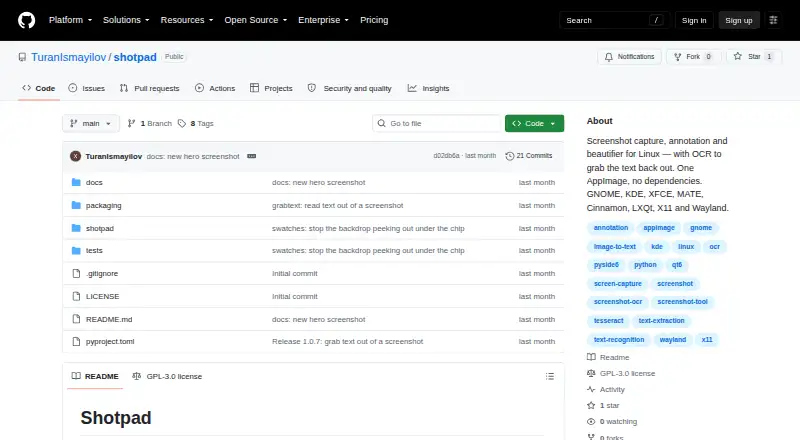
Shotpad is an open-source Linux desktop application for capturing, annotating, beautifying, and exporting screenshots. It supports GNOME, KDE Plasma, XFCE, MATE, Cinnamon, and LXQt across X11 and Wayland. Capture modes cover areas, screens, windows, the clipboard, and delayed captures, while annotation tools include freehand pen and highlighter tools, arrows, lines, rectangles, ellipses, text, and numbered badges. It is suited to Linux users who need local screenshot markup, redaction, and OCR without relying on an online service.
Its standout capability is the combination of offline OCR and editing controls. Users can extract text from selected screenshot regions with bundled language support, then crop, rotate, flip, undo, or redo edits before export. Redaction options include blur, pixelation, and solid blocks, giving the tool practical coverage for screenshots that contain sensitive information. Background controls extend beyond a simple canvas, with gradient, solid, image, and transparent options. Export is available at 1×, 1.5×, 2×, and 3× scale.
Shotpad keeps a narrow focus on local Linux screenshot work rather than presenting a broad cross-platform workflow. Its distribution is through a standalone AppImage or pipx, and its capture support spans both major Linux display protocols, X11 and Wayland. That makes it a strong fit for documentation, issue reports, tutorials, and visual notes created on Linux. Users who need a Linux-native capture and annotation utility with offline OCR should consider it; those who require another operating system or a wider workflow beyond screenshot editing should look elsewhere.
Your product? Our editors can test Shotpad in depth and publish a review, labelled as paid · from $149/mo →
Shotpad pricing
Shotpad fact sheet
| Free plan | Yes |
|---|---|
| Paid from | Free |
| Redaction tools | Yes |
| Measurement tools | Not verified |
| Team collaboration | Not verified |
| Browser extension | Not verified |
| Export formats | Not verified |
| Maximum file size | Not verified |
| Deployment | Desktop |
| Platforms | Linux |
| Built for | Solo, Small business (editorial estimate) |
| Pricing | Free plan |
| Website | github.com |
| Facts checked | 20 Sep 2026 |
Alternatives to Shotpad
- SnagitA paid desktop suite for detailed screenshot capture, annotation, OCR, and short video creation.9.3
- ShareXA highly configurable Windows capture tool for annotation, OCR, recording, and automated sharing.9.1
- ScreenpressoA broad Windows capture toolkit with strong annotation, OCR, document, and sharing features.8.9



See all Shotpad alternatives →
Also Ranked In
Shotpad is ranked in 2 of our directories.
Used Shotpad? Be the first to review it
The editor score above is our own research. What this page doesn't have yet is a reader's view — what you used Shotpad for, what worked and what didn't. No stars are seeded and no review is paid for; an editor reads every one before it appears.
Write a reviewTwo minutes · verified accounts only · read by an editor before it appears
Featured on iTechGuides

Shotpad is listed in our Screenshot Annotation Software directory. Add the badge to your site — it links back to this page.
<a href="https://www.itechguides.com/products/shotpad/"><img src="https://www.itechguides.com/best/badge/shotpad.svg" alt="Featured on iTechGuides" width="230" height="46"></a>
Reviewed by iTechGuides Editors · Editorial team · Updated Oct 2026
Advertiser disclosure: iTechGuides is reader-supported. Vendors can pay for top positions in our rankings and for a place on other products' pages, and we may earn a commission when you click some links. Bought places stand at the number bought; this page and our disclosure say so. Paying vendors may get a fuller, more detailed review from our editors, and that review can change their score. How we rank.
Last updated · How we research and update