
ShadowDraw
ShadowDraw: A focused Apple-device app for guided drawing practice, with free daily lessons and paid full-library access. Ranked #26 of 27 in Art Learning Apps by our editors (6.6/10); pricing: Free plan · 7-day trial; best for guided drawing practice on Apple devices.
At a glance
- Editor score6.6 / 10
- PricingFree plan · 7-day trial
- Best forGuided drawing practice on Apple devices
- Free planYes
- Facts checked21 Sep 2026
Where it wins
- Stroke-by-stroke lessons with step unlocking
- Art Teacher and Sketch My Way modes
- Progress tracking, saved artwork, and Family Sharing
Where it doesn't
- Available only on iOS and macOS
- Free access includes limited lessons and features
- No live classes or verified instructor feedback
Our verdict on ShadowDraw
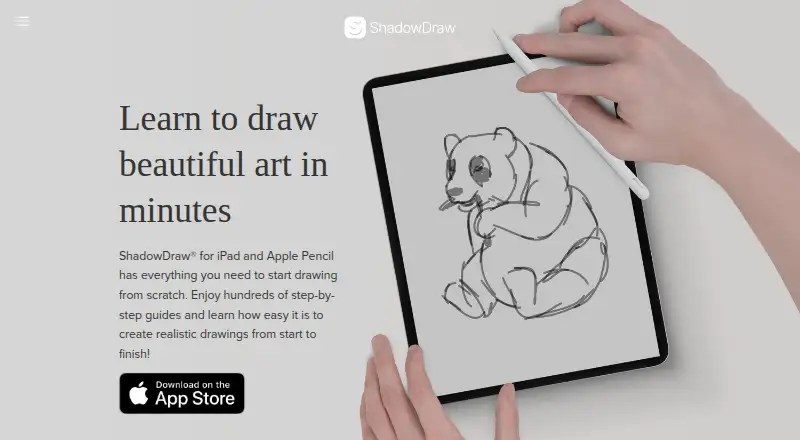
ShadowDraw is a guided drawing app for beginners using an iPad and Apple Pencil or compatible stylus. Its lessons provide stroke-by-stroke instruction across subjects including people, animals, architecture, manga, nature, and sketching fundamentals. The app is suited to learners who want a structured way to practice drawing on Apple devices rather than an open-ended art community or live teaching service.
The standout feature is its guided lesson flow. Learners unlock each step after completing the previous one, creating a clear progression through a drawing. Art Teacher Mode supplies preset colors and brushes for a more directed exercise, while Sketch My Way allows custom colors and brushes. Progress tracking, saved drawings, and artwork editing support continued practice beyond a single lesson. Free users receive Today's Free Lesson and a Blank Canvas, alongside limited drawing lessons and features.
ShadowDraw uses a freemium model with a 7-day free trial and two subscription options: ShadowDraw+ Monthly and ShadowDraw+ Yearly. Both paid plans provide premium access, unlimited drawings, and Family Sharing. The app runs on iOS and macOS, making it a fit for Apple households, while its narrow platform coverage limits its usefulness for learners on other devices. Choose ShadowDraw for guided, independent drawing practice with a step-by-step format; choose another option if you need live classes, verified instructor feedback, or broader platform support.
Your product? Our editors can test ShadowDraw in depth and publish a review, labelled as paid · from $149/mo →
ShadowDraw pricing
All 3 ShadowDraw plans and prices →
ShadowDraw fact sheet
| Free plan | Yes |
|---|---|
| Paid from | Not verified |
| Guided projects | Yes |
| Instructor feedback | Not verified |
| Live classes | Not verified |
| Progress tracking | Yes |
| Offline access | Not verified |
| Mobile platforms | iOS |
| Art history lessons | Not verified |
| Free trial | 7 days |
| Deployment | Mobile |
| Platforms | iOS, macOS |
| Support | Email, Live chat |
| Built for | Solo, Small business (editorial estimate) |
| Pricing | Free plan · 7-day trial (source) |
| Website | shadowdrawapp.com |
| Facts checked | 21 Sep 2026 |
Alternatives to ShadowDraw
- Art ProfA broad art-learning platform combining adaptive study, feedback, and live mentoring.9.4
- DigitalPainting.SchoolA focused learning platform for artists who want guided practice and professional feedback.9.2
- Creature Art TeacherA broad art-learning library with mobile access, workshops, and instructor critique.9.0


See all ShadowDraw alternatives →
Used ShadowDraw? Be the first to review it
The editor score above is our own research. What this page doesn't have yet is a reader's view — what you used ShadowDraw for, what worked and what didn't. No stars are seeded and no review is paid for; an editor reads every one before it appears.
Write a reviewTwo minutes · verified accounts only · read by an editor before it appears
Featured on iTechGuides

ShadowDraw is listed in our Art Learning Apps directory. Add the badge to your site — it links back to this page.
<a href="https://www.itechguides.com/products/shadowdraw/"><img src="https://www.itechguides.com/best/badge/shadowdraw.svg" alt="Featured on iTechGuides" width="230" height="46"></a>
Reviewed by iTechGuides Editors · Editorial team · Updated Oct 2026
Advertiser disclosure: iTechGuides is reader-supported. Vendors can pay for top positions in our rankings and for a place on other products' pages, and we may earn a commission when you click some links. Bought places stand at the number bought; this page and our disclosure say so. Paying vendors may get a fuller, more detailed review from our editors, and that review can change their score. How we rank.
Last updated · How we research and update