
Scribiz
Scribiz: Scribiz combines transcript output, screen-text extraction, timestamped chapters and summaries for online or uploaded videos. Ranked #6 of 25 in AI Video Summarizers (8.0/10); pricing: Free plan; best for researchers and creators handling mixed video sources.
At a glance
- Editor score8.0 / 10
- PricingFree plan
- Best forResearchers and creators handling mixed video sources
- Free planYes
- Paid from$10/mo
- YouTube supportYes
- Facts checked24 Oct 2026
Where it wins
- Reads audio and on-screen text, including videos without captions.
- Free use needs no account for short videos.
- Exports SRT, VTT, Markdown, JSON and other formats.
Where it doesn't
- Free without an account for 10 minutes a day; Pro is $10 a month for 600 minutes
- Results are kept for 24 hours, or 30 days when signed in
Our verdict on Scribiz
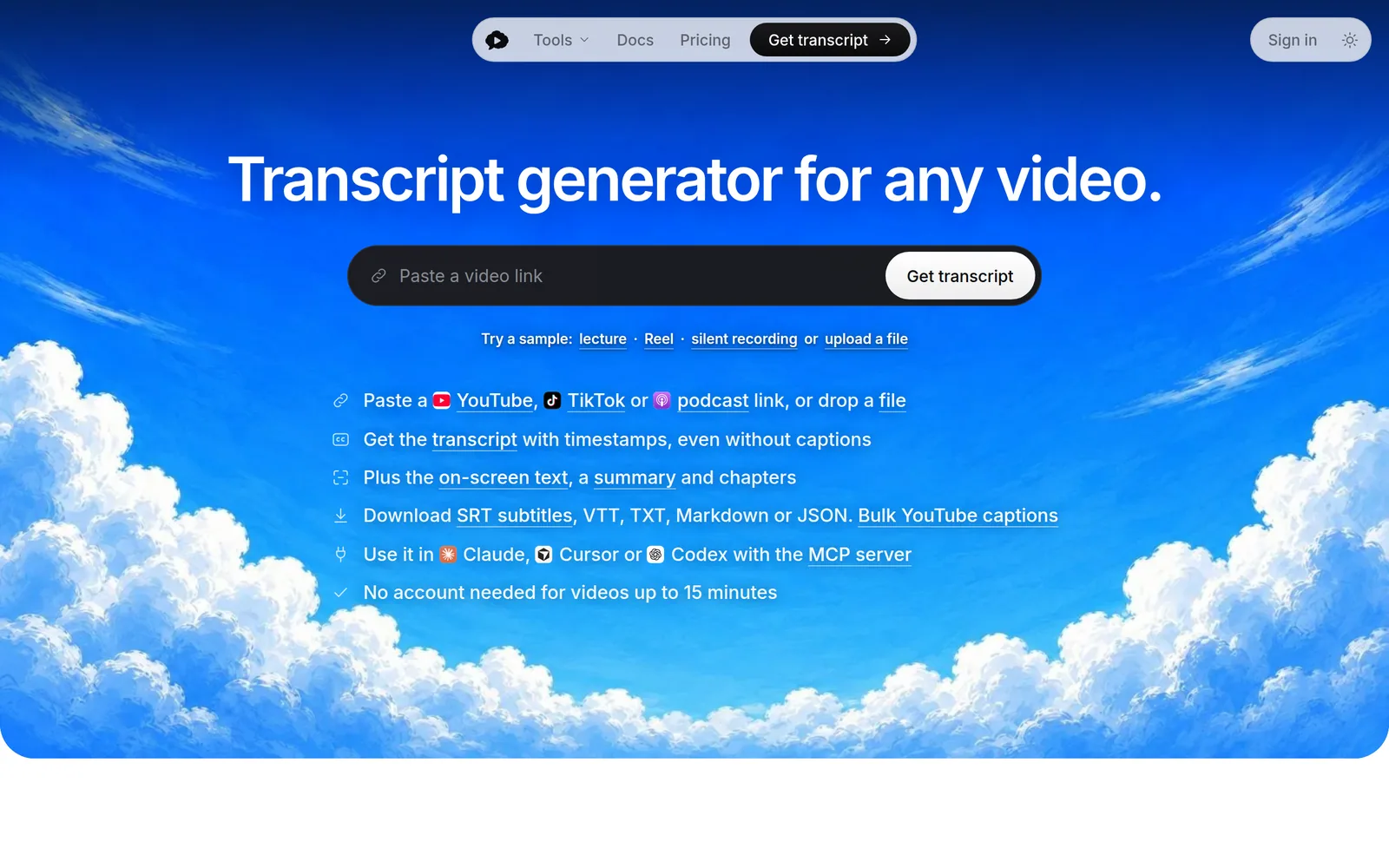
Scribiz turns online and uploaded videos into a timestamped transcript, the text shown on screen, a short summary and chapters. It is made by Ilias Ism's Superleuk LLC in Sanford, North Carolina. Paste a link from YouTube, TikTok, Instagram, Vimeo or X, or upload a file in the web tool; a Chrome extension sends a video with one click.
Its strength is reading both what is said and what is shown. Scribiz uses a video's captions when they exist and listens when they do not, reads slides and screen text in Watch mode, labels speakers, and can combine the audio and visual passes. Results export as SRT, VTT, TXT, Markdown, Context or JSON. For developers, a REST API, a command-line workflow and an MCP server bring the same results into Claude, Cursor and Codex.
Media is deleted when the job ends, and results are kept for 24 hours, or 30 days when signed in.
Scribiz can be tried without an account for up to 10 minutes a day on videos up to 15 minutes. A free account covers 30 minutes a month on videos up to two hours, and Pro costs $10 a month, or 30% less billed yearly, for 600 minutes and videos up to six hours.
Choose Scribiz for transcripts, screen text, summaries and chapters from mixed video sources, in the browser or through its API.
From the maker
Written by Scribiz · approved by our editors 7 Oct 2026. It does not change our score or ranking.
Scribiz returns the context of a video: the transcript, what was on screen, a summary and chapters. Paste a YouTube, TikTok, Instagram or podcast link, or upload a file, and get it back as SRT, VTT, TXT, Markdown or JSON.
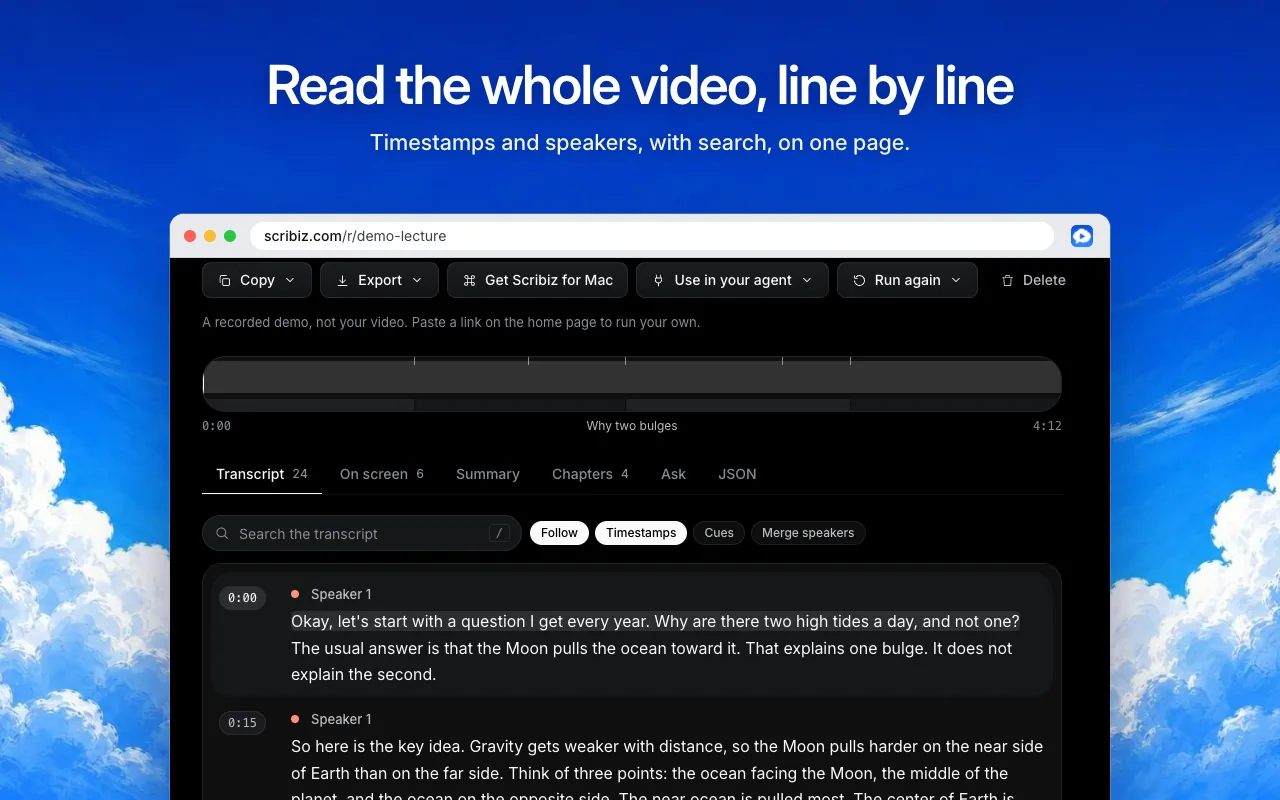
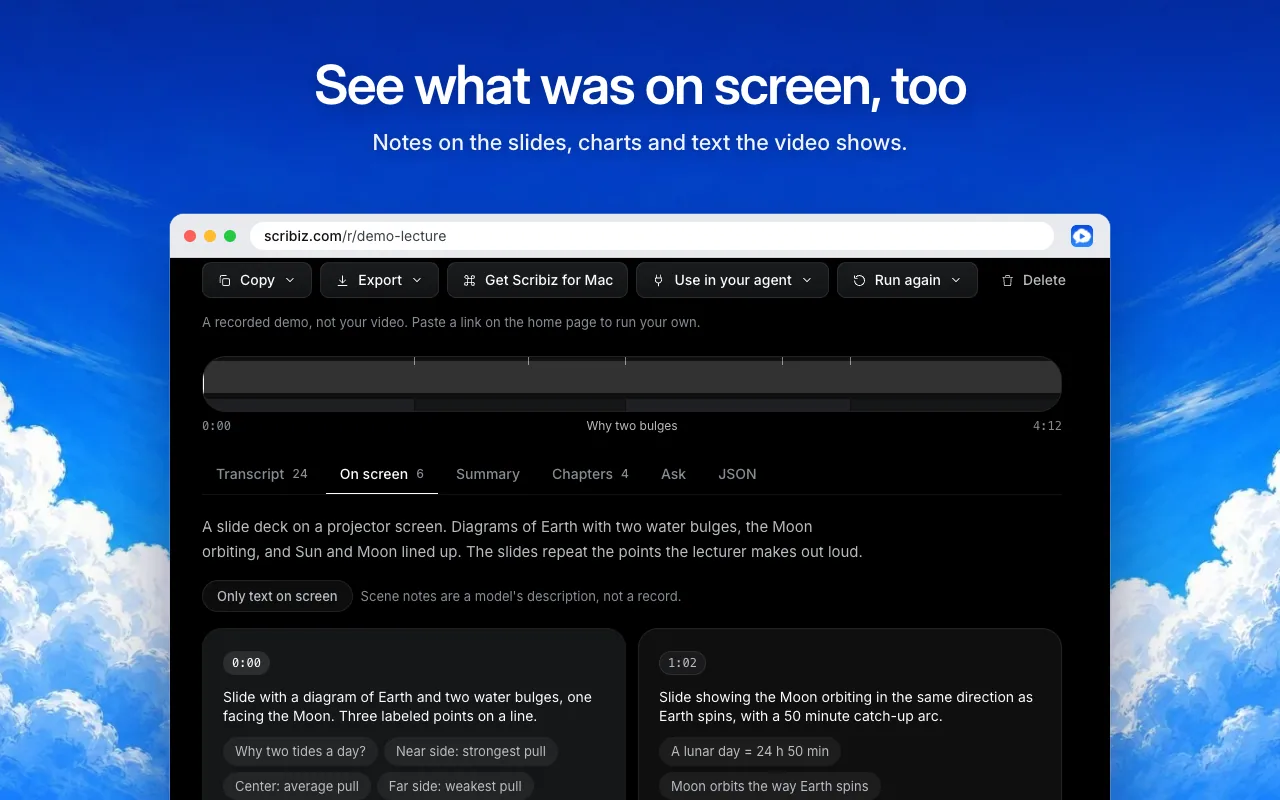
It works when a video has no captions. Scribiz reads the audio, and in Watch mode it also reads the picture, so slides, code and text on screen end up in the result too. Every line carries a timestamp and speaker labels, so you can search the transcript and jump to the exact moment.
It is also built for AI agents. The hosted MCP server lets Claude, ChatGPT, Cursor and Codex read a video by link, search it and answer questions with timestamps, instead of working from a pasted transcript. A command-line tool and a Mac app are there for batches and folders.
Who it is for: researchers, students, creators, marketers and developers who work with video every week. You can try it with no account, within a daily allowance.
What it does, in their words
- Transcript of any video, also when it has no captions
- On-screen text from slides, code and screens
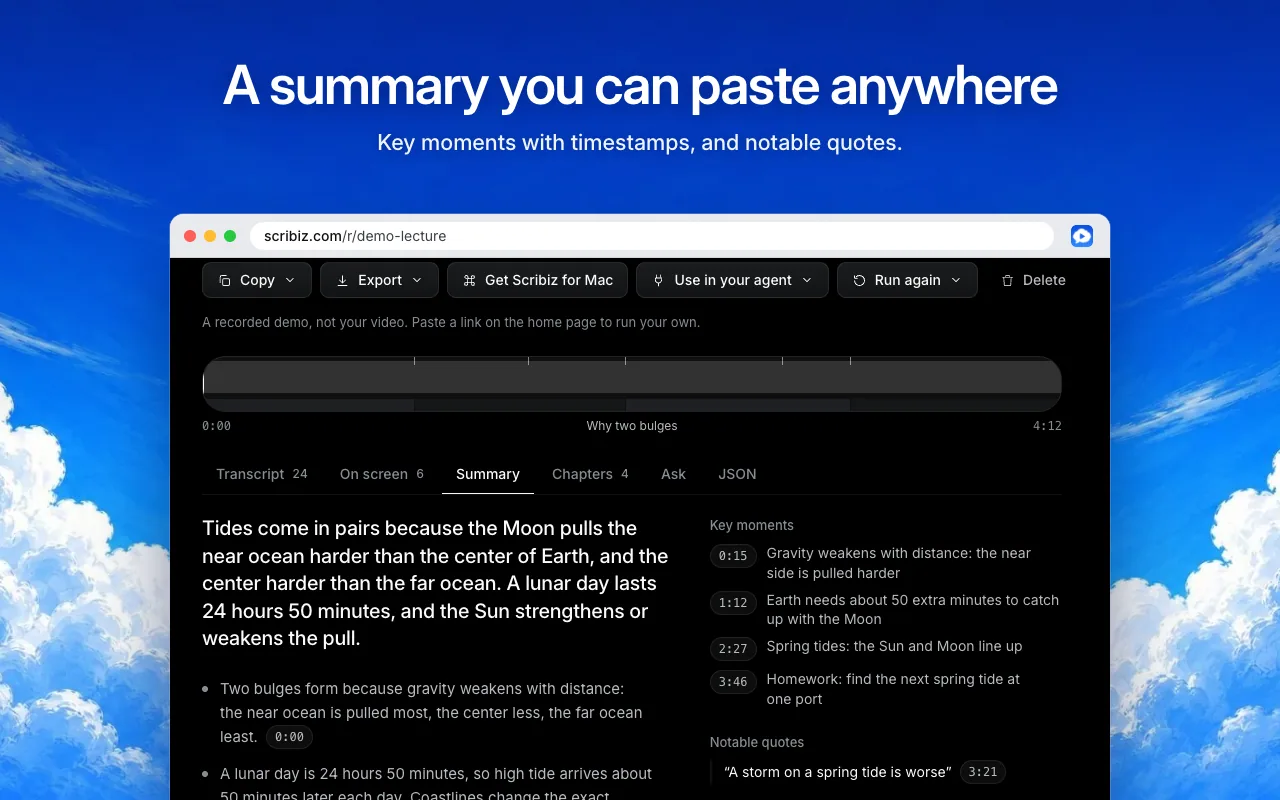
- Summary and chapters
- SRT, VTT, TXT, Markdown and JSON export
- Timestamps and speaker labels
- Search the transcript and jump to the moment
- Ask questions about a video and get answers with timestamps
- YouTube, TikTok, Instagram and podcast links
- Upload a video or audio file
- Videos up to 6 hours on Pro
- Hosted MCP server for AI agents
- Command-line tool for batches and folders
- Mac app with a menu bar
- Use your own Gemini key in the CLI
- No account needed to try it
Plans as the maker lists them
| Free | $0 / month | No account needed. 30 caption lookups and 10 Listen or Watch minutes a day. |
|---|---|---|
| Pro | $10 / month | 600 minutes a month, videos up to 6 hours, ask questions about any video. $84 a year. |
| Mac Lifetime | $99 once | The Mac app and every 1.x update, plus 300 hosted minutes once. |
- Platforms
- Web, macOS, API
- Integrations
- Claude, ChatGPT, Cursor, Codex, Gemini, YouTube, TikTok, Instagram, Podcasts, MCP
- Company
- Scribiz
- Team size
- 1–10
- Founded
- 2026
- Links
- Documentation ↗ · Support ↗ · Pricing page ↗
Scribiz pricing
All 3 Scribiz plans and prices →
Scribiz fact sheet
| Free plan | Yes |
|---|---|
| Paid from | $10/mo |
| YouTube support | Yes |
| Video uploads | Yes |
| Transcript output | Yes |
| Chapter generation | Yes |
| Maximum video length | 360 min |
| Input sources | YouTube, TikTok, Instagram, Vimeo, X, podcast feeds, direct media links, uploaded audio and video files |
| Deployment | Browser extension, Cloud, Desktop |
| Platforms | Chrome extension, macOS, Web |
| Support | Docs |
| Built for | Small business, Solo (editorial estimate) |
| Integrations | 8 integrations: Claude, Cursor, Codex, Google Gemini, OpenRouter, ElevenLabs … See all → |
| Pricing | Free plan (source) |
| Website | scribiz.com |
| Facts checked | 24 Oct 2026 |
Scribiz integrations
Scribiz lists 8 integrations on its own site.
- Claude
- Cursor
- Codex
- Google Gemini
- OpenRouter
- ElevenLabs
- REST API
- Chrome
See all Scribiz integrations →
Alternatives to Scribiz
- GlaspA flexible summarizer for YouTube, audio files, PDFs, transcripts, and saved research.8.9
- NoteGPTA flexible video summarizer for heavy YouTube use, batch work, and varied input sources.8.6
- MindgraspA broad AI study workspace that turns videos, lectures, and documents into study aids.8.0


See all Scribiz alternatives →
Used Scribiz? Be the first to review it
The editor score above is our own research. What this page doesn't have yet is a reader's view — what you used Scribiz for, what worked and what didn't. No stars are seeded and no review is paid for; an editor reads every one before it appears.
Write a reviewTwo minutes · verified accounts only · read by an editor before it appears
Featured on iTechGuides

Scribiz is listed in our AI Video Summarizers directory. Add the badge to your site — it links back to this page.
<a href="https://www.itechguides.com/products/scribiz-com/"><img src="https://www.itechguides.com/best/badge/scribiz-com.svg" alt="Featured on iTechGuides" width="230" height="46"></a>
Reviewed by iTechGuides Editors · Editorial team · Updated Oct 2026
Advertiser disclosure: iTechGuides is reader-supported. Vendors can pay for top positions in our rankings and for a place on other products' pages, and we may earn a commission when you click some links. Bought places stand at the number bought; this page and our disclosure say so. Paying vendors may get a fuller, more detailed review from our editors, and that review can change their score. How we rank.
Last updated · How we research and update