
ScreenshotsCloud
ScreenshotsCloud: A paid screenshot API for authenticated, full-page, and browser-rendered captures. Ranked #30 of 39 in Screenshot Software by our editors (6.4/10); pricing: Paid; best for authenticated website screenshot APIs.
At a glance
- Editor score6.4 / 10
- PricingPaid
- Best forAuthenticated website screenshot APIs
- Free planNo
- Paid from$29/mo
- Scrolling captureYes
- Facts checked22 Sep 2026
Where it wins
- Captures full pages, viewports, mobile, retina, and logged-in sessions
- Renders with real Chrome or Firefox instances
- Supports selector controls, CDN delivery, and JPG, PNG, or PDF output
Where it doesn't
- No free plan is included
- Paid plans start at $29 per month
- Slack is the listed integration
Our verdict on ScreenshotsCloud
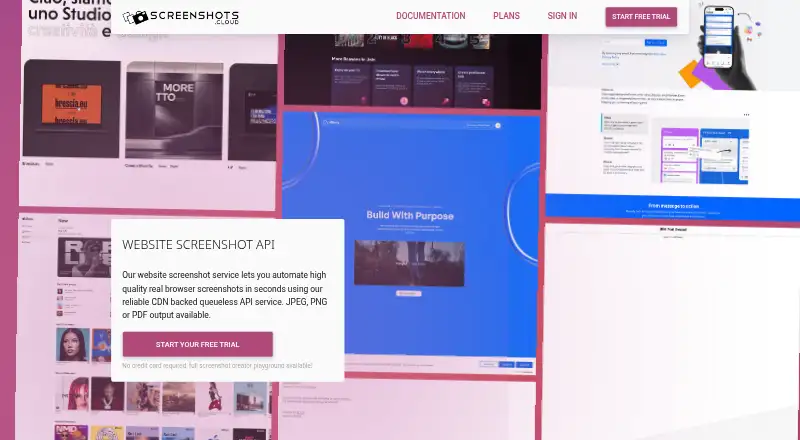
ScreenshotsCloud is a hosted API for developers and businesses that need automated website captures and HTML-to-PDF rendering. It supports viewport, full-page, mobile, retina, delayed, authenticated, geolocated, and interactive screenshots, with JPG, PNG, and PDF output. Its fit is broad: small businesses, mid-market teams, and enterprises can use it through web and API access for website previews, visual testing, template previews, SVG rasterization, and document rendering.
The capture controls are the standout feature. Pages render in real Chrome or Firefox instances, while selector-based actions support clicking, hovering, waiting, hiding, clipping, and scrolling before capture. That makes the service suitable for pages that need interaction or authenticated access rather than simple public-page snapshots. CDN delivery supports distribution of generated images and documents, and the Slack screenshot command integration adds a direct workflow for teams that want captures from Slack.
Pricing is paid monthly and starts with the Indie plan at $29 per month. Pro costs $99 per month, and Business costs $199 per month; each lists real browser instances, email and chat support, CDN delivery, JPG, PNG, or PDF screenshots, full-page screenshots, and logged-in screenshots. Enterprise adds a 99.99% uptime SLA, invoicing, negotiable requirements, massive request concurrency, and geolocation in 223 countries. Choose ScreenshotsCloud when authenticated rendering, browser controls, or multiple output formats matter. Teams seeking a free plan or a broader listed integration set should consider a different fit.
Your product? Our editors can test ScreenshotsCloud in depth and publish a review, labelled as paid · from $149/mo →
ScreenshotsCloud pricing
All 4 ScreenshotsCloud plans and prices →
ScreenshotsCloud fact sheet
| Free plan | No |
|---|---|
| Paid from | $29/mo |
| Scrolling capture | Yes |
| OCR text extraction | Not verified |
| Supported platforms | web, api |
| Export formats | JPG, PNG, PDF |
| Cloud storage | Not verified |
| Shareable links | Yes |
| Deployment | Cloud |
| Platforms | Web |
| Support | Email, Live chat |
| Built for | Small business, Mid-market, Enterprise (editorial estimate) |
| Integrations | 1 integrations: Slack See all → |
| Pricing | Paid (source) |
| Website | screenshots.cloud |
| Facts checked | 22 Sep 2026 |
ScreenshotsCloud integrations
ScreenshotsCloud lists 1 integrations on its own site.
- Slack
See all ScreenshotsCloud integrations →
Alternatives to ScreenshotsCloud
- SnagitA mature screenshot and recording suite for teams that need more than basic captures.9.3
- ShareXA powerful free Windows capture tool with automation, editing, OCR, recording and uploads.9.2
- GyazoA versatile capture tool with broad platform support and useful Pro upgrades.9.1



See all ScreenshotsCloud alternatives →
Used ScreenshotsCloud? Be the first to review it
The editor score above is our own research. What this page doesn't have yet is a reader's view — what you used ScreenshotsCloud for, what worked and what didn't. No stars are seeded and no review is paid for; an editor reads every one before it appears.
Write a reviewTwo minutes · verified accounts only · read by an editor before it appears
Featured on iTechGuides

ScreenshotsCloud is listed in our Screenshot Software directory. Add the badge to your site — it links back to this page.
<a href="https://www.itechguides.com/products/screenshotscloud/"><img src="https://www.itechguides.com/best/badge/screenshotscloud.svg" alt="Featured on iTechGuides" width="230" height="46"></a>
Reviewed by iTechGuides Editors · Editorial team · Updated Oct 2026
Advertiser disclosure: iTechGuides is reader-supported. Vendors can pay for top positions in our rankings and for a place on other products' pages, and we may earn a commission when you click some links. Bought places stand at the number bought; this page and our disclosure say so. Paying vendors may get a fuller, more detailed review from our editors, and that review can change their score. How we rank.
Last updated · How we research and update