
Screenshot Machine
Screenshot Machine: A cloud screenshot service with device presets, selector controls, and monthly capture quotas. Ranked #26 of 39 in Screenshot Software by our editors (5.7/10); pricing: Free plan · paid from €9/mo; best for automated website screenshots with device presets.
At a glance
- Editor score5.7 / 10
- PricingFree plan · paid from €9/mo
- Best forAutomated website screenshots with device presets
- Free planYes
- Scrolling captureYes
- Facts checked23 Sep 2026
Where it wins
- Captures full pages with desktop, phone, or tablet settings
- Offers selector, crop, hide, and click controls before capture
- Exports JPG, PNG, or GIF and converts web pages to PDF
Where it doesn't
- Starter is limited to 100 fresh screenshots monthly
- Paid plans use monthly screenshot quotas with extra-capture charges
- Focused on web and API capture, not general desktop screenshots
Our verdict on Screenshot Machine
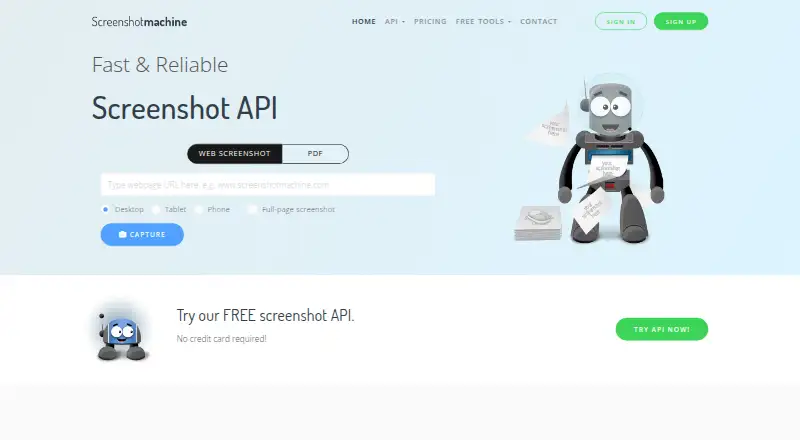
Screenshot Machine is a hosted service for capturing website pages through a web generator or API. It suits developers and businesses that need repeatable, URL-based captures rather than a general desktop screenshot tool. Device settings cover desktop, phone, and tablet rendering, and full-page capture can preserve content beyond the initial viewport. The service also converts web pages to PDF, making it relevant when a workflow needs page snapshots or document output from a website.
Capture controls are a notable part of its scope. Users can set dimensions, zoom, and capture delay; hide page elements or click an element before capture; target the first DOM element matching a CSS selector; and specify a crop rectangle. Image exports include JPG, PNG, and GIF. These options support more targeted captures than a simple full-page image, while the web and API platforms point toward browser-based and programmatic workflows. Choose it when those capture controls and automated requests matter; it is less suited to people seeking a broad desktop capture application.
The free Starter plan includes 100 fresh screenshots monthly and full-length captures, with basic support. Basic costs €9 per month and includes 2,500 fresh screenshots, full-length captures, and priority support. Pro is €59 monthly for 20,000 fresh screenshots, and Enterprise is €99 monthly for 50,000; both include full-length captures and priority support. Each paid plan also lists an additional-screenshot rate, which decreases across the tiers. The plan structure makes quotas central to choosing a tier: Starter fits limited volume, while recurring or higher-volume API capture may call for a paid plan. Buyers who need general desktop capture should look elsewhere.
Screenshot Machine pricing
All 4 Screenshot Machine plans and prices →
Screenshot Machine fact sheet
| Free plan | Yes |
|---|---|
| Paid from | Not verified |
| Scrolling capture | Yes |
| OCR text extraction | Not verified |
| Supported platforms | web, api |
| Export formats | JPG, PNG, GIF; PDF conversion also available |
| Cloud storage | Not verified |
| Shareable links | Yes |
| Money-back guarantee | 30 days |
| Deployment | Cloud, Browser extension |
| Platforms | Web |
| Support | Email, Docs |
| Built for | Small business, Mid-market, Enterprise (editorial estimate) |
| Pricing | Free plan · paid from €9/mo (source) |
| Website | screenshotmachine.com |
| Facts checked | 23 Sep 2026 |
Alternatives to Screenshot Machine
- SnagitA mature screenshot and recording suite for teams that need more than basic captures.9.5
- GyazoA versatile capture tool with broad platform support and useful Pro upgrades.8.7
- ShareXA powerful free Windows capture tool with automation, editing, OCR, recording and uploads.8.2



See all Screenshot Machine alternatives →
Also listed in
Used Screenshot Machine? Be the first to review it
The editor score above is our own research. What this page doesn't have yet is a reader's view — what you used Screenshot Machine for, what worked and what didn't. No stars are seeded and no review is paid for; an editor reads every one before it appears.
Write a reviewTwo minutes · verified accounts only · read by an editor before it appears
Featured on iTechGuides

Screenshot Machine is listed in our Screenshot Software directory. Add the badge to your site — it links back to this page.
<a href="https://www.itechguides.com/products/screenshot-machine/"><img src="https://www.itechguides.com/best/badge/screenshot-machine.svg" alt="Featured on iTechGuides" width="230" height="46"></a>
Guides on screenshot software
- 10 Best Screenshot Apps for Mac in 2026 (Updated Guide)Aug 2026
- 10 Best Screenshot Apps for Windows (Updated 2026)Aug 2026
- 13 Best Screenshot Tools for Mac in 2026Aug 2026
Reviewed by iTechGuides Editors · Editorial team · Updated Sep 2026
Advertiser disclosure: iTechGuides is reader-supported. We may earn a commission when you click some links. It never changes a score or a verdict. How we rank.
Last updated · How we research and update