ScreenCap
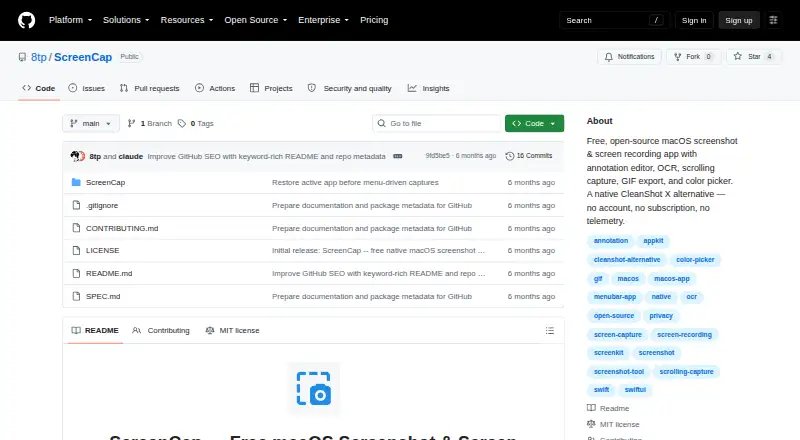
ScreenCap: An open-source Mac utility combining scrolling captures, annotation, OCR, and recording. Ranked #27 of 75 in Screenshot Annotation Software by our editors (6.5/10); pricing: Free plan; best for mac users wanting an open-source annotation utility.
At a glance
- Editor score6.5 / 10
- PricingFree plan
- Best forMac users wanting an open-source annotation utility
- Free planYes
- Paid fromFree
- Redaction toolsYes
- Facts checked24 Sep 2026
Where it wins
- Captures fullscreen, area, window, and scrolling screenshots
- Includes blur or pixelation, numbered steps, and OCR text extraction
- Exports images as PNG, JPEG, or TIFF and recordings as GIF or MP4
Where it doesn't
- Runs only on macOS 14 or later
- Has no team collaboration features
- Installation involves building from source or opening the project in Xcode
Our verdict on ScreenCap
ScreenCap is a free, open-source screenshot and screen-recording app for macOS, aimed at solo users and small teams who want to annotate captures on a Mac. It supports fullscreen, area, window, and scrolling screenshots, as well as screen or selected-area recording to MP4 (H.264). Its annotation editor includes arrows, shapes, text, freehand drawing, highlighting, blur or pixelation, numbered steps, and cropping. OCR can extract text from a selected region, and a color picker returns hex and RGB values.
The feature set covers more than static markup: users can export recordings as GIFs with configurable frame rate and size, and images as PNG, JPEG, or TIFF. A floating screenshot thumbnail supports drag-and-drop and desktop pinning. The app runs locally, and the published installation instructions cover building from source or opening the project in Xcode. That makes ScreenCap a fit for Mac users comfortable with those installation paths who want capture, markup, and basic recording in one desktop utility.
The trade-off is its narrow platform and workflow scope. ScreenCap supports macOS 14 or later, with no team collaboration feature or browser extension. Buyers who need shared annotation workflows or a browser-based capture tool should look elsewhere; those focused on solo Mac capture and editing may find its blend of scrolling screenshots, OCR, redaction-style blur or pixelation, and multiple export options more relevant. Its open-source model and free availability suit users who prefer a local utility over a team-oriented service.
Your product? Our editors can test ScreenCap in depth and publish a review, labelled as paid · from $149/mo →
ScreenCap pricing
ScreenCap fact sheet
| Free plan | Yes |
|---|---|
| Paid from | Free |
| Redaction tools | Yes |
| Measurement tools | Yes |
| Team collaboration | No |
| Browser extension | No |
| Export formats | PNG, JPEG, TIFF |
| Maximum file size | Not verified |
| Deployment | Desktop |
| Platforms | macOS |
| Built for | Solo, Small business (editorial estimate) |
| Pricing | Free plan |
| Website | github.com |
| Facts checked | 24 Sep 2026 |
Alternatives to ScreenCap
- SnagitA paid desktop suite for detailed screenshot capture, annotation, OCR, and short video creation.9.3
- ShareXA highly configurable Windows capture tool for annotation, OCR, recording, and automated sharing.9.1
- ScreenpressoA broad Windows capture toolkit with strong annotation, OCR, document, and sharing features.8.9



See all ScreenCap alternatives →
Used ScreenCap? Be the first to review it
The editor score above is our own research. What this page doesn't have yet is a reader's view — what you used ScreenCap for, what worked and what didn't. No stars are seeded and no review is paid for; an editor reads every one before it appears.
Write a reviewTwo minutes · verified accounts only · read by an editor before it appears
Featured on iTechGuides

ScreenCap is listed in our Screenshot Annotation Software directory. Add the badge to your site — it links back to this page.
<a href="https://www.itechguides.com/products/screencap-screenshot-annotation-tool/"><img src="https://www.itechguides.com/best/badge/screencap-screenshot-annotation-tool.svg" alt="Featured on iTechGuides" width="230" height="46"></a>
Reviewed by iTechGuides Editors · Editorial team · Updated Oct 2026
Advertiser disclosure: iTechGuides is reader-supported. Vendors can pay for top positions in our rankings and for a place on other products' pages, and we may earn a commission when you click some links. Bought places stand at the number bought; this page and our disclosure say so. Paying vendors may get a fuller, more detailed review from our editors, and that review can change their score. How we rank.
Last updated · How we research and update