Scanqy
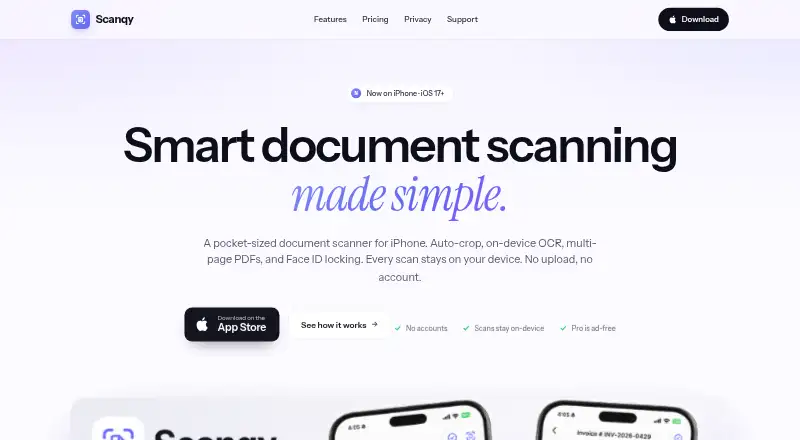
Scanqy: A private iPhone scanner with on-device OCR, searchable PDFs, and no-watermark exports. Ranked #41 of 75 in Mobile Scanning Apps by our editors (4.6/10); pricing: Free plan · 3-day trial; best for private iPhone scanning with no-watermark exports.
At a glance
- Editor score4.6 / 10
- PricingFree plan · 3-day trial
- Best forPrivate iPhone scanning with no-watermark exports
- Free planYes
- OCR includedYes
- Facts checked23 Sep 2026
Where it wins
- On-device OCR creates searchable, copyable PDF text.
- Face ID locking protects sensitive scans stored on the device.
- Multipage PDFs, page reordering, and no-watermark exports support workflows.
Where it doesn't
- Available on iOS only, with no Android app.
- The free tier includes daily scan limits and advertising.
- Weekly and monthly plan prices are not shown in the published details.
Our verdict on Scanqy
Scanqy is an iPhone document-scanning app from Gimsoft for capturing, organizing, OCR-processing, and sharing paper documents. It detects document edges in real time, straightens and auto-crops pages, and creates multipage PDFs with page reordering. On-device OCR makes text searchable and copyable, while the document library adds search for stored scans. The app requires no account and keeps scans on the device, making it a strong fit for private scanning on iPhone.
Its feature set goes beyond basic capture. Scanqy supports color, grayscale, black-and-white, and original rendering modes, along with A3, A4, A5, B5, Letter, and Legal paper sizes. ID card mode combines front and back images, and Face ID locking helps protect sensitive documents. The Free plan provides daily free scans, on-device scanning, and advertising support. Scanqy Pro adds unlimited scans and exports, all page sizes, Face ID locking, and an ad-free experience. The published plans include Weekly, Monthly, Yearly, and Lifetime options; the official pricing page shows a three-day trial for Yearly, while App Store prices can vary by country or region.
Platform fit is focused rather than broad. Apple Face ID and the Apple App Store are the stated ecosystem connections, and the app is available on iOS rather than Android. That makes Scanqy a practical choice for iPhone users who want local scanning, searchable PDFs, document organization, and clean exports without an account. It is less suitable for Android users or teams looking for broad integrations across multiple platforms. Choose it for private personal document capture and ID scanning; consider another app when Android coverage or a wider connected workflow is essential.
Your product? Our editors can test Scanqy in depth and publish a review, labelled as paid · from $149/mo →
Scanqy pricing
All 4 Scanqy plans and prices →
Scanqy fact sheet
| Free plan | Yes |
|---|---|
| Paid from | Not verified |
| iOS app | Yes |
| Android app | No |
| OCR included | Yes |
| Searchable PDF | Yes |
| Auto capture | Yes |
| Multipage PDF | Yes |
| Scan limit | Not verified |
| Free trial | 3 days |
| Deployment | Mobile |
| Platforms | iOS |
| Support | |
| Built for | Solo, Small business (editorial estimate) |
| Pricing | Free plan · 3-day trial (source) |
| Website | gimsoft.io |
| Facts checked | 23 Sep 2026 |
Alternatives to Scanqy
- Adobe ScanA capable free scanner with strong OCR and useful Adobe ecosystem connections.9.4
- Zoho ScannerA broad scanning app for Zoho users who need OCR, workflows, signing, and sync.9.2
- SmallpdfA broad PDF toolkit that adds OCR and scanning across web, desktop, and mobile.9.0



Used Scanqy? Be the first to review it
The editor score above is our own research. What this page doesn't have yet is a reader's view — what you used Scanqy for, what worked and what didn't. No stars are seeded and no review is paid for; an editor reads every one before it appears.
Write a reviewTwo minutes · verified accounts only · read by an editor before it appears
Featured on iTechGuides

Scanqy is listed in our Mobile Scanning Apps directory. Add the badge to your site — it links back to this page.
<a href="https://www.itechguides.com/products/scanqy/"><img src="https://www.itechguides.com/best/badge/scanqy.svg" alt="Featured on iTechGuides" width="230" height="46"></a>
Reviewed by iTechGuides Editors · Editorial team · Updated Oct 2026
Advertiser disclosure: iTechGuides is reader-supported. Vendors can pay for top positions in our rankings and for a place on other products' pages, and we may earn a commission when you click some links. Bought places stand at the number bought; this page and our disclosure say so. Paying vendors may get a fuller, more detailed review from our editors, and that review can change their score. How we rank.
Last updated · How we research and update