SafePDF
SafePDF: A low-cost, local PDF toolkit with broad file operations and limited integrations. Ranked #25 of 46 in PDF Converter Software by our editors (6.6/10); pricing: Free plan; best for low-cost open-source desktop PDF utilities.
At a glance
- Editor score6.6 / 10
- PricingFree plan
- Best forLow-cost open-source desktop PDF utilities
- Free planYes
- Paid from€4.99 one-time
- OCR conversionYes
- Facts checked19 Sep 2026
Where it wins
- Free local processing with no signup required
- Batch processing and command-line automation
- Windows, macOS, and Linux support
Where it doesn't
- Conversion and integration coverage is comparatively limited
- Pro features are time-limited purchases
- Python/pip is the listed integration
Our verdict on SafePDF
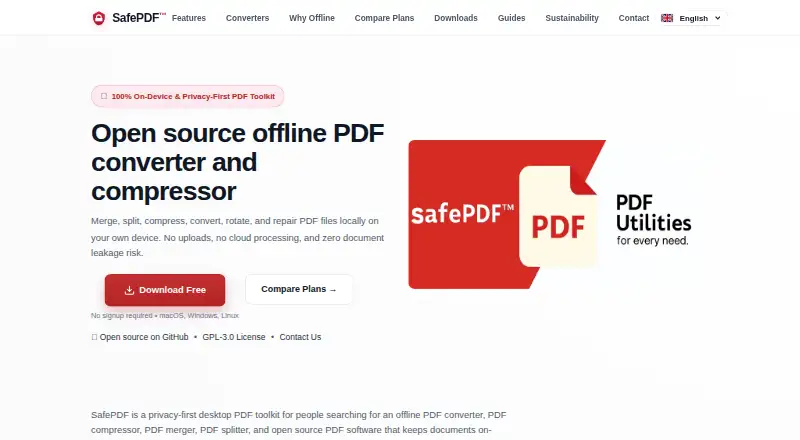
SafePDF is an open-source desktop PDF toolkit for Windows, macOS, and Linux. It processes documents locally rather than uploading them to cloud services, making it suited to users who want offline PDF utilities for conversion, compression, page management, repair, text extraction, and metadata editing. Its feature set covers merging, splitting, rotating, image export, and command-line automation, with OCR-related functionality also listed in its category specifications.
Pricing is structured as a freemium model. The Free plan costs €0 forever and includes core PDF processing, no signup required, and local offline processing. Pro - 30 Days costs €4.99 one-time for full Pro features for 30 days; Pro - 90 Days costs €11.99 one-time for 90 days; and Pro - Yearly costs €29.99 one-time for 12 months. The paid tiers add access to the full Pro feature set, including capabilities such as batch processing, higher-quality compression modes, automatic update checks, and priority support.
SafePDF is strongest when broad desktop file and page operations matter more than a large connected ecosystem. It supports PDF, DOCX, TXT, JPG, PNG, AVIF, XLSX, and PPTX conversion targets in its category specifications, alongside batch conversion and OCR. Python/pip is the listed integration, so teams seeking wider application integrations or a documented conversion API may find the platform less suitable. Choose SafePDF for low-cost local processing across three desktop operating systems; consider another option when extensive integrations or a more narrowly documented conversion workflow is the priority.
Your product? Our editors can test SafePDF in depth and publish a review, labelled as paid · from $149/mo →
SafePDF pricing
All 4 SafePDF plans and prices →
SafePDF fact sheet
| Free plan | Yes |
|---|---|
| Paid from | €4.99 one-time |
| Conversion targets | PDF, DOCX, TXT, JPG, PNG, AVIF, XLSX, PPTX |
| OCR conversion | Yes |
| Batch conversion | Yes |
| Maximum file size | Not verified |
| Supported platforms | Windows, macOS, Linux |
| API access | Not verified |
| Deployment | Desktop |
| Platforms | Windows, macOS, Linux |
| Integrations | 1 integrations: Python/pip |
| Pricing | Free plan (source) |
| Website | safepdf.de |
| Facts checked | 19 Sep 2026 |
SafePDF integrations
SafePDF lists 1 integrations on its own site.
- Python/pip
Alternatives to SafePDF
- Wondershare PDFelementA full PDF workbench with conversion, OCR, forms, security, signatures, and AI tools.9.3
- Adobe PDF Services APIA broad PDF automation API with a useful free tier and quote-based paid scaling.9.1
- ConvertioA broad cloud converter for documents, media, images, and automated workflows.9.0



See all SafePDF alternatives →
Used SafePDF? Be the first to review it
The editor score above is our own research. What this page doesn't have yet is a reader's view — what you used SafePDF for, what worked and what didn't. No stars are seeded and no review is paid for; an editor reads every one before it appears.
Write a reviewTwo minutes · verified accounts only · read by an editor before it appears
Featured on iTechGuides

SafePDF is listed in our PDF Converter Software directory. Add the badge to your site — it links back to this page.
<a href="https://www.itechguides.com/products/safepdf/"><img src="https://www.itechguides.com/best/badge/safepdf.svg" alt="Featured on iTechGuides" width="230" height="46"></a>
Reviewed by iTechGuides Editors · Editorial team · Updated Oct 2026
Advertiser disclosure: iTechGuides is reader-supported. Vendors can pay for top positions in our rankings and for a place on other products' pages, and we may earn a commission when you click some links. Bought places stand at the number bought; this page and our disclosure say so. Paying vendors may get a fuller, more detailed review from our editors, and that review can change their score. How we rank.
Last updated · How we research and update