
S-Docs
S-Docs: A broad merge and document workflow suite for CRM-centered teams. Ranked #12 of 27 in Mail Merge Software by our editors (7.0/10); pricing: Pricing on request; best for CRM-centric mass document and email merges.
At a glance
- Editor score7.0 / 10
- PricingPricing on request
- Best forCRM-centric mass document and email merges
- Delivery channelsBoth
- Founded2010 · New York City, New York, United States
- Facts checked21 Sep 2026
Where it wins
- Merges standard, custom, related, and associated CRM records
- Supports batch generation, workflow automation, and personalized email delivery
- Adds e-signatures, tracking, version history, and audit trails
Where it doesn't
- Quote-based pricing makes upfront cost comparison difficult
- Its core fit centers on Salesforce and HubSpot workflows
- The broad output set may be more than simple merge use cases need
Our verdict on S-Docs
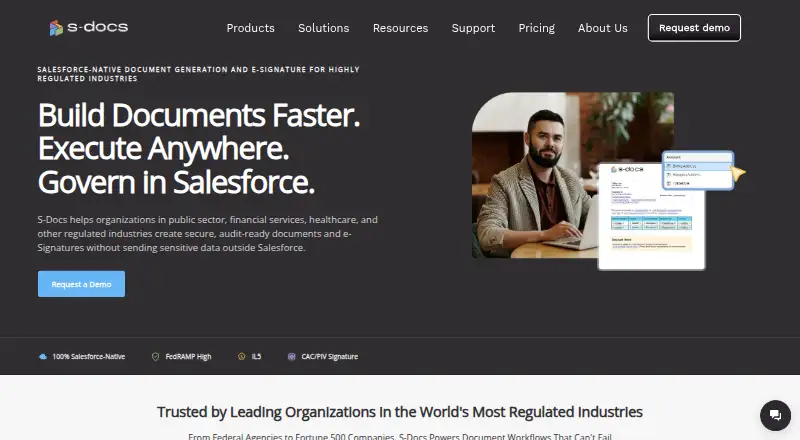
S-Docs generates personalized documents and emails from Salesforce and HubSpot data. It is designed for teams producing contracts, quotes, invoices, proposals, reports, certificates, and other operational documents at scale. CRM records can populate templates using standard, custom, related, and associated data, while conditional logic and dynamic content support more tailored outputs. Its Salesforce product operates natively within Salesforce, and its HubSpot offering connects CRM records and associated data to templates.
The feature depth is the main reason to consider S-Docs. Templates can be edited or uploaded from PDF, Word, PowerPoint, and Excel, then rendered as PDF, DOC, HTML, CSV, DOCX, PPTX, or XLSX files. Teams can generate documents in batches, send them by email, and create personalized HTML emails. Workflow automation connects document generation to Salesforce Flow, Process Builder, Apex, or HubSpot workflows. E-signature workflows, signature tracking, version history, and audit trails add governance for processes that need more than basic mail merge.
Its ecosystem is focused but broad within that focus. In addition to Salesforce and HubSpot, S-Docs lists Google Sheets, Airtable, Box, Google Drive, SharePoint, and AWS integrations, with API access included in its category profile. According to the vendor’s pricing information, pricing is quote-based rather than one-size-fits-all, so teams should evaluate the commercial fit directly. S-Docs suits organizations that need governed, repeatable CRM-driven document workflows and multiple output formats. Teams seeking a simple standalone merge tool, or working outside the Salesforce and HubSpot-centered ecosystem, should consider a narrower alternative.
Your product? Our editors can test S-Docs in depth and publish a review, labelled as paid · from $149/mo →
S-Docs pricing
S-Docs fact sheet
| Free plan | Not verified |
|---|---|
| Paid from | Not verified |
| Monthly merge limit | Not verified |
| Data sources | Salesforce; HubSpot; Google Sheets; Airtable; Salesforce standard and custom objects; HubSpot standard and custom objects and associations |
| Output types | Emails; PDF; DOC; HTML; CSV; DOCX; PPTX; XLSX; certificates; contracts; quotes; invoices; proposals; reports |
| Delivery channels | Both |
| Batch personalization | Yes |
| API access | Yes |
| Deployment | Cloud |
| Platforms | Web |
| Compliance & security | SOC 2, GDPR |
| Support | Email, Phone, Docs |
| Built for | Small business, Mid-market, Enterprise (editorial estimate) |
| Integrations | 8 integrations: Salesforce, HubSpot, Google Sheets, Airtable, Box, Google Drive … See all → |
| Pricing | Pricing on request (source) |
| Website | sdocs.com |
| Facts checked | 21 Sep 2026 |
S-Docs integrations
S-Docs lists 8 integrations on its own site.
- Salesforce
- HubSpot
- Google Sheets
- Airtable
- Box
- Google Drive
- SharePoint
- AWS
Alternatives to S-Docs
- MailmeteorAn affordable mail merge tool with tracking, automation, and CRM connections.8.8
- GMassA feature-rich Gmail outreach tool for personalized campaigns and automated follow-ups.8.6
- DocuSign GenA focused Salesforce tool for generating data-driven Word, PDF, and DocuSign documents.7.8



Also Ranked In
S-Docs is ranked in 5 of our directories.
Used S-Docs? Be the first to review it
The editor score above is our own research. What this page doesn't have yet is a reader's view — what you used S-Docs for, what worked and what didn't. No stars are seeded and no review is paid for; an editor reads every one before it appears.
Write a reviewTwo minutes · verified accounts only · read by an editor before it appears
Featured on iTechGuides

S-Docs is listed in our Mail Merge Software directory. Add the badge to your site — it links back to this page.
<a href="https://www.itechguides.com/products/s-docs/"><img src="https://www.itechguides.com/best/badge/s-docs.svg" alt="Featured on iTechGuides" width="230" height="46"></a>
Reviewed by iTechGuides Editors · Editorial team · Updated Oct 2026
Advertiser disclosure: iTechGuides is reader-supported. Vendors can pay for top positions in our rankings and for a place on other products' pages, and we may earn a commission when you click some links. Bought places stand at the number bought; this page and our disclosure say so. Paying vendors may get a fuller, more detailed review from our editors, and that review can change their score. How we rank.
Last updated · How we research and update