RyzenAdj
RyzenAdj: A free, open-source utility for detailed AMD Ryzen power-limit control on Windows and Linux. Ranked #14 of 31 in PC Overclocking Software by our editors (7.2/10); pricing: Free plan; best for free AMD power-limit tuning.
At a glance
- Editor score7.2 / 10
- PricingFree plan
- Best forFree AMD power-limit tuning
- Free planYes
- Paid fromFree
- CPU tuningYes
- Facts checked20 Sep 2026
Where it wins
- Controls sustained, fast, and average processor power limits
- Offers before-and-after power metrics and scripting automation
- Free, open source, and available for Windows and Linux
Where it doesn't
- AMD Ryzen hardware support varies by processor family
- Requires command-line use and elevated system access
- Does not provide memory tuning or motherboard controls
Our verdict on RyzenAdj
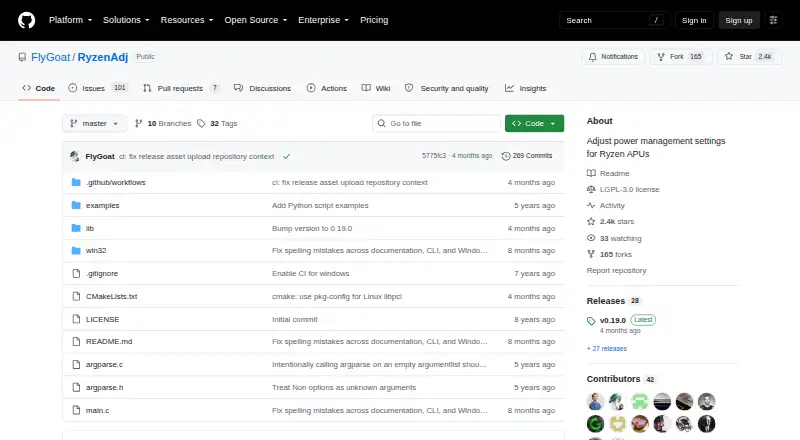
RyzenAdj is a free, open-source command-line utility for adjusting power-management settings on supported AMD Ryzen mobile processors. It is aimed at technically experienced users who want direct control over processor power, temperature, current, SoC, fabric, and graphics-related limits. The utility runs on Windows and Linux, with administrator privileges required on Windows and root access required on Linux.
Its standout strength is the breadth of power-management controls in a focused tool. RyzenAdj can adjust sustained, fast, and average processor power limits; set temperature limits; control VRM and SoC current limits; and change SoC, FCLK, VCN, LCLK, and graphics clock frequencies. It also provides power-saving and maximum-performance modes. Before-and-after power-metrics tables help users compare changes, while shell scripts, batch files, and Windows Task Scheduler support automation. The published documentation organizes support by Ryzen CPU family, which is important when evaluating individual controls.
RyzenAdj is a strong fit for users who specifically need free AMD power-limit tuning and are comfortable working with command-line utilities. Its scope is narrower than a general overclocking suite: the published category specifications show CPU tuning, but not memory tuning, motherboard controls, or automatic overclocking. Support also differs across Ryzen families, and some settings are marked unsupported, untested, or ineffective for certain families. Users should choose it when processor power-management control, scripting, and Windows/Linux availability matter most; those seeking broader platform controls or an automated overclocking workflow should consider an alternative.
Your product? Our editors can test RyzenAdj in depth and publish a review, labelled as paid · from $99/mo →
RyzenAdj pricing
RyzenAdj fact sheet
| Free plan | Yes |
|---|---|
| Paid from | Free |
| CPU tuning | Yes |
| Memory tuning | No |
| Motherboard controls | No |
| Automatic overclocking | No |
| Supported platforms | Windows & linux |
| Hardware scope | Amd |
| Deployment | Self-hosted |
| Platforms | Windows, Linux |
| Support | Community |
| Built for | Solo, Small business (editorial estimate) |
| Pricing | Free plan |
| Website | github.com |
| Facts checked | 20 Sep 2026 |
Alternatives to RyzenAdj
- Saku OverclockA free, open-source AMD tuning suite with broad controls and a focused hardware scope.9.4
- HYDRAA Windows toolkit for tuning CPU, GPU, and DDR4/DDR5 memory.9.2
- HypertuneA cross-vendor Windows optimizer with CPU, GPU, RAM, and automated tuning tools.8.6



See all RyzenAdj alternatives →
Used RyzenAdj? Be the first to review it
The editor score above is our own research. What this page doesn't have yet is a reader's view — what you used RyzenAdj for, what worked and what didn't. No stars are seeded and no review is paid for; an editor reads every one before it appears.
Write a reviewTwo minutes · verified accounts only · read by an editor before it appears
Featured on iTechGuides

RyzenAdj is listed in our PC Overclocking Software directory. Add the badge to your site — it links back to this page.
<a href="https://www.itechguides.com/products/ryzenadj/"><img src="https://www.itechguides.com/best/badge/ryzenadj.svg" alt="Featured on iTechGuides" width="230" height="46"></a>
Reviewed by iTechGuides Editors · Editorial team · Updated Oct 2026
Advertiser disclosure: iTechGuides is reader-supported. Vendors can pay for top positions in our rankings and for a place on other products' pages, and we may earn a commission when you click some links. Bought places stand at the number bought; this page and our disclosure say so. Paying vendors may get a fuller, more detailed review from our editors, and that review can change their score. How we rank.
Last updated · How we research and update