ROM Manager
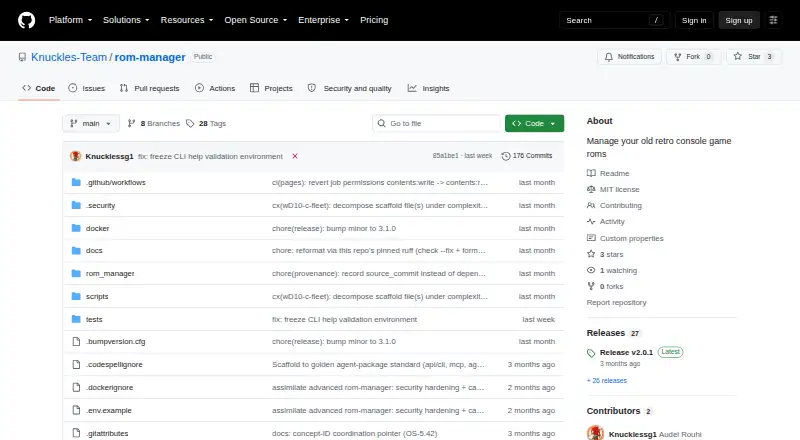
ROM Manager: A Linux-focused toolkit for automating ROM extraction, renaming, conversion, and organization. Ranked #34 of 39 in ROM Management Software by our editors (4.3/10); pricing: Open source; best for automated ROM conversion workflows.
At a glance
- Editor score4.3 / 10
- PricingOpen source
- Best forAutomated ROM conversion workflows
- Paid fromFree
- Facts checked20 Sep 2026
Where it wins
- Converts ISO and WBFS images to CHD or RVZ
- Automates game-code renaming and CUE-sheet generation
- Offers CLI, Python API, MCP, A2A, and RomM REST access
Where it doesn't
- Linux-only platform support
- Requires external tools such as chdman, dolphin-tool, or 7z
- Does not provide verified duplicate or hash management
Our verdict on ROM Manager
ROM Manager is a locally run, open-source tool for organizing and converting retro-console ROM files. It suits users who want repeatable workflows rather than a graphical library manager, especially those working with large directories of archives and disc images on Linux. Its core tasks include archive extraction, game-code lookup, in-place renaming, ISO and WBFS conversion to CHD or RVZ, automatic CUE-sheet generation, and optional deletion of original files after processing.
The workflow is designed for automation at several levels. Parallel directory and file processing can handle multiple items, while the CLI provides a direct operational interface. A Python API facade supports programmatic access, and the MCP server exposes conversion and game-code tools. An optional Pydantic-AI A2A agent server adds another interface for AI-oriented workflows. These options make ROM Manager more suitable for scripted pipelines and service integrations than for users seeking a simple, self-contained desktop organizer.
RomM is the main ecosystem connection: the included REST client can interact with resources in a running RomM self-hosted ROM library. Conversion, however, depends on external native tools such as chdman, dolphin-tool, or 7z, so setup includes managing those dependencies. The project is distributed as a Python package under the MIT license and supports Linux and API-based use, but it does not address verified duplicate detection or hash management. Choose ROM Manager for local, automated conversion and organization; choose an alternative if you need broader platform support or deeper library-integrity controls.
Your product? Our editors can test ROM Manager in depth and publish a review, labelled as paid · from $149/mo →
ROM Manager pricing
ROM Manager fact sheet
| Free plan | Not verified |
|---|---|
| Paid from | Free |
| Metadata scraping | Not verified |
| Duplicate detection | Not verified |
| File renaming | Yes |
| Hash verification | Not verified |
| Archive support | Basic |
| Supported platforms | linux |
| Deployment | Self-hosted |
| Platforms | Linux |
| Support | Docs |
| Built for | Solo, Small business (editorial estimate) |
| Integrations | 1 integrations: RomM |
| Pricing | Open source |
| Website | github.com |
| Facts checked | 20 Sep 2026 |
ROM Manager integrations
ROM Manager lists 1 integrations on its own site.
- RomM
Alternatives to ROM Manager
- RomVaultA focused DAT-driven tool for verifying, repairing, and deduplicating ROM collections.7.9
- ClrMameProA focused freeware utility for repairing and organizing MAME collections.7.8
- JRomManagerA free, advanced tool for checksum-verified ROM scanning, repair, rebuilding and archive work.7.7

See all ROM Manager alternatives →
Used ROM Manager? Be the first to review it
The editor score above is our own research. What this page doesn't have yet is a reader's view — what you used ROM Manager for, what worked and what didn't. No stars are seeded and no review is paid for; an editor reads every one before it appears.
Write a reviewTwo minutes · verified accounts only · read by an editor before it appears
Featured on iTechGuides

ROM Manager is listed in our ROM Management Software directory. Add the badge to your site — it links back to this page.
<a href="https://www.itechguides.com/products/rom-manager/"><img src="https://www.itechguides.com/best/badge/rom-manager.svg" alt="Featured on iTechGuides" width="230" height="46"></a>
Reviewed by iTechGuides Editors · Editorial team · Updated Oct 2026
Advertiser disclosure: iTechGuides is reader-supported. Vendors can pay for top positions in our rankings and for a place on other products' pages, and we may earn a commission when you click some links. Bought places stand at the number bought; this page and our disclosure say so. Paying vendors may get a fuller, more detailed review from our editors, and that review can change their score. How we rank.
Last updated · How we research and update