
RNI Films
RNI Films: A broad film-emulation library for Adobe, Capture One, and mobile workflows. Ranked #6 of 35 in Photo Preset Libraries by our editors (8.6/10); pricing: Free plan; best for film-look specialists using Adobe or Capture One.
At a glance
- Editor score8.6 / 10
- PricingFree plan
- Best forFilm-look specialists using Adobe or Capture One
- Free planYes
- Facts checked20 Sep 2026
Where it wins
- Film-stock emulation with presets and profiles
- Supports Lightroom, Photoshop ACR, and Capture One
- iOS app includes RAW editing, grain, halation, and video grading
Where it doesn't
- Paid desktop packs range from $82 to $192 one-time
- Mobile editing features are centered on the iOS app
- Desktop product sales are final
Our verdict on RNI Films
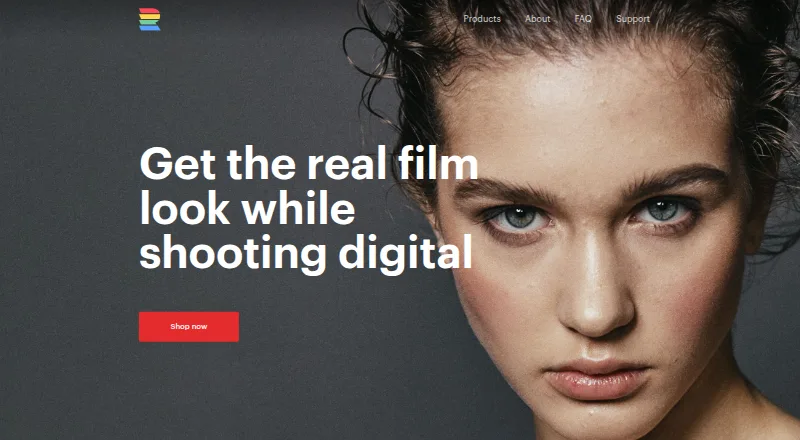
RNI Films is a collection of film-emulation presets, profiles, and editing tools for photographers who want film-inspired results across desktop and mobile workflows. Desktop products support Adobe Lightroom, Photoshop ACR, and Capture One, while the RNI Films iOS app adds RAW editing, adjustment tools, film effects, and video grading. Its presets are based on real film stocks and support non-destructive editing.
The product line is broad, but the pricing is pack-based rather than subscription-based. All Films 4 Lite costs $82 one-time, while All Films 4 Pro costs $164 one-time and includes more than 50 film stocks, multiple process variations, and camera profiles. All Films 5 Lite costs $96 one-time and includes 40+ presets plus Lightroom Mobile sync through Adobe Creative Cloud. All Films 5 Pro costs $192 one-time and adds profile-based film emulation, non-destructive editing, and Lightroom Mobile sync. RNI Aerochrome costs $96 one-time for infrared film simulation. Demo packs are available for selected Lightroom/ACR and Capture One products.
Platform fit is a central strength. Adobe users can work with Lightroom and Photoshop ACR, Capture One users have dedicated film-style support, and Adobe Creative Cloud connects supported desktop presets with Lightroom Mobile. The iOS app extends the workflow with RAW editing, native film-look strength adjustment, crop, rotation, brightness, contrast, color controls, grain, bloom, halation, and video grading. RNI Films suits photographers who want a wide selection of film-stock looks and cross-platform options. It is less suitable for buyers seeking a low-cost single-pack solution or flexible desktop returns, since paid desktop packs are sold as final purchases.
Your product? Our editors can test RNI Films in depth and publish a review, labelled as paid · from $149/mo →
RNI Films pricing
All 12 RNI Films plans and prices →
RNI Films fact sheet
| Free plan | Yes |
|---|---|
| Paid from | Not verified |
| Delivery type | Both |
| Included presets | Not verified |
| Software support | Adobe Lightroom, Adobe Photoshop ACR, Capture One |
| Video presets | Yes |
| Mobile support | Yes |
| Commercial license | Not verified |
| Deployment | Desktop, Mobile |
| Platforms | Windows, macOS, iOS, Android |
| Support | Email, Docs |
| Built for | Solo, Small business, Mid-market, Enterprise (editorial estimate) |
| Integrations | 7 integrations: Adobe Lightroom, Adobe Photoshop ACR, Capture One, Adobe Creative Cloud, Instagram, Facebook … |
| Pricing | Free plan (source) |
| Website | reallyniceimages.com |
| Facts checked | 20 Sep 2026 |
RNI Films integrations
RNI Films lists 7 integrations on its own site.
- Adobe Lightroom
- Adobe Photoshop ACR
- Capture One
- Adobe Creative Cloud
Alternatives to RNI Films
- Greater Than GatsbyA broad preset library with free samples, mobile support, and bundles up to $249.9.4
- Lightroom Presets by peva3A broad free preset library for Lightroom users who want maximum variety.9.2
- 123PresetsA $15 one-time pack for Lightroom workflows, mobile editing, and video LUTs.9.0


See all RNI Films alternatives →
RNI Films vs the competition
- RNI Films vs Greater Than Gatsby
- RNI Films vs Lightroom Presets by peva3
- RNI Films vs 123Presets
- RNI Films vs Visual Flow
- RNI Films vs VSCO
- RNI Films vs Contrastly Lightroom Presets



Compare RNI Films with any tool side by side →
Also Ranked In
RNI Films is ranked in 2 of our directories.
Used RNI Films? Be the first to review it
The editor score above is our own research. What this page doesn't have yet is a reader's view — what you used RNI Films for, what worked and what didn't. No stars are seeded and no review is paid for; an editor reads every one before it appears.
Write a reviewTwo minutes · verified accounts only · read by an editor before it appears
Featured on iTechGuides

RNI Films is listed in our Photo Preset Libraries directory. Add the badge to your site — it links back to this page.
<a href="https://www.itechguides.com/products/rni-films/"><img src="https://www.itechguides.com/best/badge/rni-films.svg" alt="Featured on iTechGuides" width="230" height="46"></a>
Reviewed by iTechGuides Editors · Editorial team · Updated Oct 2026
Advertiser disclosure: iTechGuides is reader-supported. Vendors can pay for top positions in our rankings and for a place on other products' pages, and we may earn a commission when you click some links. Bought places stand at the number bought; this page and our disclosure say so. Paying vendors may get a fuller, more detailed review from our editors, and that review can change their score. How we rank.
Last updated · How we research and update