
REQO Presentation Recorder
REQO Presentation Recorder: A browser-based recorder with transcript editing, 4K exports, and free access. Ranked #10 of 26 in Presentation Recording Software by our editors (8.0/10); pricing: Free plan · 14-day trial; best for high-resolution transcript-edited recordings.
At a glance
- Editor score8.0 / 10
- PricingFree plan · 14-day trial
- Best forHigh-resolution transcript-edited recordings
- Free planYes
- Paid from$190/yr
- Recording modesSlides_screen_and_webcam
- Facts checked20 Sep 2026
Where it wins
- Records slides, full screens, microphones, and webcam overlays
- Edits video by deleting transcript text and adds automatic captions
- Pro includes 4K, 60fps, watermark-free exports, and unlimited team members
Where it doesn't
- Free MP4 exports include a REQO badge
- Runs on the web through Chrome or Edge
- Captures slideshow windows or screens rather than importing slides natively
Our verdict on REQO Presentation Recorder
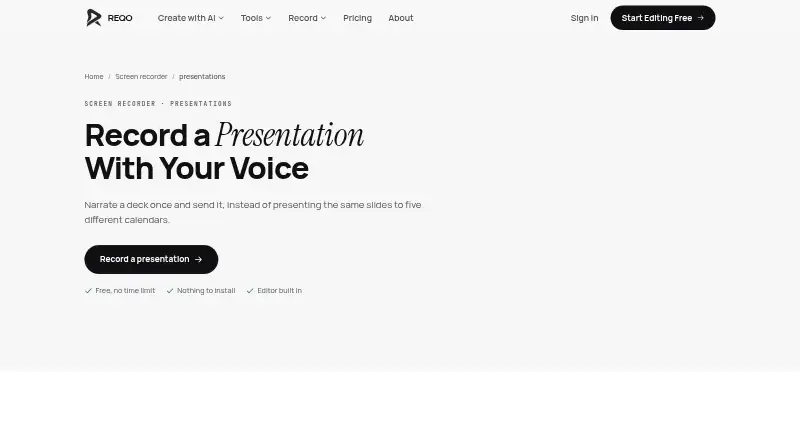
REQO Presentation Recorder is a browser-based tool for narrating PowerPoint, Google Slides, Keynote, and other on-screen presentations. It records a slideshow window or the whole screen, captures microphone narration, and adds an optional movable, resizable webcam overlay. Presenters can trim recordings, edit video by deleting transcript text, add captions, download MP4 files, or create instant share links. It suits educators, trainers, sales teams, and anyone who needs a recorded presentation without installing a desktop application or browser extension.
REQO uses a freemium model. The Free plan includes screen, webcam, and microphone recording, transcript editing, captions, instant shareable links, and MP4 export with a REQO badge. Pro costs $19 per month or $190 per year and adds watermark-free exports and share pages, 4K and 60fps recording and export, unlimited team members, AI Studio, and AI editing tools. A 14-day free trial is also available. The main pricing distinction is therefore branding and output quality, alongside the additional AI tools and team capacity in Pro.
The standout workflow is transcript-based editing: removing text from the transcript edits the corresponding video, while automatic transcription and captions support faster cleanup. Multi-track editing adds music and additional audio layers, and viewer analytics extend the product beyond basic recording and sharing. The trade-off is platform scope: REQO runs on the web through Chrome or Edge, and presentation capture relies on recording a slideshow window or the whole screen rather than importing slides natively. Choose REQO for high-resolution, transcript-edited presentation recordings; choose an alternative if native slide import or broader platform connectivity is central to your workflow.
Your product? Our editors can test REQO Presentation Recorder in depth and publish a review, labelled as paid · from $149/mo →
REQO Presentation Recorder pricing
All 2 REQO Presentation Recorder plans and prices →
REQO Presentation Recorder fact sheet
| Free plan | Yes |
|---|---|
| Paid from | $190/yr |
| Recording modes | Slides_screen_and_webcam |
| Maximum video quality | 4k |
| Webcam recording | Yes |
| Transcript generation | Yes |
| Viewer analytics | Yes |
| Export formats | MP4 |
| Maximum recording length | Not verified |
| Free trial | 14 days · card required |
| Deployment | Cloud, Browser extension |
| Platforms | Web |
| Compliance & security | GDPR |
| Support | Email, Docs |
| Built for | Solo, Small business, Mid-market (editorial estimate) |
| Pricing | Free plan · 14-day trial (source) |
| Website | reqo.me |
| Facts checked | 20 Sep 2026 |
Alternatives to REQO Presentation Recorder
- SlideatorA flexible presentation recorder with 4K video, AI tools, and a free starting point.9.4
- Flonnect Presentation RecorderA flexible presentation recorder with synchronized capture, annotations, and team workspaces.9.2
- Google VidsA strong Google Workspace option for recording, editing, and sharing presentations.9.1



See all REQO Presentation Recorder alternatives →
Used REQO Presentation Recorder? Be the first to review it
The editor score above is our own research. What this page doesn't have yet is a reader's view — what you used REQO Presentation Recorder for, what worked and what didn't. No stars are seeded and no review is paid for; an editor reads every one before it appears.
Write a reviewTwo minutes · verified accounts only · read by an editor before it appears
Featured on iTechGuides

REQO Presentation Recorder is listed in our Presentation Recording Software directory. Add the badge to your site — it links back to this page.
<a href="https://www.itechguides.com/products/reqo-presentation-recorder/"><img src="https://www.itechguides.com/best/badge/reqo-presentation-recorder.svg" alt="Featured on iTechGuides" width="230" height="46"></a>
Reviewed by iTechGuides Editors · Editorial team · Updated Oct 2026
Advertiser disclosure: iTechGuides is reader-supported. Vendors can pay for top positions in our rankings and for a place on other products' pages, and we may earn a commission when you click some links. Bought places stand at the number bought; this page and our disclosure say so. Paying vendors may get a fuller, more detailed review from our editors, and that review can change their score. How we rank.
Last updated · How we research and update