
React Developer Tools
React Developer Tools: A free, open-source toolkit for inspecting React components and investigating performance. Ranked #23 of 30 in Debugging Software by our editors (7.3/10); pricing: Free plan; best for react developers inspecting components and performance.
At a glance
- Editor score7.3 / 10
- PricingFree plan
- Best forReact developers inspecting components and performance
- Free planYes
- Paid fromFree
- Remote debuggingYes
- Founded2004 · Menlo Park, California, United States
- Facts checked24 Sep 2026
Where it wins
- Inspect component trees and edit component props and state.
- Profiler panel helps investigate rendering performance.
- Supports React Native inspection and non-browser environments.
Where it doesn't
- Its debugging features focus on React applications.
- Standalone setup is needed for some non-browser environments.
- Documentation is the only listed support channel.
Our verdict on React Developer Tools
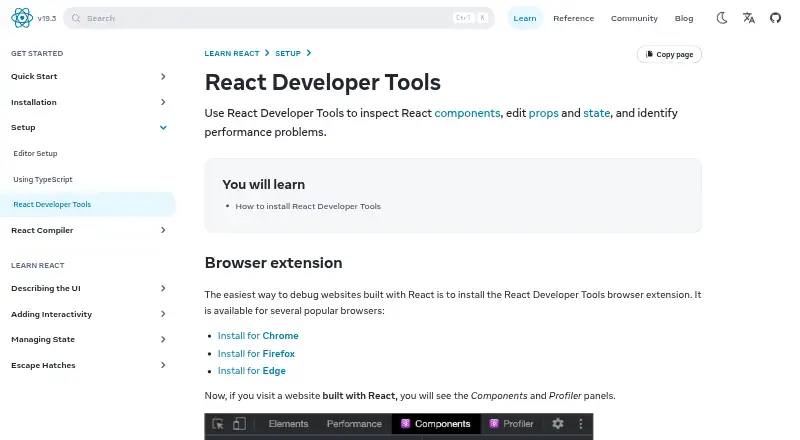
React Developer Tools gives developers a way to inspect and debug React applications, from browser-based projects to React Native apps. Its browser extension adds Components and Profiler panels to browser developer tools. Developers can explore component trees, edit props and state, and investigate rendering performance. The project is free and open source, making it a practical fit for individual developers and teams that want React-specific debugging without a paid plan. It is not a general-purpose debugging tool for applications built with other frameworks.
The feature set extends beyond the browser extension. A standalone react-devtools package supports debugging in Safari, iframes, embedded webviews and other non-browser environments. React Native developers can inspect app components, highlight and select native elements, and inspect selected component data in the browser console. This makes the tool relevant across web and mobile React work, though the right entry point depends on the environment being debugged. Developers focused on standard browser workflows can use the extension panels; other environments may call for the standalone package or React Native DevTools.
The strongest reason to choose React Developer Tools is its focused combination of component inspection, editing and performance investigation, including mobile app inspection. Its scope is also its main boundary: teams looking for debugging across non-React stacks should look elsewhere. Support is listed through documentation, so teams that require a different support channel may prefer another product. For React developers comfortable working with developer tools and documentation, it offers a focused, no-cost option; for broader debugging needs, its React-specific toolkit is unlikely to be the right fit.
Your product? Our editors can test React Developer Tools in depth and publish a review, labelled as paid · from $149/mo →
React Developer Tools pricing
React Developer Tools fact sheet
| Free plan | Yes |
|---|---|
| Paid from | Free |
| Remote debugging | Yes |
| Browser debugging | Yes |
| Mobile debugging | Yes |
| Profiling tools | Yes |
| IDE integration | Not verified |
| Concurrent sessions | Not verified |
| Supported languages | Not verified |
| Deployment | Desktop, Mobile, Browser extension |
| Platforms | Web, Chrome extension |
| Support | Docs |
| Built for | Solo, Small business, Mid-market, Enterprise (editorial estimate) |
| Pricing | Free plan |
| Website | react.dev |
| Facts checked | 24 Sep 2026 |
Alternatives to React Developer Tools
- BugSnagBroad error and stability monitoring with release, performance, and tracing tools.8.9
- AirbrakeTracks application errors and releases, with a free plan and paid tiers from $17/month annually.8.8
- RollbarReal-time error investigation with session replay and a $9 monthly entry plan.8.7



See all React Developer Tools alternatives →
Also Ranked In
React Developer Tools is ranked in 6 of our directories.
Used React Developer Tools? Be the first to review it
The editor score above is our own research. What this page doesn't have yet is a reader's view — what you used React Developer Tools for, what worked and what didn't. No stars are seeded and no review is paid for; an editor reads every one before it appears.
Write a reviewTwo minutes · verified accounts only · read by an editor before it appears
Featured on iTechGuides

React Developer Tools is listed in our Debugging Software directory. Add the badge to your site — it links back to this page.
<a href="https://www.itechguides.com/products/react-developer-tools/"><img src="https://www.itechguides.com/best/badge/react-developer-tools.svg" alt="Featured on iTechGuides" width="230" height="46"></a>
Reviewed by iTechGuides Editors · Editorial team · Updated Oct 2026
Advertiser disclosure: iTechGuides is reader-supported. Vendors can pay for top positions in our rankings and for a place on other products' pages, and we may earn a commission when you click some links. Bought places stand at the number bought; this page and our disclosure say so. Paying vendors may get a fuller, more detailed review from our editors, and that review can change their score. How we rank.
Last updated · How we research and update