QuickDesk
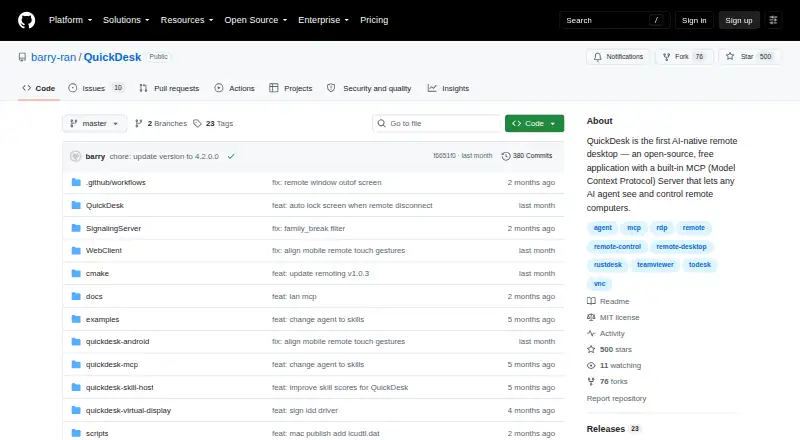
QuickDesk: A free, open-source MCP control layer for connecting AI agents to remote computers. Ranked #10 of 24 in AI Computer Use Agents by our editors (8.3/10); pricing: Free plan; best for free remote-desktop control through MCP.
At a glance
- Editor score8.3 / 10
- PricingFree plan
- Best forFree remote-desktop control through MCP
- Free planYes
- Paid fromFree
- Desktop app controlYes
- Facts checked22 Sep 2026
Where it wins
- Built-in MCP server with stdio and HTTP/SSE transports
- Full mouse, keyboard, clipboard, drag, scroll, and hotkey controls
- Supports self-hosting, multi-device connections, OCR, and virtual displays
Where it doesn't
- Deployment can involve self-hosted signaling and TURN infrastructure
- Its feature set centers on MCP-based computer control
- Shell and file skills require careful host-side access management
Our verdict on QuickDesk
QuickDesk is open-source remote desktop software for connecting AI agents to remote computers through the Model Context Protocol. It combines a Qt desktop client with remote screen capture, OCR-based screen understanding, and full input controls. The product supports web, Windows, macOS, Android, and self-hosted deployments, making it suitable for developers and teams that want agent-controlled access across multiple devices rather than a conventional remote desktop alone.
QuickDesk is presented as free software and is MIT-licensed. Its integration model is centered on MCP, with a built-in server supporting both stdio and HTTP/SSE transports. The published integrations include Claude, Cursor, GPT, and VS Code, giving developers several ways to connect an AI agent or coding environment. Self-hosted signaling and TURN deployment add flexibility for teams that want to manage the supporting infrastructure themselves, while multi-device connections support broader remote-access setups.
The standout capability is the combination of visual understanding and direct computer control: agents can capture screenshots, interpret screens through OCR, and operate the mouse, keyboard, clipboard, drag, scroll, and hotkeys. Host-side skills extend that control to system information, file operations, and shell execution, while virtual display and privacy screen modes support specialized remote sessions. QuickDesk suits developers who want free, open-source MCP connectivity and control over deployment. Teams seeking a broader agent platform beyond remote computer operations, or a simpler managed setup without infrastructure responsibilities, should consider a more focused alternative.
Your product? Our editors can test QuickDesk in depth and publish a review, labelled as paid · from $149/mo →
QuickDesk pricing
QuickDesk fact sheet
| Free plan | Yes |
|---|---|
| Paid from | Free |
| Desktop app control | Yes |
| Supported platforms | Windows, macOS, Android, web browser |
| Browser control | Not verified |
| Screen understanding | Yes |
| Deployment | Hybrid |
| Human approval controls | Not verified |
| API access | Yes |
| Deployment | Desktop, Mobile, Self-hosted |
| Platforms | Web, Windows, macOS, Android |
| Support | Community, Docs |
| Built for | Solo, Small business, Mid-market, Enterprise (editorial estimate) |
| Integrations | 4 integrations: Claude, Cursor, GPT, VS Code |
| Pricing | Free plan |
| Website | github.com |
| Facts checked | 22 Sep 2026 |
QuickDesk integrations
QuickDesk lists 4 integrations on its own site.
- Claude
- Cursor
- GPT
- VS Code
Alternatives to QuickDesk
- CoastyA programmable computer-use platform with managed machines, workflows, approvals, and APIs.9.2
- Claude CoworkA broad computer-use workspace for business automation, with paid plans starting at $17 annually.9.1
- Clawd CursorA free, open-source local MCP server for controlled desktop automation.9.0



See all QuickDesk alternatives →
Used QuickDesk? Be the first to review it
The editor score above is our own research. What this page doesn't have yet is a reader's view — what you used QuickDesk for, what worked and what didn't. No stars are seeded and no review is paid for; an editor reads every one before it appears.
Write a reviewTwo minutes · verified accounts only · read by an editor before it appears
Featured on iTechGuides

QuickDesk is listed in our AI Computer Use Agents directory. Add the badge to your site — it links back to this page.
<a href="https://www.itechguides.com/products/quickdesk/"><img src="https://www.itechguides.com/best/badge/quickdesk.svg" alt="Featured on iTechGuides" width="230" height="46"></a>
Reviewed by iTechGuides Editors · Editorial team · Updated Oct 2026
Advertiser disclosure: iTechGuides is reader-supported. Vendors can pay for top positions in our rankings and for a place on other products' pages, and we may earn a commission when you click some links. Bought places stand at the number bought; this page and our disclosure say so. Paying vendors may get a fuller, more detailed review from our editors, and that review can change their score. How we rank.
Last updated · How we research and update