PXPlay
PXPlay: A flexible PlayStation streaming option with free access, paid unlocks, and 4K support. Ranked #6 of 27 in Game Remote Play Software by our editors (8.7/10); pricing: Free plan; best for flexible PlayStation streaming across many platforms.
At a glance
- Editor score8.7 / 10
- PricingFree plan
- Best forFlexible PlayStation streaming across many platforms
- Free planYes
- Maximum resolution4k
- Facts checked20 Sep 2026
Where it wins
- Supports PlayStation 4 and PlayStation 5 remote streaming
- Covers Windows, macOS, Linux, iOS, Android, and Apple TV
- Includes 4K streaming, multi-monitor support, and console profiles
Where it doesn't
- Separate licenses apply across platform-specific versions
- Advanced features are split between PC, Android, and iOS unlocks
- Mobile pricing and availability can vary by region
Our verdict on PXPlay
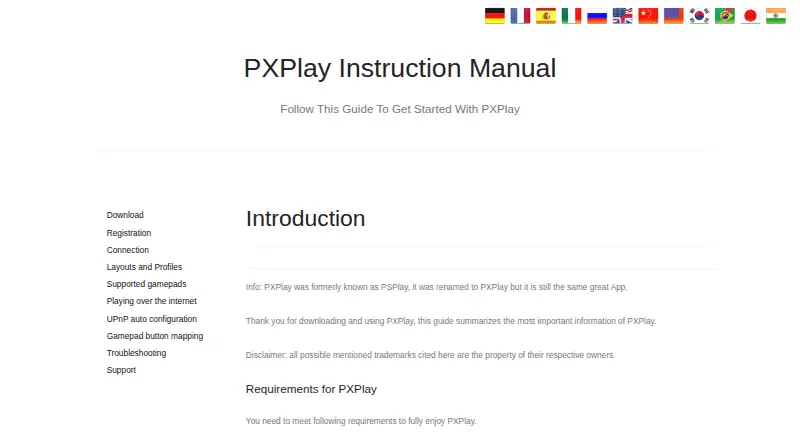
PXPlay is remote-play software for streaming games from PlayStation 4 and PlayStation 5 consoles to personal devices. It is designed for players who want more ways to access their console library beyond a single screen, with clients for Windows, Linux, macOS, Android, iOS, and Apple TV. Local and internet-based connections are supported, alongside third-party controllers, customizable on-screen controls, multiple console profiles, and virtual-controller mode. The product was formerly known as PSPlay and is offered as a freemium service with platform-specific licenses.
Platform coverage is the main reason to consider PXPlay. The PC plan includes Windows, Linux, and macOS access under a single-user license and supports multiple personal devices on the same platform. The Android unlock adds Android and Android TV support, third-party controller support, and virtual-controller mode. The iOS unlock covers iPhone, iPad, and Apple TV, with 4K/2K upscaling and HDR visuals. Automatic or manually configured internet remote connections, multi-monitor support, picture-in-picture, and Android multi-window support extend the range of supported play setups.
PXPlay also offers a focused set of control and video features rather than only basic streaming. Players can map buttons, emulate touchpad gestures, customize gamepad layouts, and use multiple console profiles. Video upscaling and sharpening are available, while the product documents support for up to 4K streaming. A free plan lowers the barrier to entry, and the published starting price is 6.99, with separate unlocks by platform. PXPlay suits players who value device choice and configuration flexibility; those seeking one universal license across every client platform may prefer a simpler licensing model.
Your product? Our editors can test PXPlay in depth and publish a review, labelled as paid · from $149/mo →
PXPlay pricing
All 3 PXPlay plans and prices →
PXPlay fact sheet
| Free plan | Yes |
|---|---|
| Paid from | Not verified |
| Host platforms | PlayStation 4, PlayStation 5 |
| Client platforms | Android, iOS, Apple TV, Windows, Linux, macOS |
| Maximum resolution | 4k |
| Maximum frame rate | Not verified |
| Console support | Yes |
| Multi-monitor support | Yes |
| Local co-op support | Yes |
| Money-back guarantee | 2 days |
| Deployment | Cloud, Desktop, Mobile |
| Platforms | Windows, macOS, Linux, iOS, Android |
| Support | Email, Community, Docs |
| Built for | Solo, Small business (editorial estimate) |
| Pricing | Free plan (source) |
| Website | streamingdv.github.io |
| Facts checked | 20 Sep 2026 |
Alternatives to PXPlay
- Moonlight Game StreamingA free, flexible client for streaming PC games and desktops across many devices.9.4
- ParsecA flexible remote-play tool with free personal access and paid team controls.9.2
- Moonlight WebA free, open-source browser client for high-resolution PC game streaming.9.1



PXPlay vs the competition
- PXPlay vs Moonlight Game Streaming
- PXPlay vs Parsec
- PXPlay vs Moonlight Web
- PXPlay vs Pulsar
- PXPlay vs PS Remote Play
- PXPlay vs Sunshine



Compare PXPlay with any tool side by side →
Used PXPlay? Be the first to review it
The editor score above is our own research. What this page doesn't have yet is a reader's view — what you used PXPlay for, what worked and what didn't. No stars are seeded and no review is paid for; an editor reads every one before it appears.
Write a reviewTwo minutes · verified accounts only · read by an editor before it appears
Featured on iTechGuides

PXPlay is listed in our Game Remote Play Software directory. Add the badge to your site — it links back to this page.
<a href="https://www.itechguides.com/products/pxplay/"><img src="https://www.itechguides.com/best/badge/pxplay.svg" alt="Featured on iTechGuides" width="230" height="46"></a>
Reviewed by iTechGuides Editors · Editorial team · Updated Oct 2026
Advertiser disclosure: iTechGuides is reader-supported. Vendors can pay for top positions in our rankings and for a place on other products' pages, and we may earn a commission when you click some links. Bought places stand at the number bought; this page and our disclosure say so. Paying vendors may get a fuller, more detailed review from our editors, and that review can change their score. How we rank.
Last updated · How we research and update