PTAssembler
PTAssembler: A control-focused Windows stitcher with automation, blending, batch work, and plugin support. Ranked #5 of 22 in Panorama Stitching Software by our editors (8.1/10); pricing: 30-day trial; best for windows users needing plugin-based control.
At a glance
- Editor score8.1 / 10
- Pricing30-day trial
- Best forWindows users needing plugin-based control
- Free planNo
- Panorama typesWide
- Facts checked20 Sep 2026
Where it wins
- Automatic and manual workflows with editable control points
- Exposure and focus blending plus multiple projection formats
- Batch processing, layered output, and numerous blending plugins
Where it doesn't
- Windows-only desktop software
- No raw-file support
- License price is not included
Our verdict on PTAssembler
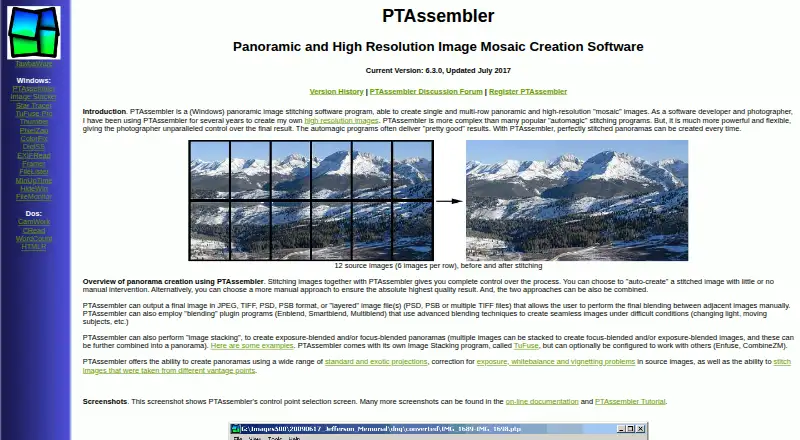
PTAssembler is Windows desktop software for stitching digital images into single- or multi-row panoramas and high-resolution mosaics. It is aimed at photographers who want both automated panorama creation and detailed manual control. The Auto-create workflow handles automatic creation, while users can create, edit, move, and delete control points manually. The software also supports wide panoramas, exposure- and focus-blended panoramas, multiple standard and specialized projection formats, and correction for exposure, white balance, and vignetting.
The paid product includes a 30-day unrestricted period and does not offer a free plan. Its workflow depth is the main reason to consider it: projects can be processed in batches, and output can be saved as JPEG, TIFF, PSD, PSB, or layered files. EXIF data can be read from JPEG and TIFF files, which supports image organization during stitching. These options suit photographers working across varied panorama projects, especially when manual alignment, blending control, or layered editing matters more than a minimal workflow.
PTAssembler also fits users who want plugin-based image blending. Supported options include TuFuse, Enfuse, CombineZM, Enblend, Smartblend, Multiblend, Panomatic, Autopano, and Autopano-SIFT. The trade-off is a narrow platform and file-format scope: it runs on Windows and does not support raw files. The listed version is 6.3.0, updated July 2017. Choose PTAssembler if Windows compatibility, manual control, batch stitching, and plugin flexibility are priorities; choose another panorama tool if you need raw support or a different desktop platform.
Your product? Our editors can test PTAssembler in depth and publish a review, labelled as paid · from $149/mo →
PTAssembler pricing
PTAssembler fact sheet
| Free plan | No |
|---|---|
| Paid from | Not verified |
| Panorama types | Wide |
| RAW input | No |
| HDR/exposure blending | Yes |
| Max images per project | Not verified |
| Control point editing | Yes |
| Supported platforms | Windows |
| Batch stitching | Yes |
| Free trial | 30 days |
| Deployment | Desktop |
| Platforms | Windows |
| Support | Community, Docs |
| Built for | Solo, Small business (editorial estimate) |
| Integrations | 9 integrations: TuFuse, Enfuse, CombineZM, Enblend, Smartblend, Multiblend … |
| Pricing | 30-day trial (source) |
| Website | tawbaware.com |
| Facts checked | 20 Sep 2026 |
PTAssembler integrations
PTAssembler lists 9 integrations on its own site.
- TuFuse
- Enfuse
- CombineZM
- Enblend
- Smartblend
- Multiblend
- Panomatic
- Autopano
- Autopano-SIFT
Alternatives to PTAssembler
- HuginA free desktop stitcher with deep manual control, HDR tools, and broad platform coverage.9.3
- PTGuiA broad, cross-platform panorama toolkit for demanding manual and automated workflows.8.9
- PanoramaStudioA focused Windows and macOS toolkit for stitching, correcting and publishing panoramas.8.6



See all PTAssembler alternatives →
PTAssembler vs the competition
- PTAssembler vs Hugin
- PTAssembler vs PTGui
- PTAssembler vs PanoramaStudio
- PTAssembler vs 3DVista Stitcher
- PTAssembler vs Bimostitch Panorama Stitcher
- PTAssembler vs Panoweaver

Compare PTAssembler with any tool side by side →
Used PTAssembler? Be the first to review it
The editor score above is our own research. What this page doesn't have yet is a reader's view — what you used PTAssembler for, what worked and what didn't. No stars are seeded and no review is paid for; an editor reads every one before it appears.
Write a reviewTwo minutes · verified accounts only · read by an editor before it appears
Featured on iTechGuides

PTAssembler is listed in our Panorama Stitching Software directory. Add the badge to your site — it links back to this page.
<a href="https://www.itechguides.com/products/ptassembler/"><img src="https://www.itechguides.com/best/badge/ptassembler.svg" alt="Featured on iTechGuides" width="230" height="46"></a>
Reviewed by iTechGuides Editors · Editorial team · Updated Oct 2026
Advertiser disclosure: iTechGuides is reader-supported. Vendors can pay for top positions in our rankings and for a place on other products' pages, and we may earn a commission when you click some links. Bought places stand at the number bought; this page and our disclosure say so. Paying vendors may get a fuller, more detailed review from our editors, and that review can change their score. How we rank.
Last updated · How we research and update