PriMus TAKEOFF
PriMus TAKEOFF: A Windows takeoff tool for estimators who need CAD editing and dynamic quantities. Ranked #20 of 25 in Construction Takeoff Software by our editors (7.1/10); pricing: 30-day trial; best for CAD-heavy estimators needing dynamic quantities.
At a glance
- Editor score7.1 / 10
- Pricing30-day trial
- Best forCAD-heavy estimators needing dynamic quantities
- Free planNo
- Measurement types2d and 3d
- Founded1989 · Bagnoli Irpino, Italy
- Facts checked22 Sep 2026
Where it wins
- Takes off quantities from DWG, DXF, PDF, BMP and JPG files
- Links drawing entities to price-list items and updates quantities dynamically
- Imports and exports standard estimating formats, including XLS, DOC and XML
Where it doesn't
- Windows-only desktop software
- No free plan; evaluation is limited to a 30-day trial
- No AI-assisted features
Our verdict on PriMus TAKEOFF
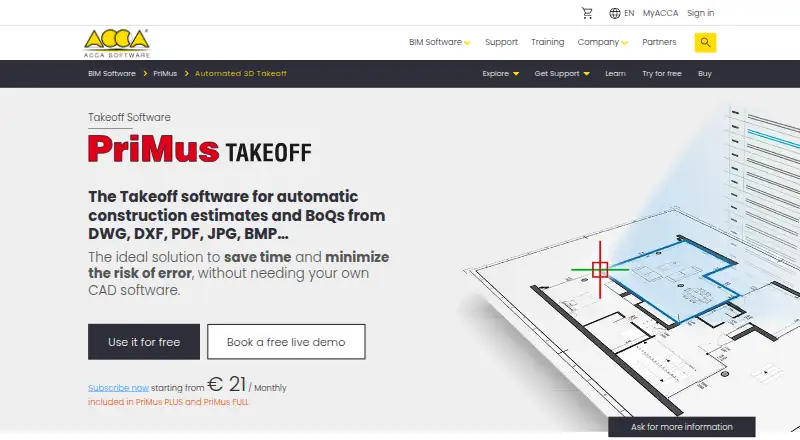
PriMus TAKEOFF is desktop construction takeoff and estimating software from ACCA software S.p.A. It is designed for quantity surveyors, contractors, designers and construction companies that need to extract measurements from drawings and prepare estimates or bills of quantities. The software supports 2D and 3D takeoff measurements across DWG, DXF, PDF, BMP and JPG files. Its measurement tools cover lengths, widths and areas, while integrated CAD functions support drawing and editing work within the application. It runs on Windows and is positioned for teams whose estimating process depends on detailed drawing-based quantities.
Its standout capability is the connection between drawings and estimating data. Drawing entities can be associated with items in PriMus price lists, and bill-of-quantities data updates when associated drawings change. That makes PriMus TAKEOFF a strong fit for projects where design revisions need to flow into quantity calculations. Native DWG creation and editing also supports continued work with CAD files, while compatibility with AutoCAD, Microsoft Word and Microsoft Excel helps it fit into common estimating workflows. Users focused mainly on lightweight document markup or non-CAD measurement may find this broader CAD-oriented approach more than they need.
PriMus TAKEOFF is a paid Windows product with a 30-day free trial. It is also included in PriMus PLUS and PriMus FULL, giving buyers those product paths in addition to the standalone takeoff workflow. The software supports exports and imports in formats including DWG, XLS, DOC, XML, XPWE and PWE, which is useful when estimates must move between design and estimating applications. Subscription licenses cannot be refunded. Choose it when dynamic quantities, CAD editing and price-list associations are central requirements; choose an alternative when cross-platform access, a free plan or AI features are priorities.
Your product? Our editors can test PriMus TAKEOFF in depth and publish a review, labelled as paid · from $149/mo →
PriMus TAKEOFF pricing
PriMus TAKEOFF fact sheet
| Free plan | No |
|---|---|
| Paid from | Not verified |
| Measurement types | 2d and 3d |
| Custom assemblies | Not verified |
| Drawing formats | DWG, DXF, PDF, BMP, JPG |
| Export formats | DWG, XLS, DOC, XML, XPWE, PWE |
| Included collaborators | Not verified |
| Drawing OCR | Not verified |
| Free trial | 30 days |
| Deployment | Desktop |
| Platforms | Windows |
| Compliance & security | ISO 27001 |
| Support | Email, Community, Docs |
| Built for | Small business, Mid-market, Enterprise (editorial estimate) |
| Integrations | 4 integrations: AutoCAD, PriMus price lists, Microsoft Word, Microsoft Excel |
| Pricing | 30-day trial (source) |
| Website | accasoftware.com |
| Facts checked | 22 Sep 2026 |
PriMus TAKEOFF integrations
PriMus TAKEOFF lists 4 integrations on its own site.
- AutoCAD
- PriMus price lists
- Microsoft Word
- Microsoft Excel
Alternatives to PriMus TAKEOFF
- STACKA broad takeoff and estimating platform for teams managing preconstruction end to end.9.4
- BidwrightA free, open-source workspace spanning takeoff, estimating, review, and quote delivery.9.1
- Kreo BIM TakeoffA broad 2D and 3D BIM takeoff platform with automation, collaboration, and export tools.8.9



See all PriMus TAKEOFF alternatives →
Also Ranked In
PriMus TAKEOFF is ranked in 2 of our directories.
Used PriMus TAKEOFF? Be the first to review it
The editor score above is our own research. What this page doesn't have yet is a reader's view — what you used PriMus TAKEOFF for, what worked and what didn't. No stars are seeded and no review is paid for; an editor reads every one before it appears.
Write a reviewTwo minutes · verified accounts only · read by an editor before it appears
Featured on iTechGuides

PriMus TAKEOFF is listed in our Construction Takeoff Software directory. Add the badge to your site — it links back to this page.
<a href="https://www.itechguides.com/products/primus-takeoff/"><img src="https://www.itechguides.com/best/badge/primus-takeoff.svg" alt="Featured on iTechGuides" width="230" height="46"></a>
Reviewed by iTechGuides Editors · Editorial team · Updated Oct 2026
Advertiser disclosure: iTechGuides is reader-supported. Vendors can pay for top positions in our rankings and for a place on other products' pages, and we may earn a commission when you click some links. Bought places stand at the number bought; this page and our disclosure say so. Paying vendors may get a fuller, more detailed review from our editors, and that review can change their score. How we rank.
Last updated · How we research and update