
PracticeConsole Client Intake
PracticeConsole Client Intake: Structured intake, conflict review, approvals, and audit trails for law firms. Ranked #5 of 28 in Legal Conflict Checking Software by our editors (8.8/10); pricing: 14-day trial; best for intake teams needing governed conflict approval.
At a glance
- Editor score8.8 / 10
- Pricing14-day trial
- Best forIntake teams needing governed conflict approval
- Free planNo
- Party screeningYes
- Facts checked21 Sep 2026
Where it wins
- Structured searches cover clients, contacts, related parties, and prior matters
- Approval routing, reviewer records, timestamps, and audit trails support governance
- Integrates with Microsoft 365, Google Workspace, Zoom, and document tools
Where it doesn't
- No free plan; access starts with a paid plan
- Advanced capabilities require Professional or Enterprise
- Custom integrations and assisted migration are limited to Enterprise
Our verdict on PracticeConsole Client Intake
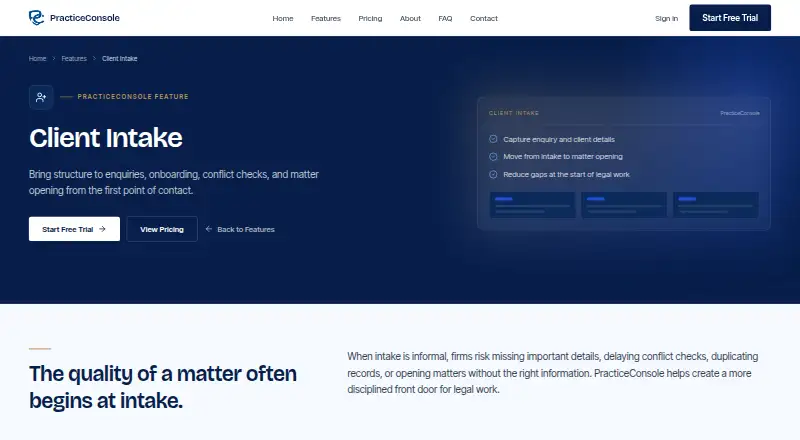
PracticeConsole Client Intake is a legal practice management product for law firms that want to capture enquiries, organize client and contact records, check conflicts before opening matters, and turn qualified intake into matter records. Its workflow connects intake with client and matter management, time tracking, invoicing, document management, reporting, permissions, and audit trails. The product is suited to intake teams that need a repeatable approval process rather than informal conflict checks.
The plan structure expands from core practice operations to broader firm controls. Starter includes client and matter management, unlimited users, AI conflict checking, time tracking and invoicing, and a client portal. Professional adds contract management, court session management, OpenSanctions screening, custom reports and dashboards, and DocuSign eSignature. Enterprise adds custom integrations, SSO/SAML authentication, custom dashboards, a dedicated success manager, and assisted data migration. A 14-day trial is available, while the product itself is paid rather than free.
Conflict checking is the product’s clearest focus. Searches can cover clients, contacts, related parties, and prior matters, with recorded reviewer identity, timestamps, searches, findings, and decisions. Borderline results can follow approval routing, while role-based permissions and audit trails support controlled review. Integrations with Microsoft 365, Outlook, Gmail, Google Calendar, Zoom, Microsoft Teams, QuickBooks, DocuSign, Dropbox, OneDrive, and Google Drive help it fit into existing office workflows. Firms choosing PracticeConsole should value governed intake and connected matter operations; firms seeking only a lightweight standalone conflict checker may find its wider practice-management scope unnecessary.
Your product? Our editors can test PracticeConsole Client Intake in depth and publish a review, labelled as paid · from $149/mo →
PracticeConsole Client Intake pricing
All 3 PracticeConsole Client Intake plans and prices →
PracticeConsole Client Intake fact sheet
| Free plan | No |
|---|---|
| Paid from | Not verified |
| Party screening | Yes |
| Relationship mapping | Yes |
| Prospective matter checks | Yes |
| Conflict audit trail | Yes |
| Practice management sync | Not verified |
| Search automation | Automated |
| Free trial | 14 days · no card needed |
| Deployment | Cloud |
| Platforms | Web |
| Compliance & security | SOC 2, GDPR, SSO/SAML, 2FA |
| Support | Docs |
| Built for | Small business, Mid-market, Enterprise (editorial estimate) |
| Integrations | 11 integrations: Microsoft 365, Outlook, Gmail, Google Calendar, Zoom, Microsoft Teams … |
| Pricing | 14-day trial (source) |
| Website | practiceconsole.com |
| Facts checked | 21 Sep 2026 |
PracticeConsole Client Intake integrations
PracticeConsole Client Intake lists 11 integrations on its own site.
- Microsoft 365
- Outlook
- Gmail
- Google Calendar
- Zoom
- Microsoft Teams
- QuickBooks
- DocuSign
- Dropbox
- OneDrive
- Google Drive
Alternatives to PracticeConsole Client Intake
- ConflictCheckAffordable automated conflict checks with stronger controls on higher tiers.9.4
- Dodonai Conflict CheckAutomates conflict screening, relationship detection, ethical walls, and audit records for law firms.9.2
- Intapp ConflictsA centralized, auditable conflicts platform for firms managing complex relationship data.9.1



See all PracticeConsole Client Intake alternatives →
PracticeConsole Client Intake vs the competition
- PracticeConsole Client Intake vs ConflictCheck
- PracticeConsole Client Intake vs Dodonai Conflict Check
- PracticeConsole Client Intake vs Intapp Conflicts
- PracticeConsole Client Intake vs Affinisio Conflicts Clearance Compliance Centre
- PracticeConsole Client Intake vs iManage Conflicts & Intake
- PracticeConsole Client Intake vs ConflictsPro


Compare PracticeConsole Client Intake with any tool side by side →
Used PracticeConsole Client Intake? Be the first to review it
The editor score above is our own research. What this page doesn't have yet is a reader's view — what you used PracticeConsole Client Intake for, what worked and what didn't. No stars are seeded and no review is paid for; an editor reads every one before it appears.
Write a reviewTwo minutes · verified accounts only · read by an editor before it appears
Featured on iTechGuides

PracticeConsole Client Intake is listed in our Legal Conflict Checking Software directory. Add the badge to your site — it links back to this page.
<a href="https://www.itechguides.com/products/practiceconsole-client-intake/"><img src="https://www.itechguides.com/best/badge/practiceconsole-client-intake.svg" alt="Featured on iTechGuides" width="230" height="46"></a>
Reviewed by iTechGuides Editors · Editorial team · Updated Oct 2026
Advertiser disclosure: iTechGuides is reader-supported. Vendors can pay for top positions in our rankings and for a place on other products' pages, and we may earn a commission when you click some links. Bought places stand at the number bought; this page and our disclosure say so. Paying vendors may get a fuller, more detailed review from our editors, and that review can change their score. How we rank.
Last updated · How we research and update