
Pomello
Pomello: A focused desktop timer for Trello users who want task-level Pomodoro tracking. Ranked #15 of 28 in Pomodoro Timer Apps by our editors (7.5/10); pricing: Free plan; best for trello-centered desktop workflows.
At a glance
- Editor score7.5 / 10
- PricingFree plan
- Best forTrello-centered desktop workflows
- Free planYes
- Facts checked21 Sep 2026
Where it wins
- Turns Trello cards into timed Pomodoro tasks
- Tracks pomodoros, distractions, notes, and productivity statistics
- Supports exports, keyboard shortcuts, and custom timer sounds
Where it doesn't
- Works with Trello as its listed integration
- Coverage is limited to Windows, macOS, and Linux
- Premium costs $20 per year with the same listed highlights as Basic
Our verdict on Pomello
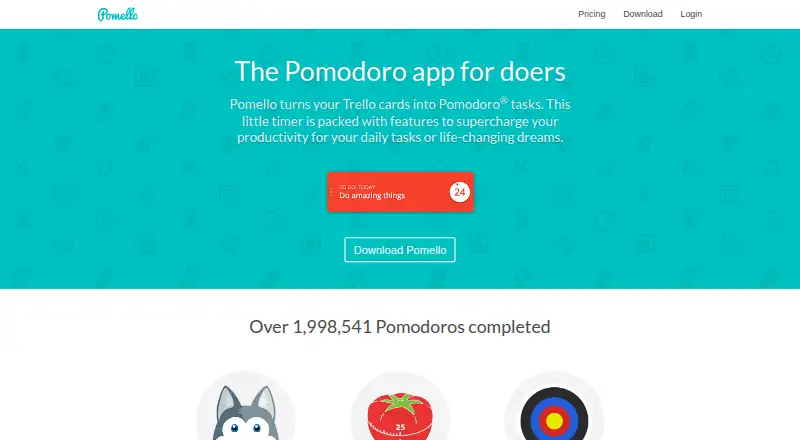
Pomello is a desktop Pomodoro timer built around Trello. It converts Trello cards into Pomodoro tasks, lets users choose boards and lists, and supports task creation from within the app. Individuals managing work in Trello can record completed sessions, log distractions, add notes, and review productivity statistics. Short and long break modes, customizable keyboard shortcuts, task controls, and time tracking round out the core workflow. Pomello is a focused fit for Trello-centered desktop task management rather than a general-purpose timer for multiple productivity platforms.
The free plan makes the core workflow accessible, while the published Premium plan costs $20 per year with annual billing. Both Basic and Premium list unlimited boards and lists, productivity tracking, time tracking, checklist items as tasks, custom timer sounds, and productivity-data export. Pomello also includes productivity statistics for pomodoros and distractions, plus customizable board and list behavior. Because the listed highlights are the same across the two plans, buyers should compare the current plan experience before paying for Premium. There is no monthly billing option presented in the available plan details.
Platform fit is Pomello’s clearest boundary. Trello is the listed integration, and the app is available for Windows, macOS, and Linux, making it suitable for desktop workflows that already rely on Trello boards and lists. Its narrow focus can be an advantage for users who want their timer attached to existing cards, with exports and distraction logging for reviewing work patterns. It is less suitable for people who need mobile coverage, broader integrations, or a timer independent of Trello. Choose Pomello for Trello-linked focus sessions on desktop; consider an alternative if cross-platform mobile access or a wider ecosystem matters more.
Your product? Our editors can test Pomello in depth and publish a review, labelled as paid · from $149/mo →
Pomello pricing
All 2 Pomello plans and prices →
Pomello fact sheet
| Free plan | Yes |
|---|---|
| Paid from | Not verified |
| Custom intervals | Not verified |
| Auto-start breaks | Yes |
| Focus statistics | Yes |
| Platform coverage | Desktop |
| Built-in task list | Not verified |
| Calendar integration | Not verified |
| Deployment | Desktop |
| Platforms | Windows, macOS, Linux |
| Support | Community, Docs |
| Built for | Solo, Small business (editorial estimate) |
| Integrations | 1 integrations: Trello |
| Pricing | Free plan (source) |
| Website | pomelloapp.com |
| Facts checked | 21 Sep 2026 |
Pomello integrations
Pomello lists 1 integrations on its own site.
- Trello
Alternatives to Pomello
- Focus To-DoA low-cost Pomodoro app for organizing tasks, tracking focus, and syncing across devices.9.4
- PomofocusA free, cross-platform timer that adds task estimates, reports, and project tracking.9.2
- SessionA focused Apple timer with calendars, blocking, analytics, and automation.9.0


See all Pomello alternatives →
Used Pomello? Be the first to review it
The editor score above is our own research. What this page doesn't have yet is a reader's view — what you used Pomello for, what worked and what didn't. No stars are seeded and no review is paid for; an editor reads every one before it appears.
Write a reviewTwo minutes · verified accounts only · read by an editor before it appears
Featured on iTechGuides

Pomello is listed in our Pomodoro Timer Apps directory. Add the badge to your site — it links back to this page.
<a href="https://www.itechguides.com/products/pomello/"><img src="https://www.itechguides.com/best/badge/pomello.svg" alt="Featured on iTechGuides" width="230" height="46"></a>
Reviewed by iTechGuides Editors · Editorial team · Updated Oct 2026
Advertiser disclosure: iTechGuides is reader-supported. Vendors can pay for top positions in our rankings and for a place on other products' pages, and we may earn a commission when you click some links. Bought places stand at the number bought; this page and our disclosure say so. Paying vendors may get a fuller, more detailed review from our editors, and that review can change their score. How we rank.
Last updated · How we research and update