Podium
Podium: A focused, open-source choice for developers who present code from Markdown. Ranked #88 of 93 in Presentation Software by our editors (3.0/10); pricing: Free plan; best for developers presenting Markdown and code.
At a glance
- Editor score3.0 / 10
- PricingFree plan
- Best forDevelopers presenting Markdown and code
- Free planYes
- Paid fromFree
- Facts checked20 Sep 2026
Where it wins
- Markdown authoring keeps slide content editable and text-based
- Speaker views, timing tools, and presenter controls support live talks
- Code samples, incremental builds, transitions, and CSS customization
Where it doesn't
- Official releases are limited to macOS and Linux
- No imports, exports, collaboration, AI, or integrations
- Focused on developer talks rather than broad presentation workflows
Our verdict on Podium
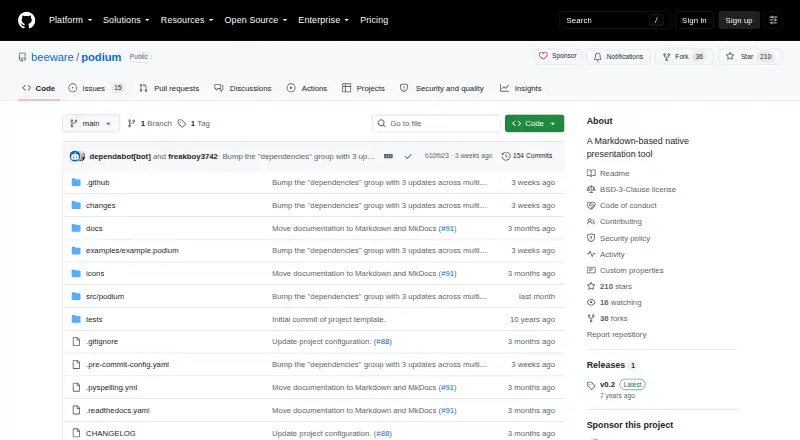
Podium is a native desktop presentation tool for developers who create technical talks with Markdown. Decks are stored locally as editable bundles containing Markdown, stylesheets, generated HTML, and assets. Its feature set is centered on presenting code and structured technical content: users can add speaker notes, code samples, images, incremental content builds, animated transitions, and customized CSS styling. It is a strong fit for developers who prefer text-based authoring and want direct control over presentation files.
The presentation workflow is Podium’s clearest strength. Separate slide and speaker-view windows let presenters keep audience output distinct from their own controls, while timing tools and display management support live delivery. Keyboard-based controls, speaker notes, and incremental builds are particularly relevant to technical talks where code and explanations need to appear in stages. CSS customization adds room for developers to shape the visual presentation without moving away from a Markdown-based workflow.
Podium is distributed as open-source software and has a free plan, making it a focused option for individuals who want a developer-oriented presentation tool without a commercial tier structure. Its platform coverage is narrower, with support for macOS and Linux. The product also lacks imports, exports, collaboration, AI, and integrations, so it is less suitable for teams that need shared editing, broad ecosystem connectivity, or flexible interchange with other presentation tools. Choose Podium for local, code-focused presentations; choose another presentation app when collaboration, wider platform access, or broader workflow support is essential.
Your product? Our editors can test Podium in depth and publish a review, labelled as paid · from $149/mo →
Podium pricing
Podium fact sheet
| Free plan | Yes |
|---|---|
| Paid from | Free |
| AI assistance | Not verified |
| Real-time collaboration | Not verified |
| PowerPoint import | Not verified |
| PowerPoint export | Not verified |
| Offline access | Not verified |
| Presenter mode | Yes |
| Supported platforms | macOS, Linux |
| Deployment | Desktop |
| Platforms | macOS, Linux |
| Support | Community, Docs |
| Built for | Solo, Small business (editorial estimate) |
| Pricing | Free plan |
| Website | github.com |
| Facts checked | 20 Sep 2026 |
Alternatives to Podium
- Microsoft PowerPointA broad presentation workspace spanning web, desktop, mobile, collaboration, AI, and rehearsal tools.9.4
- Apple KeynoteA polished free presentation tool for Apple ecosystem users, with optional AI features.9.1
- Zoho ShowA capable free option for teams that need collaboration, offline work, and PPTX support.9.0



Used Podium? Be the first to review it
The editor score above is our own research. What this page doesn't have yet is a reader's view — what you used Podium for, what worked and what didn't. No stars are seeded and no review is paid for; an editor reads every one before it appears.
Write a reviewTwo minutes · verified accounts only · read by an editor before it appears
Featured on iTechGuides

Podium is listed in our Presentation Software directory. Add the badge to your site — it links back to this page.
<a href="https://www.itechguides.com/products/podium-presentation-software/"><img src="https://www.itechguides.com/best/badge/podium-presentation-software.svg" alt="Featured on iTechGuides" width="230" height="46"></a>
Guides on presentation software
- 5 Best AI Presentation and PowerPoint Design Tools in 2026Aug 2026
- Best AI Tools for Effortless Presentation Design Compared 2025: 2026 Buyer’s UpdateAug 2026
- Best Presentation Apps for iPad and iPhone: Keynote, PowerPoint, Google Slides, Canva, and PreziAug 2026
Reviewed by iTechGuides Editors · Editorial team · Updated Oct 2026
Advertiser disclosure: iTechGuides is reader-supported. Vendors can pay for top positions in our rankings and for a place on other products' pages, and we may earn a commission when you click some links. Bought places stand at the number bought; this page and our disclosure say so. Paying vendors may get a fuller, more detailed review from our editors, and that review can change their score. How we rank.
Last updated · How we research and update