pmTrans
pmTrans: A free, open-source playback aid for transcribing audio by hand. Ranked #40 of 46 in Transcription Software by our editors (5.0/10); pricing: Free plan; best for manual transcription with lightweight playback controls.
At a glance
- Editor score5.0 / 10
- PricingFree plan
- Best forManual transcription with lightweight playback controls
- Free planYes
- Paid fromFree
- Facts checked23 Sep 2026
Where it wins
- Plays MP3 and WAV files with adjustable playback speed
- Configurable rewind, looping, and playback-control shortcuts
- Mini-mode controls playback from other text editors
Where it doesn't
- No automatic speech recognition or speaker labeling
- Desktop-only, with no listed API access
- Repository lists one beta release from July 25, 2017
Our verdict on pmTrans
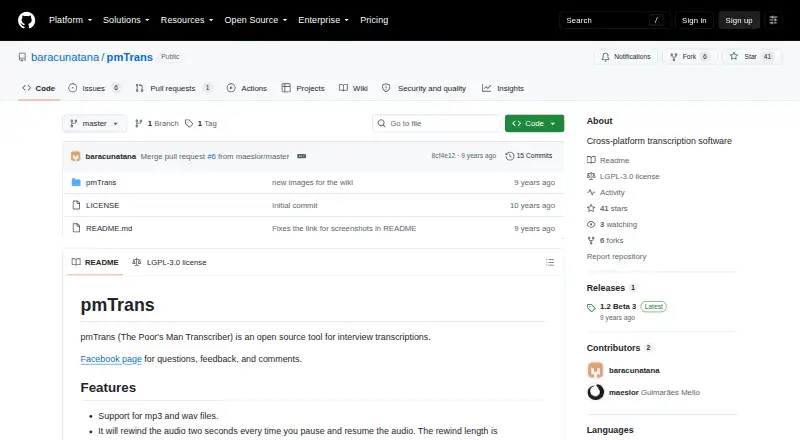
pmTrans is a free, open-source desktop tool for people who transcribe interviews by listening and typing. It runs on Windows, macOS, and Linux, and is presented as a local transcription aid rather than a cloud speech-to-text service. Its scope is deliberately practical: play an audio file, control playback while writing, and add timestamps to the transcription text. That makes it a fit for solo transcribers and small workflows where manual listening is the priority, not automatic conversion of speech into text.
The playback controls are its defining strength. pmTrans supports MP3 and WAV files, adjustable playback speed, configurable rewind after pausing and resuming, and separate configurable short and long rewind shortcuts. Users can set audio loops and customize playback-control shortcuts, which can help keep repeated listening and typing within a single workflow. Mini-mode lets users control playback from other text editors, while timestamp insertion provides a way to mark moments in the text. These features serve a focused task; they do not amount to automated transcription or speaker identification.
The main trade-off is that pmTrans covers the listening-and-typing side only. Buyers looking for automatic recognition, speaker labels, or API access should choose a different tool; pmTrans is better suited to people who want direct control over audio while composing transcripts themselves. The repository lists one beta release dated July 25, 2017, and current maintenance is not confirmed, so that release history is relevant when considering it for ongoing work. It is available as open-source software, but its stated platform and feature set are desktop-focused, with community support. Choose it for straightforward manual playback controls; look elsewhere if automation or a broader transcription workflow is central.
Your product? Our editors can test pmTrans in depth and publish a review, labelled as paid · from $149/mo →
pmTrans pricing
pmTrans fact sheet
| Free plan | Yes |
|---|---|
| Paid from | Free |
| Languages supported | Not verified |
| Included minutes | Not verified |
| Speaker identification | No |
| Timestamp support | Yes |
| Export formats | Not verified |
| API access | No |
| Deployment | Desktop |
| Platforms | Windows, macOS, Linux |
| Support | Community |
| Built for | Solo, Small business (editorial estimate) |
| Pricing | Free plan |
| Website | github.com |
| Facts checked | 23 Sep 2026 |
Alternatives to pmTrans
- Amazon TranscribeA low-cost AWS transcription service with broad workflow and analytics features.9.3
- Google Cloud Speech-to-TextA flexible speech API with strong transcription features and usage-based pricing.9.2
- WhisperA flexible free transcription engine for developers who can work with code.9.1


See all pmTrans alternatives →
Used pmTrans? Be the first to review it
The editor score above is our own research. What this page doesn't have yet is a reader's view — what you used pmTrans for, what worked and what didn't. No stars are seeded and no review is paid for; an editor reads every one before it appears.
Write a reviewTwo minutes · verified accounts only · read by an editor before it appears
Featured on iTechGuides

pmTrans is listed in our Transcription Software directory. Add the badge to your site — it links back to this page.
<a href="https://www.itechguides.com/products/pmtrans/"><img src="https://www.itechguides.com/best/badge/pmtrans.svg" alt="Featured on iTechGuides" width="230" height="46"></a>
Reviewed by iTechGuides Editors · Editorial team · Updated Oct 2026
Advertiser disclosure: iTechGuides is reader-supported. Vendors can pay for top positions in our rankings and for a place on other products' pages, and we may earn a commission when you click some links. Bought places stand at the number bought; this page and our disclosure say so. Paying vendors may get a fuller, more detailed review from our editors, and that review can change their score. How we rank.
Last updated · How we research and update