
PlayClaw
PlayClaw: A capable Windows capture suite with overlays, replay buffering, and streaming for $39 one time. Ranked #25 of 26 in Game Overlay Software by our editors (6.3/10); pricing: Paid; best for game recording and streaming with overlays.
At a glance
- Editor score6.3 / 10
- PricingPaid
- Best forGame recording and streaming with overlays
- Free planNo
- Paid from$39 one-time
- Facts checked20 Sep 2026
Where it wins
- Records games and desktops with hardware-accelerated H.264 encoding
- Combines webcam overlays, scenes, hotkeys, and replay buffering
- Streams to YouTube, Twitch, Restream, and several other services
Where it doesn't
- Windows-only software
- No free plan; the full version costs $39 one time
- Documented compatibility centers on Windows 7, 8, and 10
Our verdict on PlayClaw
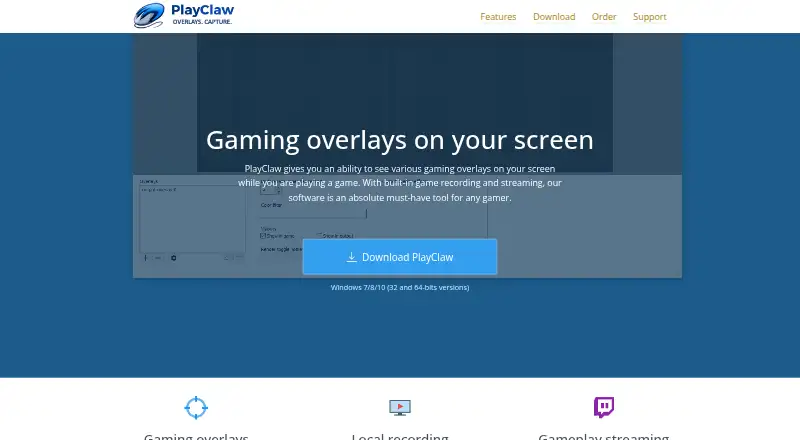
PlayClaw is Windows software for recording gameplay and desktops, streaming to multiple services, and adding customizable overlays during games or recordings. It suits gamers and creators who want capture, live broadcasting, replay saving, webcam placement, and scene switching in one application. Support for DirectX, OpenGL, and Vulkan-based games broadens its intended use across different game-rendering environments.
The full version costs $39 as a one-time purchase, with no free plan. Its feature set extends beyond basic recording: memory-buffer pre-recording saves recent gameplay moments, while hardware-accelerated H.264 encoding supports capture without relying only on software codecs. Users can configure scenes and switch between them with hotkeys, combine multiple audio sources, and apply overlay effects such as chroma key and image masks. That makes the product a stronger fit for content workflows that need more than a simple screenshot or recording utility.
PlayClaw connects with YouTube, Twitch, Mixer, Restream, Hitbox, GoodGame, and CyberGame for streaming. Its platform fit is narrower than its feature list because it is offered for Windows, with documented compatibility covering Windows 7, 8, and 10. The official site material also carries a 2008–2018 copyright notice, so buyers who prioritize clearly current platform documentation should weigh that carefully. Choose PlayClaw for a paid, capture-focused toolkit with overlays and replay features; choose another option if you need broader operating-system coverage or a free entry plan.
Your product? Our editors can test PlayClaw in depth and publish a review, labelled as paid · from $149/mo →
PlayClaw pricing
All 1 PlayClaw plans and prices →
PlayClaw fact sheet
| Free plan | No |
|---|---|
| Paid from | $39 one-time |
| Supported platforms | Not verified |
| In-game chat | Not verified |
| Performance statistics | Not verified |
| Recording controls | Not verified |
| Hardware monitoring | Not verified |
| Supported games | Not verified |
| Deployment | Desktop |
| Platforms | Windows |
| Support | Docs |
| Built for | Solo, Small business (editorial estimate) |
| Integrations | 7 integrations: YouTube, Twitch, Mixer, Restream, Hitbox, GoodGame … |
| Pricing | Paid (source) |
| Website | playclaw.com |
| Facts checked | 20 Sep 2026 |
PlayClaw integrations
PlayClaw lists 7 integrations on its own site.
- YouTube
- Twitch
- Mixer
- Restream
- Hitbox
- GoodGame
- CyberGame
Alternatives to PlayClaw
- RivaTuner Statistics ServerA free Windows overlay utility with broad API support and practical performance controls.9.4
- NVIDIA FrameViewA focused, free overlay for detailed FPS, latency, telemetry, and power benchmarking.9.2
- Intel PresentMonA free, open-source overlay and capture toolkit for detailed frame-time analysis.9.0



See all PlayClaw alternatives →
Also Ranked In
PlayClaw is ranked in 2 of our directories.
Used PlayClaw? Be the first to review it
The editor score above is our own research. What this page doesn't have yet is a reader's view — what you used PlayClaw for, what worked and what didn't. No stars are seeded and no review is paid for; an editor reads every one before it appears.
Write a reviewTwo minutes · verified accounts only · read by an editor before it appears
Featured on iTechGuides

PlayClaw is listed in our Game Overlay Software directory. Add the badge to your site — it links back to this page.
<a href="https://www.itechguides.com/products/playclaw/"><img src="https://www.itechguides.com/best/badge/playclaw.svg" alt="Featured on iTechGuides" width="230" height="46"></a>
Reviewed by iTechGuides Editors · Editorial team · Updated Oct 2026
Advertiser disclosure: iTechGuides is reader-supported. Vendors can pay for top positions in our rankings and for a place on other products' pages, and we may earn a commission when you click some links. Bought places stand at the number bought; this page and our disclosure say so. Paying vendors may get a fuller, more detailed review from our editors, and that review can change their score. How we rank.
Last updated · How we research and update