
Pixtel
Pixtel: A feature-rich Windows capture tool with OCR, recording, organization, and broad exports. Ranked #17 of 61 in Screen Capture Software by our editors (6.6/10); pricing: Free plan · 15-day trial; best for windows users needing rich capture and media workflows.
At a glance
- Editor score6.6 / 10
- PricingFree plan · 15-day trial
- Best forWindows users needing rich capture and media workflows
- Free planYes
- Paid from$25/yr
- Annotation toolsYes
- Facts checked19 Sep 2026
Where it wins
- Scrolling capture automatically stitches long windows and regions.
- OCR supports editable text and table extraction.
- Searchable media library with tags, filters, categories, and bookmarks.
Where it doesn't
- Available only for Windows.
- The free plan adds watermarks to images and videos.
- Paid plans are billed annually.
Our verdict on Pixtel
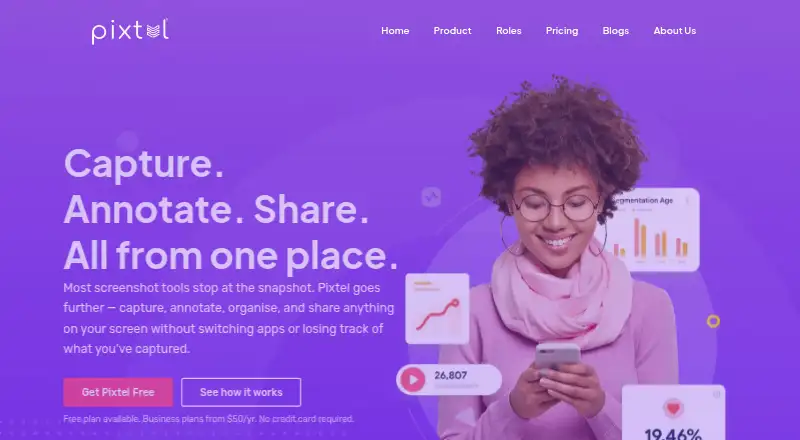
Pixtel is a Windows-native screen capture application for developers, QA teams, designers, technical writers, trainers, and other professionals who work with screenshots and recordings. It supports region, window, full-screen, scrolling, timed, continuous, webcam, audio, and video capture. Annotation tools include arrows, text, callouts, blur, pixelation, highlighting, and shapes, while a searchable media library helps organize captures with tags, filters, categories, and bookmarks.
Pixtel uses a freemium model with a 15-day free trial. The Free plan costs $0 per year and includes all upgrades for personal and business use, but adds watermarks and includes email support. Personal/Non-profit costs $25 per year and adds two machines per subscription, no watermarks, and 12/5 email support. Business costs $50 per year and includes two machines, no watermarks, and 24/7 email support. All paid plans include upgrades, making the main differences use case, watermark removal, machine coverage, and support availability.
Its workflow extends beyond capture through OCR, table extraction, a tabbed workspace, a virtual canvas, searchable media organization, and cloud and application sharing. Integrations include Google Drive, OneDrive, Dropbox, Box, FTP, Microsoft Word, PowerPoint, Excel, YouTube, Vimeo, Jira, OneNote, Evernote, and email. Exports cover PNG, JPEG, BMP, GIF, TIFF, WebP, and PI. Pixtel suits Windows users who need capture, editing, recording, and media handling in one application. Users who require a non-Windows platform should choose another tool.
Your product? Our editors can test Pixtel in depth and publish a review, labelled as paid · from $149/mo →
Pixtel pricing
All 3 Pixtel plans and prices →
Pixtel fact sheet
| Free plan | Yes |
|---|---|
| Paid from | $25/yr |
| Scrolling capture | Yes |
| Annotation tools | Yes |
| OCR | Yes |
| Browser extension | Not verified |
| Desktop platforms | Windows |
| Cloud sharing | Yes |
| Export formats | PNG, JPEG, BMP, GIF, TIFF, WebP, PI |
| Free trial | 15 days |
| Deployment | Desktop |
| Platforms | Windows |
| Integrations | 14 integrations: Google Drive, OneDrive, Dropbox, Box, FTP, Microsoft Word … |
| Pricing | Free plan · 15-day trial (source) |
| Website | pixtel.us |
| Facts checked | 19 Sep 2026 |
Pixtel integrations
Pixtel lists 14 integrations on its own site.
- Google Drive
- OneDrive
- Dropbox
- Box
- FTP
- Microsoft Word
- PowerPoint
- Excel
- YouTube
- Vimeo
- Jira
- OneNote
- Evernote
Alternatives to Pixtel
- SnagitA polished capture and editing toolkit for teams that can budget for an annual subscription.9.3
- ShareXA flexible Windows capture toolkit with scrolling screenshots, OCR, recording and upload workflows.9.1
- ZightA cross-platform capture tool with team workflows, integrations, and a free plan.9.0



Also Ranked In
Pixtel is ranked in 2 of our directories.
Used Pixtel? Be the first to review it
The editor score above is our own research. What this page doesn't have yet is a reader's view — what you used Pixtel for, what worked and what didn't. No stars are seeded and no review is paid for; an editor reads every one before it appears.
Write a reviewTwo minutes · verified accounts only · read by an editor before it appears
Featured on iTechGuides

Pixtel is listed in our Screen Capture Software directory. Add the badge to your site — it links back to this page.
<a href="https://www.itechguides.com/products/pixtel/"><img src="https://www.itechguides.com/best/badge/pixtel.svg" alt="Featured on iTechGuides" width="230" height="46"></a>
Reviewed by iTechGuides Editors · Editorial team · Updated Oct 2026
Advertiser disclosure: iTechGuides is reader-supported. Vendors can pay for top positions in our rankings and for a place on other products' pages, and we may earn a commission when you click some links. Bought places stand at the number bought; this page and our disclosure say so. Paying vendors may get a fuller, more detailed review from our editors, and that review can change their score. How we rank.
Last updated · How we research and update