
Pinnacle MyDVD
Pinnacle MyDVD: A menu-focused DVD authoring tool for Windows users working in Pinnacle Studio. Ranked #17 of 26 in DVD Authoring Software by our editors (7.1/10); pricing: Paid; best for menu-focused Windows DVD projects.
At a glance
- Editor score7.1 / 10
- PricingPaid
- Best forMenu-focused Windows DVD projects
- Free planNo
- Platform supportWindows
- Facts checked22 Sep 2026
Where it wins
- Custom menus, submenus, chapter points, and themed templates
- Built-in preview with remote-control buttons
- DVD and AVCHD burning with custom disc labels
Where it doesn't
- Windows-only availability
- Included with Pinnacle Studio rather than sold separately
- Blu-ray burning requires a separately purchased plug-in
Our verdict on Pinnacle MyDVD
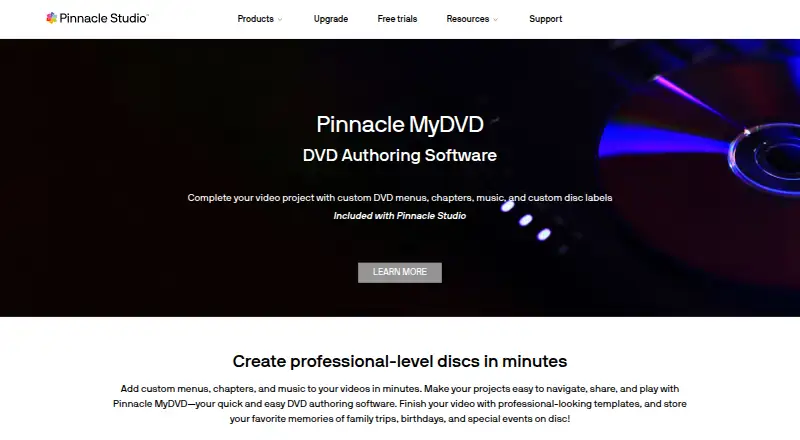
Pinnacle MyDVD is DVD authoring software included with Pinnacle Studio. It is designed for users creating navigable video-disc projects for home movies, family events, and professional-level video productions. Its authoring tools cover custom DVD menus, themed templates, submenus, manual chapter points, background images, music, introductory videos, and custom disc labels. Users can preview menu behavior with built-in remote-control buttons before burning a disc.
The product is packaged as part of Pinnacle Studio rather than offered as a standalone purchase. The included plan covers DVD authoring, custom menus and chapters, and disc burning. This makes MyDVD a fit for buyers who want disc-authoring features within the Pinnacle Studio software package, but less suitable for anyone seeking a separately priced authoring application. There is no free plan, and Blu-ray burning is handled separately through a purchased plug-in rather than the included authoring capability.
MyDVD focuses on menu-driven disc creation rather than a wider publishing ecosystem. Its standout area is navigable DVD structure: themed menus, custom backgrounds, submenus, chapter points, introductory video support, and preview controls all contribute to a more tailored disc experience. DVD and AVCHD burning are supported directly. Windows users who need custom menus and physical-disc output should consider it, especially when Pinnacle Studio already fits their workflow. Buyers who require another operating system, standalone MyDVD pricing, or Blu-ray burning without an additional plug-in should choose an alternative.
Your product? Our editors can test Pinnacle MyDVD in depth and publish a review, labelled as paid · from $149/mo →
Pinnacle MyDVD pricing
All 1 Pinnacle MyDVD plans and prices →
Pinnacle MyDVD fact sheet
| Free plan | No |
|---|---|
| Paid from | Not verified |
| Platform support | Windows |
| Chapter tools | Manual |
| Disc output | Disc |
| Subtitle support | Not verified |
| Dual-layer DVD support | Not verified |
| DVD standards | Not verified |
| Blu-ray authoring | Yes |
| Deployment | Desktop |
| Platforms | Windows |
| Support | Docs |
| Built for | Solo, Small business (editorial estimate) |
| Pricing | Paid (source) |
| Website | pinnaclesys.com |
| Facts checked | 22 Sep 2026 |
Alternatives to Pinnacle MyDVD
- DVDStylerA capable free choice for creating interactive DVD-Video discs across desktop platforms.9.3
- TMPGEnc Authoring Works 7A deep authoring suite for complex optical-media projects, with a high one-time price.9.0
- AnyMP4 DVD CreatorA paid desktop authoring tool with broad disc, chapter, subtitle, and menu controls.8.8


See all Pinnacle MyDVD alternatives →
Used Pinnacle MyDVD? Be the first to review it
The editor score above is our own research. What this page doesn't have yet is a reader's view — what you used Pinnacle MyDVD for, what worked and what didn't. No stars are seeded and no review is paid for; an editor reads every one before it appears.
Write a reviewTwo minutes · verified accounts only · read by an editor before it appears
Featured on iTechGuides

Pinnacle MyDVD is listed in our DVD Authoring Software directory. Add the badge to your site — it links back to this page.
<a href="https://www.itechguides.com/products/pinnacle-mydvd/"><img src="https://www.itechguides.com/best/badge/pinnacle-mydvd.svg" alt="Featured on iTechGuides" width="230" height="46"></a>
Reviewed by iTechGuides Editors · Editorial team · Updated Oct 2026
Advertiser disclosure: iTechGuides is reader-supported. Vendors can pay for top positions in our rankings and for a place on other products' pages, and we may earn a commission when you click some links. Bought places stand at the number bought; this page and our disclosure say so. Paying vendors may get a fuller, more detailed review from our editors, and that review can change their score. How we rank.
Last updated · How we research and update