
AnyMP4 DVD Creator
AnyMP4 DVD Creator: A paid desktop authoring tool with broad disc, chapter, subtitle, and menu controls. Ranked #3 of 26 in DVD Authoring Software by our editors (8.8/10); pricing: Paid; best for feature-rich DVD and Blu-ray authoring.
At a glance
- Editor score8.8 / 10
- PricingPaid
- Best forFeature-rich DVD and Blu-ray authoring
- Free planNo
- Paid from$24.90/mo
- Platform supportWindows_macos
- Facts checked22 Sep 2026
Where it wins
- Authors DVDs, Blu-ray discs, folders, and ISO files
- Supports chapters, subtitles, audio tracks, and customizable menus
- Handles PAL/NTSC, DVD-5, DVD-9, and GPU acceleration
Where it doesn't
- No free plan
- Each license covers one PC
- Monthly licensing includes upgrades for one month
Our verdict on AnyMP4 DVD Creator
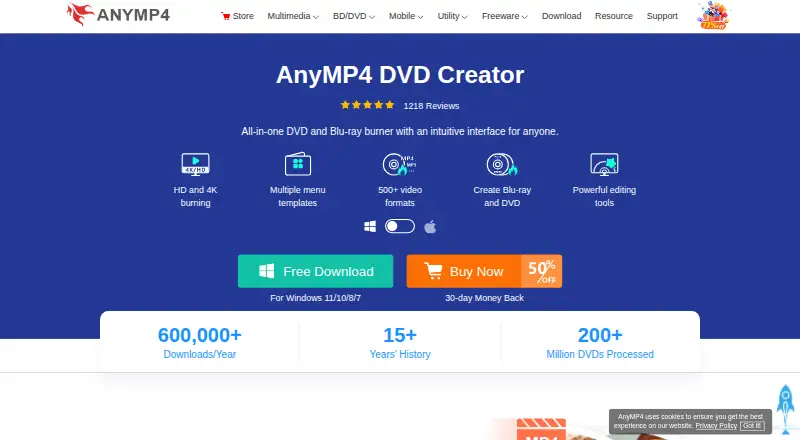
AnyMP4 DVD Creator is desktop software for turning video files into DVD or Blu-ray discs, folders, and ISO files. It is designed for Windows and macOS users who want control over disc structure, menus, chapters, subtitles, audio tracks, and basic video adjustments. Support for DVD-5, DVD-9, PAL, and NTSC standards makes it suitable for a range of DVD authoring projects, while Blu-ray output extends it beyond standard DVD creation.
Pricing is available through two paid plans. The 1 Month License costs $24.90 per month for one PC and includes one month of free upgrades and free customer support. The Lifetime License costs $49.95 as a one-time payment for one PC, with lifetime free upgrades and free customer support. There is no free plan. The lifetime option is the more direct fit for recurring authoring work, while the monthly license suits a shorter project or a limited period of access.
The main strength is authoring depth rather than a narrow disc-burning workflow. Users can merge and split chapters, edit subtitles and audio tracks, create customizable menus, preview projects in real time, and apply clipping, cropping, rotation, and effects to video. The software also creates both disc images and folders, which adds flexibility before burning. It may be more than needed for someone seeking only basic video-to-DVD conversion, and the one-PC license matters for users working across multiple computers. Choose AnyMP4 DVD Creator when disc structure and Blu-ray support are priorities; consider a simpler option for occasional, minimal authoring needs.
Your product? Our editors can test AnyMP4 DVD Creator in depth and publish a review, labelled as paid · from $149/mo →
AnyMP4 DVD Creator pricing
All 2 AnyMP4 DVD Creator plans and prices →
AnyMP4 DVD Creator fact sheet
| Free plan | No |
|---|---|
| Paid from | $24.90/mo |
| Platform support | Windows_macos |
| Chapter tools | Both |
| Disc output | All |
| Subtitle support | Yes |
| Dual-layer DVD support | Yes |
| DVD standards | Both |
| Blu-ray authoring | Yes |
| Money-back guarantee | 30 days |
| Deployment | Desktop |
| Platforms | Windows, macOS |
| Support | Email · 24/7 |
| Built for | Solo, Small business (editorial estimate) |
| Pricing | Paid (source) |
| Website | anymp4.com |
| Facts checked | 22 Sep 2026 |
Alternatives to AnyMP4 DVD Creator
- DVDStylerA capable free choice for creating interactive DVD-Video discs across desktop platforms.9.3
- TMPGEnc Authoring Works 7A deep authoring suite for complex optical-media projects, with a high one-time price.9.0
- Leawo DVD CreatorA broad Windows and macOS DVD authoring tool with editing, menus, chapters, and batch processing.8.6

See all AnyMP4 DVD Creator alternatives →
AnyMP4 DVD Creator vs the competition
- AnyMP4 DVD Creator vs DVDStyler
- AnyMP4 DVD Creator vs TMPGEnc Authoring Works 7
- AnyMP4 DVD Creator vs Leawo DVD Creator
- AnyMP4 DVD Creator vs WinX DVD Author
- AnyMP4 DVD Creator vs Q DVD-Author
- AnyMP4 DVD Creator vs DeVeDe NG
Compare AnyMP4 DVD Creator with any tool side by side →
Used AnyMP4 DVD Creator? Be the first to review it
The editor score above is our own research. What this page doesn't have yet is a reader's view — what you used AnyMP4 DVD Creator for, what worked and what didn't. No stars are seeded and no review is paid for; an editor reads every one before it appears.
Write a reviewTwo minutes · verified accounts only · read by an editor before it appears
Featured on iTechGuides

AnyMP4 DVD Creator is listed in our DVD Authoring Software directory. Add the badge to your site — it links back to this page.
<a href="https://www.itechguides.com/products/anymp4-dvd-creator/"><img src="https://www.itechguides.com/best/badge/anymp4-dvd-creator.svg" alt="Featured on iTechGuides" width="230" height="46"></a>
Reviewed by iTechGuides Editors · Editorial team · Updated Oct 2026
Advertiser disclosure: iTechGuides is reader-supported. Vendors can pay for top positions in our rankings and for a place on other products' pages, and we may earn a commission when you click some links. Bought places stand at the number bought; this page and our disclosure say so. Paying vendors may get a fuller, more detailed review from our editors, and that review can change their score. How we rank.
Last updated · How we research and update