
PicDoc
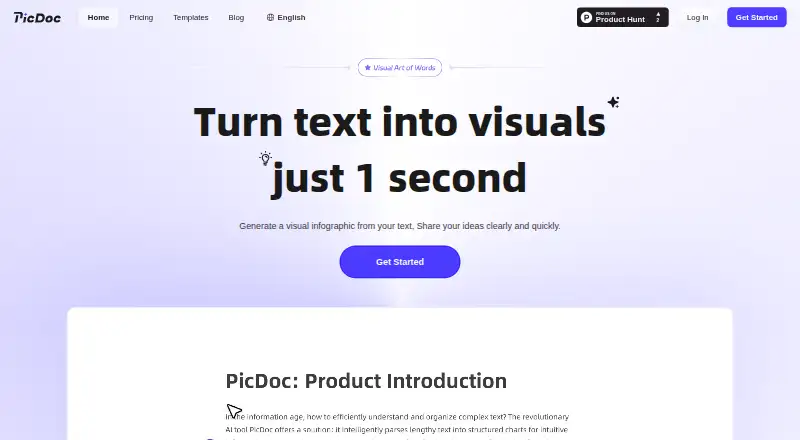
PicDoc: A browser-based AI tool for turning text and uploaded files into editable visuals. Ranked #33 of 42 in Infographic Software by our editors (6.0/10); pricing: Freemium; best for quick AI infographics from uploaded files.
At a glance
- Editor score6.0 / 10
- PricingFreemium
- Best forQuick AI infographics from uploaded files
- Facts checked19 Sep 2026
Where it wins
- Generates visuals from text and PDF, DOCX, PNG, and JPG uploads
- Lets you edit layouts, colors, fonts, text, and icons
- Exports to PNG, JPG, PDF, and PPT, with cloud saving and share links
Where it doesn't
- Available as a web product only
- No verified numeric plan pricing
- No verified collaboration or brand-tooling limits
Our verdict on PicDoc
PicDoc is a browser-based AI visual creation tool for people who need to turn text or uploaded files into infographics, charts, diagrams, and presentation visuals without professional design software. It is aimed at business, education, reporting, presentation, and social media work. Users can provide text or upload PDF, DOCX, PNG, and JPG files, then generate visual layouts and adjust their appearance.
Its main strength is the path from source material to a shareable visual. PicDoc parses supported file types, generates infographics and charts, and automatically selects a template and diagram style. Editing covers layout, colors, fonts, text, and icons, so the generated result is not limited to an untouched first draft. Cloud saving supports keeping created content, while shareable links let others view infographic pages. Word and PowerPoint are listed integrations, and outputs include PNG, JPG, PDF, and PPT.
The product is web-only, making it a fit for browser-based creation rather than a desktop workflow. PicDoc uses a freemium model, but its official pricing page presents paid-tier benefits without numeric prices; official pages also describe free beta access, whose duration and conditions are not established as permanent. Buyers comparing costs should therefore check the current plan terms before relying on free access. PicDoc is a sensible candidate for quick, editable visuals from documents and text, especially when multiple export formats matter. Teams that need clearly defined collaboration or brand-tooling capabilities should compare alternatives before choosing it.
Your product? Our editors can test PicDoc in depth and publish a review, labelled as paid · from $149/mo →
PicDoc pricing
PicDoc fact sheet
| Free plan | Not verified |
|---|---|
| Paid from | Not verified |
| Data import | Yes |
| Interactive publishing | Not verified |
| Brand kit | Not verified |
| Team collaboration | Not verified |
| Publishing mode | Not verified |
| Project limit | Not verified |
| Deployment | Cloud |
| Platforms | Web |
| Integrations | 2 integrations: Microsoft Word, Microsoft PowerPoint |
| Pricing | Freemium (source) |
| Website | picdoc.ai |
| Facts checked | 19 Sep 2026 |
PicDoc integrations
PicDoc lists 2 integrations on its own site.
- Microsoft Word
- Microsoft PowerPoint
Alternatives to PicDoc
- InfogramA versatile visual-data tool, with deeper publishing and team features on paid plans.9.4
- PiktochartA versatile visual-design tool with a free plan and paid options for teams and branding.9.2
- VismeA broad visual-content toolkit, with plan tiers that determine export options and team controls.9.0



Used PicDoc? Be the first to review it
The editor score above is our own research. What this page doesn't have yet is a reader's view — what you used PicDoc for, what worked and what didn't. No stars are seeded and no review is paid for; an editor reads every one before it appears.
Write a reviewTwo minutes · verified accounts only · read by an editor before it appears
Featured on iTechGuides

PicDoc is listed in our Infographic Software directory. Add the badge to your site — it links back to this page.
<a href="https://www.itechguides.com/products/picdoc/"><img src="https://www.itechguides.com/best/badge/picdoc.svg" alt="Featured on iTechGuides" width="230" height="46"></a>
Reviewed by iTechGuides Editors · Editorial team · Updated Oct 2026
Advertiser disclosure: iTechGuides is reader-supported. Vendors can pay for top positions in our rankings and for a place on other products' pages, and we may earn a commission when you click some links. Bought places stand at the number bought; this page and our disclosure say so. Paying vendors may get a fuller, more detailed review from our editors, and that review can change their score. How we rank.
Last updated · How we research and update