
Photopea
Photopea: A capable free browser editor for Photoshop-style workflows and mixed file formats. Ranked #14 of 158 in Photo Editing Software by our editors (7.9/10); pricing: Free plan; best for free Photoshop-style browser editing.
At a glance
- Editor score7.9 / 10
- PricingFree plan
- Best forFree Photoshop-style browser editing
- Free planYes
- PlatformWeb
- Founded2012 · Prague, Czech Republic
- Facts checked20 Sep 2026
Where it wins
- Free plan includes PSDs, layers, masks, RAW files, and Smart Objects.
- Supports raster, vector, batch processing, and AI image-editing tools.
- Connects with Google Drive, Dropbox, OneDrive, and Peadrive.
Where it doesn't
- Premium's listed additions focus on ad-free use and account options.
- Browser-centered editing may not suit users seeking installed desktop software.
- Cloud connections are limited to four named storage services.
Our verdict on Photopea
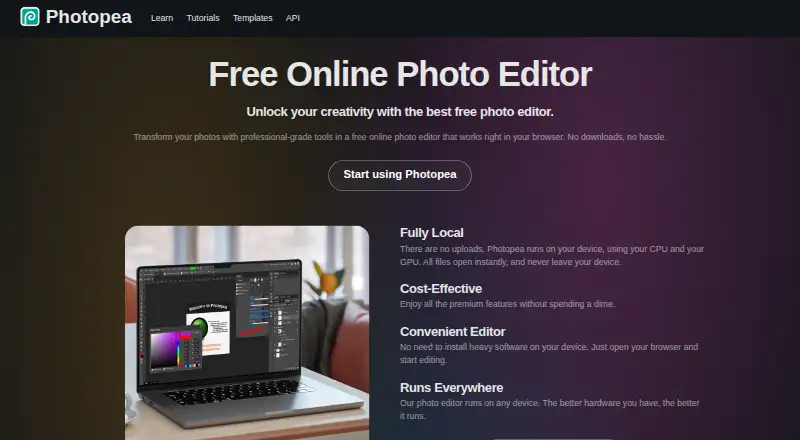
Photopea is a browser-based editor for raster and vector graphics, designed for photographers, designers, students, small businesses, and anyone who needs image-editing tools without installing desktop software. Its free plan covers browser-based editing, layers and masks, PSD support, and RAW file support. The editor also handles PSD opening and saving, adjustment layers, filters, Smart Objects, vector graphics, batch image conversion, and AI features such as background removal and text-based image replacement.
Pricing follows a freemium model. The Free plan provides a broad editing foundation, including PSD workflows, RAW adjustments, masking, layer and folder editing, and batch processing. Premium adds ad-free use and a single-user account option, with additional benefits applying through the premium account offering. Premium pricing is managed through Photopea's Account window, so buyers should review that flow before deciding whether ad-free access and account features justify upgrading. For many individual users, the free tier is the main reason to consider Photopea.
Photopea's strongest fit is breadth inside a browser: it combines photo processing, vector editing, file-format support, cloud-drive connections, and AI tools in one workspace. Google Drive, Dropbox, OneDrive, and Peadrive provide storage connections, while the editor can run locally in the browser and work offline. Choose it for flexible PSD-compatible editing without desktop installation. Users who require an installed desktop workflow, a narrowly specialized retouching tool, or a broader storage ecosystem may prefer an alternative.
Your product? Our editors can test Photopea in depth and publish a review, labelled as paid · from $149/mo →
Photopea pricing
Photopea fact sheet
| Free plan | Yes |
|---|---|
| Paid from | Not verified |
| Platform | Web |
| RAW photo support | Yes |
| Layer editing | Yes |
| Masking tools | Yes |
| Batch editing | Yes |
| Cloud sync | Yes |
| AI retouching | Yes |
| Deployment | Cloud, Self-hosted |
| Platforms | Web |
| Support | Email, Docs |
| Built for | Solo, Small business, Mid-market, Enterprise (editorial estimate) |
| Integrations | 3 integrations: Dropbox, Google Drive, OneDrive |
| Pricing | Free plan |
| Website | photopea.com |
| Facts checked | 20 Sep 2026 |
Photopea integrations
Photopea lists 3 integrations on its own site.
- Dropbox
- Google Drive
- OneDrive
Alternatives to Photopea
- Adobe PhotoshopA deep, multi-platform editor for compositing, retouching, RAW work, and AI-assisted edits.9.4
- Adobe LightroomA broad Lightroom workflow for RAW editing, masking, organization, and synchronized access.9.2
- Capture OneA deep choice for professional RAW and tethered workflows, without a free plan.9.0



See all Photopea alternatives →
Also Ranked In
Photopea is ranked in 3 of our directories.
Used Photopea? Be the first to review it
The editor score above is our own research. What this page doesn't have yet is a reader's view — what you used Photopea for, what worked and what didn't. No stars are seeded and no review is paid for; an editor reads every one before it appears.
Write a reviewTwo minutes · verified accounts only · read by an editor before it appears
Featured on iTechGuides

Photopea is listed in our Photo Editing Software directory. Add the badge to your site — it links back to this page.
<a href="https://www.itechguides.com/products/photopea/"><img src="https://www.itechguides.com/best/badge/photopea.svg" alt="Featured on iTechGuides" width="230" height="46"></a>
Reviewed by iTechGuides Editors · Editorial team · Updated Oct 2026
Advertiser disclosure: iTechGuides is reader-supported. Vendors can pay for top positions in our rankings and for a place on other products' pages, and we may earn a commission when you click some links. Bought places stand at the number bought; this page and our disclosure say so. Paying vendors may get a fuller, more detailed review from our editors, and that review can change their score. How we rank.
Last updated · How we research and update