PhotoFilmStrip
PhotoFilmStrip: A free, open-source slideshow maker with motion controls and batch rendering. Ranked #13 of 23 in Photo Slideshow Makers by our editors (7.1/10); pricing: Free plan; best for open-source users needing batch slideshow tools.
At a glance
- Editor score7.1 / 10
- PricingFree plan
- Best forOpen-source users needing batch slideshow tools
- Free planYes
- Paid fromFree
- Facts checked20 Sep 2026
Where it wins
- Custom motion start and end points for every photo
- Full-HD output in AVI, FLV, MPEG4, MKV, and MP4
- Command-line interface for batch processing
Where it doesn't
- Desktop downloads target Windows 10 and Debian-based Linux
- No AI features for automated slideshow creation
- Subtitle comments are generated as files rather than edited in place
Our verdict on PhotoFilmStrip
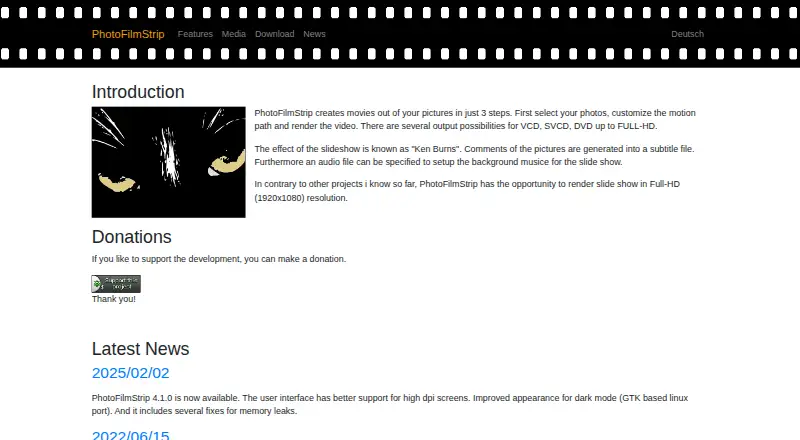
PhotoFilmStrip is desktop software for turning still images into animated slideshow videos. It suits open-source users, photographers, and anyone who wants control over image movement, timing, audio, captions, and export settings without a paid plan. Its filmstrip workflow handles photo insertion, removal, and reordering, while customizable start and end points define each image’s motion path. Users can also set the slideshow duration and aspect ratio, add a background audio file, and apply black-and-white or sepia effects.
The open-source model is a central part of PhotoFilmStrip’s appeal. The project publishes its source code under GPL-2.0, and the software is available at no cost. Its output options cover AVI, FLV, MPEG4, MKV, and MP4, with Full-HD video rendering and configurable renderer quality. Automatic rotation detection from EXIF data can help orient photos correctly, while picture comments are generated as subtitle files. These capabilities make the product more flexible than a basic image-to-video utility, particularly for users who want adjustable motion and multiple export formats.
PhotoFilmStrip also has a practical automation angle through command-line batch processing. That gives technically inclined users a way to handle repeated slideshow jobs beyond the visual filmstrip workflow. The main fit is desktop-based production on Windows 10 or Debian-based Linux, with no AI features and no paid tier adding expanded capabilities. Choose it if open-source licensing, batch processing, motion control, and local video rendering matter most. Consider another tool if you need a broader platform range, automated AI assistance, or a more advanced caption-editing workflow.
Your product? Our editors can test PhotoFilmStrip in depth and publish a review, labelled as paid · from $149/mo →
PhotoFilmStrip pricing
PhotoFilmStrip fact sheet
| Free plan | Yes |
|---|---|
| Paid from | Free |
| Maximum photos | Not verified |
| Caption tools | Yes |
| Audio upload | Yes |
| Export formats | AVI (XVid, MJPEG), FLV, MPEG4, MKV, MP4 |
| Playback options | Not verified |
| Supported platforms | Windows 10, Debian-based Linux/Ubuntu |
| Deployment | Desktop |
| Platforms | Windows, Linux |
| Built for | Solo, Small business (editorial estimate) |
| Pricing | Free plan |
| Website | photofilmstrip.org |
| Facts checked | 20 Sep 2026 |
Alternatives to PhotoFilmStrip
- MAGIX Photostory deluxeA feature-rich Windows slideshow editor for personal photo and video projects.8.9
- PhotoStageA versatile slideshow maker with broad export options and a non-commercial free version.8.7
- Icecream Slideshow MakerA capable free Windows slideshow maker with paid 4K, DVD, and cloud-upload features.8.4



See all PhotoFilmStrip alternatives →
Used PhotoFilmStrip? Be the first to review it
The editor score above is our own research. What this page doesn't have yet is a reader's view — what you used PhotoFilmStrip for, what worked and what didn't. No stars are seeded and no review is paid for; an editor reads every one before it appears.
Write a reviewTwo minutes · verified accounts only · read by an editor before it appears
Featured on iTechGuides

PhotoFilmStrip is listed in our Photo Slideshow Makers directory. Add the badge to your site — it links back to this page.
<a href="https://www.itechguides.com/products/photofilmstrip/"><img src="https://www.itechguides.com/best/badge/photofilmstrip.svg" alt="Featured on iTechGuides" width="230" height="46"></a>
Reviewed by iTechGuides Editors · Editorial team · Updated Oct 2026
Advertiser disclosure: iTechGuides is reader-supported. Vendors can pay for top positions in our rankings and for a place on other products' pages, and we may earn a commission when you click some links. Bought places stand at the number bought; this page and our disclosure say so. Paying vendors may get a fuller, more detailed review from our editors, and that review can change their score. How we rank.
Last updated · How we research and update