
Pho.to
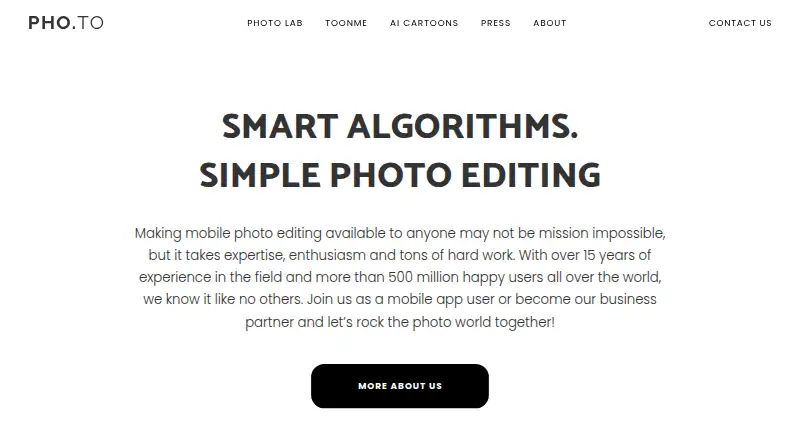
Pho.to: A free, accessible editor for fast enhancements, retouching, effects, and sharing. Ranked #98 of 158 in Photo Editing Software by our editors (3.0/10); pricing: Free plan; best for free users wanting quick web and mobile edits.
At a glance
- Editor score3.0 / 10
- PricingFree plan
- Best forFree users wanting quick web and mobile edits
- Free planYes
- Paid fromFree
- PlatformMulti-platform
- Facts checked21 Sep 2026
Where it wins
- Free access across web, iOS, and Android
- Covers core adjustments, enhancement, retouching, and effects
- Exports JPG or PNG with selectable quality and size
Where it doesn't
- No layers or masking for detailed compositing
- No RAW support or batch editing
- No cloud sync across devices
Our verdict on Pho.to
Pho.to is a family of web tools and mobile applications for people who want to enhance, retouch, stylize, or decorate images without a complex workflow. Its free access spans web, iOS, and Android, making it suitable for quick edits on a browser or mobile device. Core tools cover cropping, rotating, resizing, flipping, straightening, exposure and color adjustments, sharpening, denoising, deblurring, red-eye removal, effects, frames, textures, stickers, and text. One-click enhancement, AI-powered face retouching, and image stylization extend the product beyond basic corrections.
The strongest fit is speed and accessibility rather than a full professional editing environment. Users can adjust brightness, contrast, shadows, highlights, hue, saturation, and color temperature, then save images as JPG or PNG with selectable quality and size. The broader Pho.to product family also supports portrait retouching, face effects, and mobile photo applications. Sharing through links and embed codes is useful for publishing edited images without relying only on local file transfers. These capabilities make Pho.to a practical choice for social images, personal photos, quick touch-ups, and lightweight creative decoration.
Its limits become clearer for photographers or designers who need a structured, repeatable workflow. Pho.to does not provide layers, masking, RAW support, batch editing, or cloud sync, so it is less suited to compositing, high-volume processing, or moving an organized editing workflow across devices. The product is a good pick for free users who value straightforward web and mobile access, AI-assisted portrait work, and fast exports. Choose an alternative if precise layer-based editing, camera-file workflows, batch operations, or synchronized project access are central requirements.
Your product? Our editors can test Pho.to in depth and publish a review, labelled as paid · from $149/mo →
Pho.to pricing
Pho.to fact sheet
| Free plan | Yes |
|---|---|
| Paid from | Free |
| Platform | Multi-platform |
| RAW photo support | Not verified |
| Layer editing | Not verified |
| Masking tools | Not verified |
| Batch editing | Not verified |
| Cloud sync | Not verified |
| AI retouching | Yes |
| Deployment | Cloud, Mobile |
| Platforms | Web, iOS, Android |
| Compliance & security | GDPR |
| Support | Email, Docs |
| Built for | Solo, Small business (editorial estimate) |
| Pricing | Free plan |
| Website | products.pho.to |
| Facts checked | 21 Sep 2026 |
Alternatives to Pho.to
- Adobe PhotoshopA deep, multi-platform editor for compositing, retouching, RAW work, and AI-assisted edits.9.4
- Adobe LightroomA broad Lightroom workflow for RAW editing, masking, organization, and synchronized access.9.2
- Capture OneA deep choice for professional RAW and tethered workflows, without a free plan.9.0



Also Ranked In
Pho.to is ranked in 2 of our directories.
Used Pho.to? Be the first to review it
The editor score above is our own research. What this page doesn't have yet is a reader's view — what you used Pho.to for, what worked and what didn't. No stars are seeded and no review is paid for; an editor reads every one before it appears.
Write a reviewTwo minutes · verified accounts only · read by an editor before it appears
Featured on iTechGuides

Pho.to is listed in our Photo Editing Software directory. Add the badge to your site — it links back to this page.
<a href="https://www.itechguides.com/products/pho-to/"><img src="https://www.itechguides.com/best/badge/pho-to.svg" alt="Featured on iTechGuides" width="230" height="46"></a>
Reviewed by iTechGuides Editors · Editorial team · Updated Oct 2026
Advertiser disclosure: iTechGuides is reader-supported. Vendors can pay for top positions in our rankings and for a place on other products' pages, and we may earn a commission when you click some links. Bought places stand at the number bought; this page and our disclosure say so. Paying vendors may get a fuller, more detailed review from our editors, and that review can change their score. How we rank.
Last updated · How we research and update