
pdflayer
pdflayer: A low-cost cloud API for rendering HTML and URLs as customized PDFs. Ranked #33 of 34 in PDF API Software by our editors (5.5/10); pricing: Free plan; best for budget HTML-to-PDF API calls.
At a glance
- Editor score5.5 / 10
- PricingFree plan
- Best forBudget HTML-to-PDF API calls
- Free planYes
- Paid from$107.99/yr
- OCRNo
- Facts checked20 Sep 2026
Where it wins
- Converts URLs, raw HTML, CSS, JavaScript, XML, and SVG to PDF
- Supports headers, footers, page numbers, margins, encryption, and watermarks
- Includes CDN storage, usage tracking, and low-usage notifications
Where it doesn't
- Focused on PDF generation rather than document processing
- No OCR, data extraction, merge/split, or compression features
- Free usage is limited to 100 API requests per month and non-commercial use
Our verdict on pdflayer
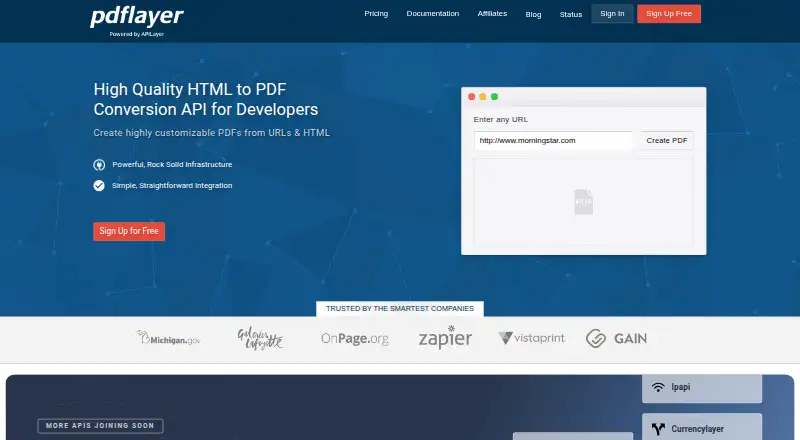
pdflayer is a cloud REST API for developers and businesses that need to turn HTTP URLs or raw HTML into PDF files. Requests can be sent through GET or POST, and the rendering engine supports HTML, CSS, JavaScript, XML, and SVG. It fits teams building invoices, reports, web-page captures, or other generated documents into an application without requiring a broader document-processing suite. The API is available through web and API access.
Pricing is structured around monthly request volume. The Free plan costs $0 per month and includes 100 API requests, non-commercial use, and 256-bit HTTPS encryption. Basic costs $9.99 per month or $107.99 per year for 1,000 requests, commercial use, standard support, and the same encryption. Professional costs $39.99 per month or $419.99 per year for 10,000 requests, while Enterprise costs $119.99 per month or $1,223.99 per year for 100,000 requests. The paid plans retain commercial use, standard support, and 256-bit HTTPS encryption.
The main strength is control over rendered output. Users can set document dimensions, margins, viewport, CSS, page numbers, and rendering delays, then add customizable headers, footers, or background and foreground watermark images. Generated PDFs can be stored through a CDN, and usage statistics with low-usage notifications help track consumption. That focus also defines the product’s boundary: pdflayer is suited to PDF creation from web content, not OCR, extraction, merging, splitting, or compression workflows. Choose it when predictable HTML-to-PDF rendering and low entry pricing are the priority; choose another category tool when documents must also be edited, analyzed, or transformed after creation.
Your product? Our editors can test pdflayer in depth and publish a review, labelled as paid · from $149/mo →
pdflayer pricing
All 4 pdflayer plans and prices →
pdflayer fact sheet
| Free plan | Yes |
|---|---|
| Paid from | $107.99/yr |
| OCR | No |
| PDF conversion | Yes |
| Data extraction | No |
| Merge and split | No |
| PDF compression | No |
| Deployment model | Cloud |
| SDK languages | Not verified |
| Deployment | Cloud |
| Platforms | Web |
| Compliance & security | GDPR |
| Support | Email, Docs |
| Built for | Small business, Mid-market, Enterprise (editorial estimate) |
| Pricing | Free plan (source) |
| Website | pdflayer.com |
| Facts checked | 20 Sep 2026 |
Alternatives to pdflayer
- Adobe PDF Services APIA broad PDF API suite with a free tier and tools for complex document workflows.9.3
- Zamzar APIA broad conversion API for teams processing many file types at scale.9.0
- Nutrient Document Web ServicesA broad document-processing API for developers building PDF workflows.8.8



See all pdflayer alternatives →
Also Ranked In
pdflayer is ranked in 2 of our directories.
Used pdflayer? Be the first to review it
The editor score above is our own research. What this page doesn't have yet is a reader's view — what you used pdflayer for, what worked and what didn't. No stars are seeded and no review is paid for; an editor reads every one before it appears.
Write a reviewTwo minutes · verified accounts only · read by an editor before it appears
Featured on iTechGuides

pdflayer is listed in our PDF API Software directory. Add the badge to your site — it links back to this page.
<a href="https://www.itechguides.com/products/pdflayer/"><img src="https://www.itechguides.com/best/badge/pdflayer.svg" alt="Featured on iTechGuides" width="230" height="46"></a>
Reviewed by iTechGuides Editors · Editorial team · Updated Oct 2026
Advertiser disclosure: iTechGuides is reader-supported. Vendors can pay for top positions in our rankings and for a place on other products' pages, and we may earn a commission when you click some links. Bought places stand at the number bought; this page and our disclosure say so. Paying vendors may get a fuller, more detailed review from our editors, and that review can change their score. How we rank.
Last updated · How we research and update