
PDFGrapple
PDFGrapple: A capable free browser editor for text changes, OCR, annotations, and page tools. Ranked #75 of 102 in PDF Editors by our editors (3.0/10); pricing: Free plan; best for free browser PDF editing with OCR.
At a glance
- Editor score3.0 / 10
- PricingFree plan
- Best forFree browser PDF editing with OCR
- Free planYes
- Paid fromFree
- OCRYes
- Facts checked20 Sep 2026
Where it wins
- Edits existing PDF text with formatting and alignment controls
- Automatically applies OCR to scanned PDF pages
- Combines annotations, signatures, images, links, and page tools
Where it doesn't
- Runs only on the web
- Does not clearly cover fillable PDF form creation
- Does not provide verified conversion or integration features
Our verdict on PDFGrapple
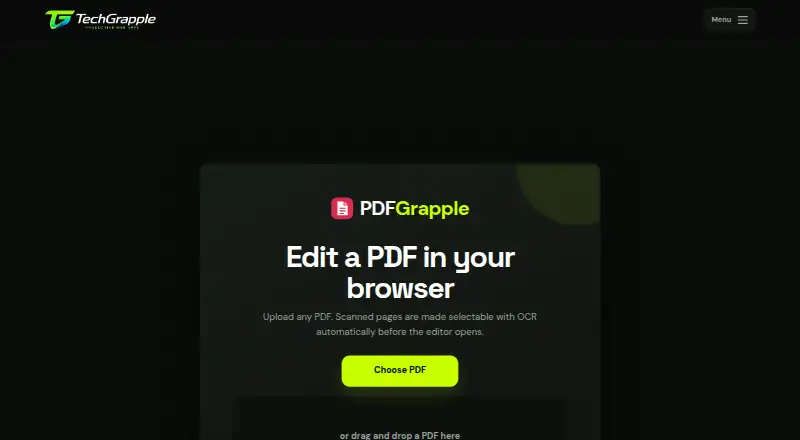
PDFGrapple is a free, browser-based PDF editor for modifying existing documents. It suits people who need to correct PDF text, work with scanned pages, mark up documents, add signatures or images, and manage page order without relying on a desktop application. Its stated use cases include reports, applications, worksheets, invoices, agreements, and scanned documents. Files stay on the computer running the app, and finished PDFs can be saved, printed, or downloaded.
Its strongest area is the combination of text editing and document markup. PDFGrapple can edit detected PDF text, including formatting and alignment, while automatic OCR makes scanned pages searchable and editable when they lack selectable text. Editing sessions can also accept uploaded TTF or OTF fonts. For review and document preparation, the tool supports highlighting, drawing, annotations, erasing, signatures, images, links, and continuous page numbers. Search, undo, redo, save, print, and download controls round out the browser workflow.
PDFGrapple is a focused choice for free web-based PDF work rather than a broad document platform. It includes useful page management—cropping, reordering, rotating, and removing pages—but its platform coverage is limited to the web. It is also not the clearest fit for teams that need integrations, PDF conversion workflows, or creation of fillable PDF forms. Choose it when browser access, OCR, text correction, annotations, and local file handling are the priorities; consider another editor when wider platform support or broader document automation is central.
Your product? Our editors can test PDFGrapple in depth and publish a review, labelled as paid · from $149/mo →
PDFGrapple pricing
PDFGrapple fact sheet
| Free plan | Yes |
|---|---|
| Paid from | Free |
| Text editing | Yes |
| Annotation tools | Yes |
| OCR | Yes |
| PDF conversion | Not verified |
| Form creation | Not verified |
| Supported platforms | web |
| Deployment | Cloud |
| Platforms | Web |
| Built for | Solo, Small business (editorial estimate) |
| Pricing | Free plan |
| Website | docs.techgrapple.com |
| Facts checked | 20 Sep 2026 |
Alternatives to PDFGrapple
- Foxit PDF EditorA mature PDF workspace with deep editing, OCR, forms, security, and integrations.9.3
- iLovePDFA broad PDF toolkit with free access, offline desktop processing, and cross-device apps.9.2
- SmallpdfA broad PDF toolkit for simple editing across web, Windows, mobile, and Chrome.9.1



See all PDFGrapple alternatives →
Used PDFGrapple? Be the first to review it
The editor score above is our own research. What this page doesn't have yet is a reader's view — what you used PDFGrapple for, what worked and what didn't. No stars are seeded and no review is paid for; an editor reads every one before it appears.
Write a reviewTwo minutes · verified accounts only · read by an editor before it appears
Featured on iTechGuides

PDFGrapple is listed in our PDF Editors directory. Add the badge to your site — it links back to this page.
<a href="https://www.itechguides.com/products/pdfgrapple/"><img src="https://www.itechguides.com/best/badge/pdfgrapple.svg" alt="Featured on iTechGuides" width="230" height="46"></a>
Reviewed by iTechGuides Editors · Editorial team · Updated Oct 2026
Advertiser disclosure: iTechGuides is reader-supported. Vendors can pay for top positions in our rankings and for a place on other products' pages, and we may earn a commission when you click some links. Bought places stand at the number bought; this page and our disclosure say so. Paying vendors may get a fuller, more detailed review from our editors, and that review can change their score. How we rank.
Last updated · How we research and update