Patat
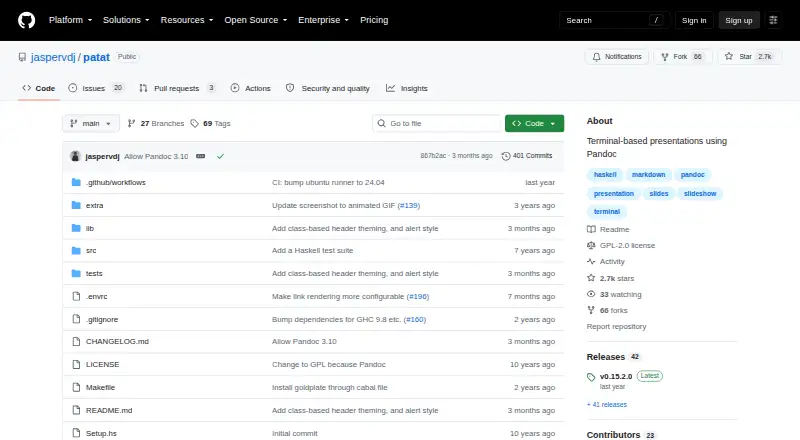
Patat: A focused Markdown presentation tool for technical talks in Linux and macOS terminals. Ranked #84 of 93 in Presentation Software by our editors (3.0/10); pricing: Open source; best for terminal-based technical presentations.
At a glance
- Editor score3.0 / 10
- PricingOpen source
- Best forTerminal-based technical presentations
- Paid fromFree
- Founded2016
- Facts checked20 Sep 2026
Where it wins
- Markdown and Pandoc input support for text-based authoring
- Automatic reloading, speaker notes, and incremental slide display
- Syntax highlighting, themes, transitions, and terminal image rendering
Where it doesn't
- Runs on Linux and macOS rather than across a broad platform range
- No collaboration features for shared presentation workflows
- No PPTX compatibility or graphical slide-editor workflow
Our verdict on Patat
Patat is an open-source presentation tool for people who prefer writing slides as Markdown or other Pandoc-supported formats and presenting from an ANSI-compatible terminal. It targets technical presenters working on Linux or macOS, especially those who want presentations to remain text files and fit naturally into command-line workflows. Its feature set includes slide navigation, speaker notes, incremental reveals, syntax highlighting, themes, transitions, image rendering, automatic reloading, and optional code-block evaluation.
Authoring and presentation are closely connected: automatic reloading lets slides update while editing, while speaker notes can be sent to a second window or monitor. Incremental display supports staged reveals, and syntax highlighting is useful for code-focused material. Themes support customization, including 24-bit RGB, while configurable transitions and auto-advance add control over pacing. Image rendering depends on supported terminal backends, with integrations including iTerm2, Kitty, WezTerm, and w3m.
Patat is a strong fit for solo technical presenters who value Markdown, Pandoc, terminal rendering, and source-controlled presentation files. Its narrow focus is also the main constraint. The published positioning does not include collaboration, PPTX compatibility, AI features, or broad platform coverage, so teams sharing decks, exchanging PowerPoint files, or presenting outside Linux and macOS should choose a more broadly oriented presentation application. Choose Patat when terminal-native authoring is central; choose an alternative when collaborative editing and conventional slide-file compatibility matter more.
Your product? Our editors can test Patat in depth and publish a review, labelled as paid · from $149/mo →
Patat pricing
Patat fact sheet
| Free plan | Not verified |
|---|---|
| Paid from | Free |
| AI assistance | Not verified |
| Real-time collaboration | Not verified |
| PowerPoint import | Not verified |
| PowerPoint export | Not verified |
| Offline access | Not verified |
| Presenter mode | Yes |
| Supported platforms | Linux, macOS |
| Deployment | Desktop |
| Platforms | Linux, macOS |
| Support | Docs |
| Built for | Solo, Small business (editorial estimate) |
| Integrations | 5 integrations: Pandoc, iTerm2, Kitty, WezTerm, w3m |
| Pricing | Open source |
| Website | github.com |
| Facts checked | 20 Sep 2026 |
Patat integrations
Patat lists 5 integrations on its own site.
- Pandoc
- iTerm2
- Kitty
- WezTerm
- w3m
Alternatives to Patat
- Microsoft PowerPointA broad presentation workspace spanning web, desktop, mobile, collaboration, AI, and rehearsal tools.9.4
- Apple KeynoteA polished free presentation tool for Apple ecosystem users, with optional AI features.9.1
- Zoho ShowA capable free option for teams that need collaboration, offline work, and PPTX support.9.0



Used Patat? Be the first to review it
The editor score above is our own research. What this page doesn't have yet is a reader's view — what you used Patat for, what worked and what didn't. No stars are seeded and no review is paid for; an editor reads every one before it appears.
Write a reviewTwo minutes · verified accounts only · read by an editor before it appears
Featured on iTechGuides

Patat is listed in our Presentation Software directory. Add the badge to your site — it links back to this page.
<a href="https://www.itechguides.com/products/patat/"><img src="https://www.itechguides.com/best/badge/patat.svg" alt="Featured on iTechGuides" width="230" height="46"></a>
Guides on presentation software
- 5 Best AI Presentation and PowerPoint Design Tools in 2026Aug 2026
- Best AI Tools for Effortless Presentation Design Compared 2025: 2026 Buyer’s UpdateAug 2026
- Best Presentation Apps for iPad and iPhone: Keynote, PowerPoint, Google Slides, Canva, and PreziAug 2026
Reviewed by iTechGuides Editors · Editorial team · Updated Oct 2026
Advertiser disclosure: iTechGuides is reader-supported. Vendors can pay for top positions in our rankings and for a place on other products' pages, and we may earn a commission when you click some links. Bought places stand at the number bought; this page and our disclosure say so. Paying vendors may get a fuller, more detailed review from our editors, and that review can change their score. How we rank.
Last updated · How we research and update