
Paintstorm Studio
Paintstorm Studio: A low-cost desktop painting app for artists who want detailed brush control. Ranked #12 of 46 in Digital Painting Software by our editors (8.2/10); pricing: Paid; best for brush-focused painters wanting a low-cost desktop license.
At a glance
- Editor score8.2 / 10
- PricingPaid
- Best forBrush-focused painters wanting a low-cost desktop license
- Free planNo
- Paid from$25 one-time
- Layer supportYes
- Facts checked20 Sep 2026
Where it wins
- Deep bristle, texture, gradient, scatter, and pressure brush controls
- Layered artwork with warp, liquify, and multi-layer transformations
- Desktop license includes free perpetual updates for one PC
Where it doesn't
- The desktop license applies to one PC
- Desktop access requires a one-time purchase
- The iPad version is a separate App Store offering
Our verdict on Paintstorm Studio
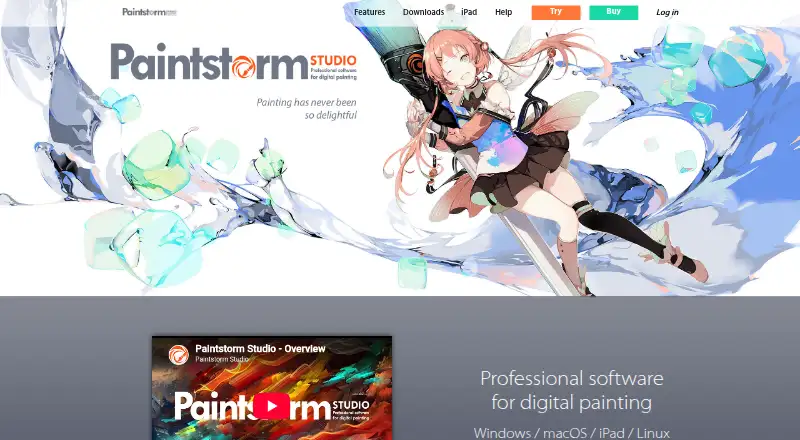
Paintstorm Studio is digital painting software for artists working in traditional, comic, manga, concept-art, and other painting styles. Its focus is brush control: artists can adjust bristle, texture, gradient, scatter, and pressure parameters, while double brushes and controlled mask brushes add further options. The software also supports layered artwork, pressure-sensitive stylus input, color mixing, guides, symmetry, and stabilization. It runs on Windows, macOS, Linux, and iPad, making it suitable for artists who want a desktop painting application with an iPad option.
Pricing is straightforward for desktop users. According to the vendor's pricing details, the Windows/macOS/Linux perpetual license costs $25 as a one-time purchase, covers one PC, and includes free perpetual updates. The iPad edition is listed separately and supports Apple Pencil pressure, tilt, and direction. This structure suits buyers who prefer a perpetual desktop license rather than an ongoing desktop subscription. Artists choosing the iPad version should treat it as a separate purchase decision and check the applicable App Store listing for their region.
The strongest case for Paintstorm Studio is its concentration of painting tools rather than a narrow set of basic brushes. Stroke stabilization includes Rope and Spring modes, while perspective guides, rulers, snapping, symmetry, and kaleidoscope tools support controlled composition. Timelapse recording, scripts, a reference window, a navigator, and fast export extend the workflow beyond the canvas. Artists who need detailed brush shaping, layered transformations, and desktop platform flexibility should consider it. Those who want a single purchase covering both desktop and iPad, or who require a broader product ecosystem, should compare alternatives before choosing.
Your product? Our editors can test Paintstorm Studio in depth and publish a review, labelled as paid · from $99/mo →
Paintstorm Studio pricing
All 2 Paintstorm Studio plans and prices →
Paintstorm Studio fact sheet
| Free plan | No |
|---|---|
| Paid from | $25 one-time |
| Brush customization | Yes |
| Layer support | Yes |
| Pressure sensitivity | Yes |
| Supported platforms | Windows, macOS, Linux, iPad |
| Color management | Not verified |
| Stroke stabilization | Yes |
| Deployment | Desktop, Mobile |
| Platforms | Windows, macOS, Linux, iOS |
| Pricing | Paid (source) |
| Website | paintstormstudio.com |
| Facts checked | 20 Sep 2026 |
Alternatives to Paintstorm Studio
- KritaA broad, professional-grade painting toolkit with no paid plan and wide platform coverage.9.4
- Clip Studio PaintA broad digital art workspace spanning illustration, comics, 3D, animation, and cloud tools.9.3
- ProcreateA polished iPad painting workflow with broad creative tools and limited platform coverage.9.1


See all Paintstorm Studio alternatives →
Also Ranked In
Paintstorm Studio is ranked in 2 of our directories.
Used Paintstorm Studio? Be the first to review it
The editor score above is our own research. What this page doesn't have yet is a reader's view — what you used Paintstorm Studio for, what worked and what didn't. No stars are seeded and no review is paid for; an editor reads every one before it appears.
Write a reviewTwo minutes · verified accounts only · read by an editor before it appears
Featured on iTechGuides

Paintstorm Studio is listed in our Digital Painting Software directory. Add the badge to your site — it links back to this page.
<a href="https://www.itechguides.com/products/paintstorm-studio/"><img src="https://www.itechguides.com/best/badge/paintstorm-studio.svg" alt="Featured on iTechGuides" width="230" height="46"></a>
Reviewed by iTechGuides Editors · Editorial team · Updated Oct 2026
Advertiser disclosure: iTechGuides is reader-supported. Vendors can pay for top positions in our rankings and for a place on other products' pages, and we may earn a commission when you click some links. How we rank.
Last updated · How we research and update