OTPClient
OTPClient: A capable open-source Linux authenticator for users who want local control and desktop integration. Ranked #85 of 111 in Authenticator Apps by our editors (3.0/10); pricing: Open source; best for security-focused Linux desktop users.
At a glance
- Editor score3.0 / 10
- PricingOpen source
- Best forSecurity-focused Linux desktop users
- Paid fromFree
- Facts checked22 Sep 2026
Where it wins
- AES-256-GCM databases with Argon2id key derivation
- QR scanning from images, webcam, or clipboard
- CLI output plus GNOME Shell and KDE KRunner search integration
Where it doesn't
- Linux desktop coverage only
- No synchronization between devices
- No team administration features
Our verdict on OTPClient
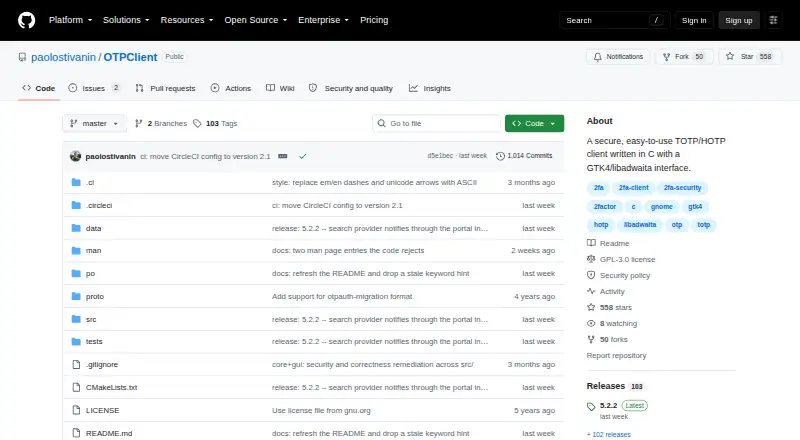
OTPClient is an open-source Linux desktop authenticator for managing TOTP and HOTP tokens. Its GTK4/libadwaita interface supports configurable OTP digits, periods, and hashing algorithms, while token grouping and cross-database search help organize larger collections. The application also offers optional system-tray operation, start-at-login, auto-lock, and configurable clipboard wiping. It suits security-focused Linux desktop users who prefer local token management over a cloud-connected workflow.
The local security model is a central strength. OTPClient stores tokens in databases protected with AES-256-GCM and uses Argon2id for key derivation. Encrypted and plain backup import/export are available, and the application can work with OS Secret Service. QR codes can be scanned from images, a webcam, or the clipboard, reducing manual entry during setup. The command-line companion adds table, JSON, and CSV output, which fits users who want terminal access or script-friendly token views.
OTPClient also connects with the Linux desktop environment through GNOME Shell and KDE Plasma KRunner search integration. It supports importing backup formats associated with Aegis, Authenticator Pro, 2FAS, FreeOTP+, and Google Authenticator. Linux distribution is documented through Flatpak and distro repositories, while the product remains narrowly focused on desktop use. Users who need a local-first authenticator with strong storage controls, flexible QR import, and CLI access should consider it. Those who need synchronization across devices or team administration should choose a different authenticator.
Your product? Our editors can test OTPClient in depth and publish a review, labelled as paid · from $149/mo →
OTPClient pricing
OTPClient fact sheet
| Free plan | Not verified |
|---|---|
| Paid from | Free |
| Code type | Totp and hotp |
| Push approvals | Not verified |
| Encrypted backup | Yes |
| Multi-device sync | Not verified |
| Team administration | Not verified |
| Supported platforms | Linux desktop |
| Deployment | Desktop |
| Platforms | Linux |
| Support | Community, Docs |
| Built for | Solo, Small business (editorial estimate) |
| Integrations | 8 integrations: GNOME Shell, KDE Plasma KRunner, OS Secret Service, Aegis, Authenticator Pro, 2FAS … |
| Pricing | Open source |
| Website | github.com |
| Facts checked | 22 Sep 2026 |
OTPClient integrations
OTPClient lists 8 integrations on its own site.
- GNOME Shell
- KDE Plasma KRunner
- OS Secret Service
- Aegis
- Authenticator Pro
- 2FAS
- FreeOTP+
- Google Authenticator
Alternatives to OTPClient
- Proton AuthenticatorA mature free option for secure 2FA codes across mobile and desktop platforms.9.4
- Google AuthenticatorA free, straightforward authenticator with offline codes, sync, and QR transfers.9.2
- AuthyA focused free authenticator for mobile users who need synced TOTP tokens.9.1


See all OTPClient alternatives →
Used OTPClient? Be the first to review it
The editor score above is our own research. What this page doesn't have yet is a reader's view — what you used OTPClient for, what worked and what didn't. No stars are seeded and no review is paid for; an editor reads every one before it appears.
Write a reviewTwo minutes · verified accounts only · read by an editor before it appears
Featured on iTechGuides

OTPClient is listed in our Authenticator Apps directory. Add the badge to your site — it links back to this page.
<a href="https://www.itechguides.com/products/otpclient/"><img src="https://www.itechguides.com/best/badge/otpclient.svg" alt="Featured on iTechGuides" width="230" height="46"></a>
Reviewed by iTechGuides Editors · Editorial team · Updated Oct 2026
Advertiser disclosure: iTechGuides is reader-supported. Vendors can pay for top positions in our rankings and for a place on other products' pages, and we may earn a commission when you click some links. Bought places stand at the number bought; this page and our disclosure say so. Paying vendors may get a fuller, more detailed review from our editors, and that review can change their score. How we rank.
Last updated · How we research and update