
Origami Studio
Origami Studio: A capable free choice for interaction prototyping on Mac, with mobile device preview. Ranked #19 of 37 in UI Design Tools by our editors (7.5/10); pricing: Free plan; best for free Mac-based interaction prototyping.
At a glance
- Editor score7.5 / 10
- PricingFree plan
- Best forFree Mac-based interaction prototyping
- Free planYes
- Paid fromFree
- Facts checked21 Sep 2026
Where it wins
- Visual patch editor supports interactions, animations, and behavior
- Reusable components and global variables support structured design systems
- Hardware API patches enable camera, audio, haptics, GPS, and motion prototypes
Where it doesn't
- Authoring is centered on macOS
- Real-time collaboration is not verified
- Mobile apps are for previewing prototypes rather than primary authoring
Our verdict on Origami Studio
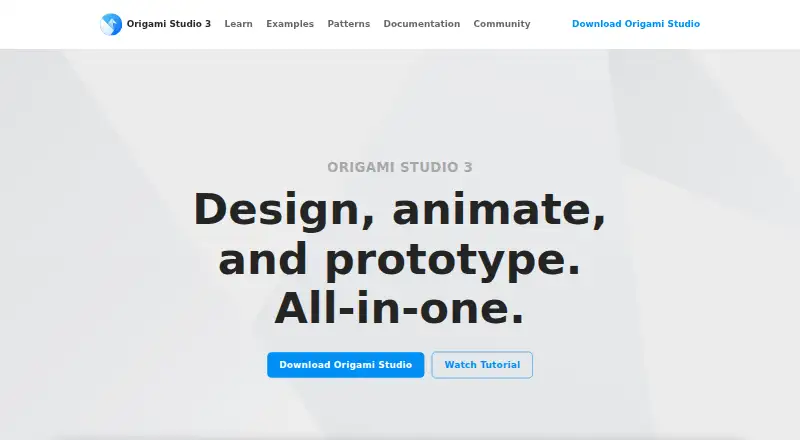
Origami Studio is a free design and prototyping tool for interface designers working on Mac. Its freeform canvas supports shape, text, image, video, and imported Sketch or Figma layers, while the visual patch editor adds interactions, animations, and behavior. Reusable layer and patch components, global variables, device previews, recording, video export, and sharing through Origami Live make it suited to teams that need to explore how an interface behaves before development. iOS and Android support is focused on previewing prototypes through Origami Live.
The product’s strongest area is interaction depth. Designers can combine visual patches with reusable components and centralized, cascading variables, giving prototypes more structure than a static screen flow. Native hardware API patches extend this work to camera roll, audio, haptics, GPS, and device motion. Simulated and physical device previews help connect the canvas to mobile behavior, while recording and video export provide practical ways to document or present a prototype. Imports from Figma and Sketch also help bring existing interface layers into the workflow.
Origami Studio’s main trade-off is its platform focus. Authoring is centered on macOS, and the mobile applications serve as preview destinations rather than full design environments. Collaboration should also be evaluated carefully because verified real-time collaboration is not established here. The product fits Mac-based interface designers who want detailed interaction prototyping without a paid plan, especially when hardware-aware mobile behavior matters. Teams prioritizing browser-based authoring, confirmed real-time collaboration, or a broader multi-platform workspace should consider an alternative.
Your product? Our editors can test Origami Studio in depth and publish a review, labelled as paid · from $149/mo →
Origami Studio pricing
Origami Studio fact sheet
| Free plan | Yes |
|---|---|
| Paid from | Free |
| Real-time collaboration | Not verified |
| Interactive prototyping | Yes |
| Design systems | Yes |
| Developer handoff | Not verified |
| Variables or design tokens | Yes |
| Desktop app | Yes |
| Prototype sharing | Yes |
| Deployment | Desktop, Mobile |
| Platforms | macOS, iOS, Android |
| Support | Docs |
| Built for | Solo, Small business, Mid-market (editorial estimate) |
| Integrations | 3 integrations: Figma, Sketch, Dropbox |
| Pricing | Free plan |
| Website | origami.design |
| Facts checked | 21 Sep 2026 |
Origami Studio integrations
Origami Studio lists 3 integrations on its own site.
- Figma
- Sketch
- Dropbox
Alternatives to Origami Studio
- PenpotA broad, collaborative UI design platform with cloud and self-hosted deployment.9.4
- MockplusA broad UI design suite with cross-platform access and a low-cost annual Pro tier.9.2
- Wondershare MockittA broad UI design suite for teams working across web, desktop, and shared workspaces.9.1


See all Origami Studio alternatives →
Also Ranked In
Origami Studio is ranked in 6 of our directories.
Used Origami Studio? Be the first to review it
The editor score above is our own research. What this page doesn't have yet is a reader's view — what you used Origami Studio for, what worked and what didn't. No stars are seeded and no review is paid for; an editor reads every one before it appears.
Write a reviewTwo minutes · verified accounts only · read by an editor before it appears
Featured on iTechGuides

Origami Studio is listed in our UI Design Tools directory. Add the badge to your site — it links back to this page.
<a href="https://www.itechguides.com/products/origami-studio/"><img src="https://www.itechguides.com/best/badge/origami-studio.svg" alt="Featured on iTechGuides" width="230" height="46"></a>
Reviewed by iTechGuides Editors · Editorial team · Updated Oct 2026
Advertiser disclosure: iTechGuides is reader-supported. Vendors can pay for top positions in our rankings and for a place on other products' pages, and we may earn a commission when you click some links. Bought places stand at the number bought; this page and our disclosure say so. Paying vendors may get a fuller, more detailed review from our editors, and that review can change their score. How we rank.
Last updated · How we research and update