
OrchidLines Audiogram Maker
OrchidLines Audiogram Maker: A free, local browser tool for simple audiograms without AI or accounts. Ranked #21 of 28 in AI Audiogram Makers by our editors (6.7/10); pricing: Free plan; best for privacy-conscious basic audiograms.
At a glance
- Editor score6.7 / 10
- PricingFree plan
- Best forPrivacy-conscious basic audiograms
- Free planYes
- Paid fromFree
- Facts checked22 Sep 2026
Where it wins
- Processes audio locally without uploading files
- Supports four layouts, custom artwork, colors, and subtitles
- Accepts MP3, WAV, M4A, FLAC, OGG, and other common formats
Where it doesn't
- No AI features or automatic caption generation
- No integrations or broader publishing workflow
- Export depends on browser-supported video formats
Our verdict on OrchidLines Audiogram Maker
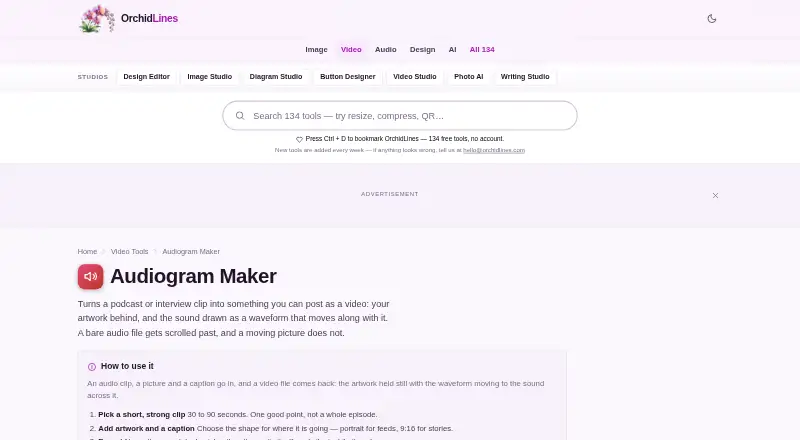
OrchidLines Audiogram Maker turns audio clips into shareable waveform videos in a web browser. It is aimed at podcasters, musicians, voice actors, teachers, journalists, and other creators who need a straightforward way to present short audio excerpts as video. The tool accepts common audio formats including MP3, WAV, M4A, FLAC, and OGG, and it does not require an account. Because processing happens locally in the browser, it suits users who prefer to keep audio files on their device.
Its strongest area is visual control for basic audiograms. You can choose square, portrait, story, or wide output shapes; add cover images, photos, logos, titles, and user-entered subtitles; and select rounded bars, square blocks, or dots for the waveform. Background, waveform, and text colors are configurable, as are the waveform bar count and progress bar display. Browser-supported video formats and configurable bitrate provide export options, although the result depends on the capabilities of the browser in use.
The trade-off is scope. OrchidLines focuses on local waveform video creation rather than AI-assisted production: it does not generate captions, offer caption-language settings, or provide integrations. Its Subtitle field is for text entered by the user, so creators must prepare captions themselves. The product page recommends short clips of 30–90 seconds, which fits social-style excerpts and promotional snippets. Choose OrchidLines for private, manually assembled audiograms with flexible artwork and layout controls. Creators seeking automatic captioning, integrations, or a larger publishing workflow should consider a different tool.
Your product? Our editors can test OrchidLines Audiogram Maker in depth and publish a review, labelled as paid · from $149/mo →
OrchidLines Audiogram Maker pricing
OrchidLines Audiogram Maker fact sheet
| Free plan | Yes |
|---|---|
| Paid from | Free |
| Max clip length | Not verified |
| Caption languages | Not verified |
| Aspect ratios | All |
| Max export resolution | Not verified |
| Watermark removal | Not verified |
| Custom artwork | Yes |
| Brand kit | Not verified |
| Deployment | Cloud |
| Platforms | Web |
| Support | Email, Docs |
| Built for | Solo, Small business (editorial estimate) |
| Pricing | Free plan |
| Website | orchidlines.com |
| Facts checked | 22 Sep 2026 |
Alternatives to OrchidLines Audiogram Maker
- HeadlinerA broad podcast-to-social toolkit with audiograms, captions, editing, and publishing.9.4
- reapA broad audiogram and content pipeline with strong automation options.9.2
- ClipperzA web-based repurposing suite for audiograms, short clips, branding, publishing, and analytics.8.9



See all OrchidLines Audiogram Maker alternatives →
Used OrchidLines Audiogram Maker? Be the first to review it
The editor score above is our own research. What this page doesn't have yet is a reader's view — what you used OrchidLines Audiogram Maker for, what worked and what didn't. No stars are seeded and no review is paid for; an editor reads every one before it appears.
Write a reviewTwo minutes · verified accounts only · read by an editor before it appears
Featured on iTechGuides

OrchidLines Audiogram Maker is listed in our AI Audiogram Makers directory. Add the badge to your site — it links back to this page.
<a href="https://www.itechguides.com/products/orchidlines-audiogram-maker/"><img src="https://www.itechguides.com/best/badge/orchidlines-audiogram-maker.svg" alt="Featured on iTechGuides" width="230" height="46"></a>
Reviewed by iTechGuides Editors · Editorial team · Updated Oct 2026
Advertiser disclosure: iTechGuides is reader-supported. Vendors can pay for top positions in our rankings and for a place on other products' pages, and we may earn a commission when you click some links. Bought places stand at the number bought; this page and our disclosure say so. Paying vendors may get a fuller, more detailed review from our editors, and that review can change their score. How we rank.
Last updated · How we research and update