
Orchestra Master Scheduler
Orchestra Master Scheduler: A cloud scheduler combining automatic generation, constraint controls, and schedule refinement. Ranked #28 of 29 in School Scheduling Software by our editors (6.5/10); pricing: Pricing on request; best for schools wanting cloud scheduling with support.
At a glance
- Editor score6.5 / 10
- PricingPricing on request
- Best forSchools wanting cloud scheduling with support
- Free planNo
- Timetable automationAutomatic
- Facts checked20 Sep 2026
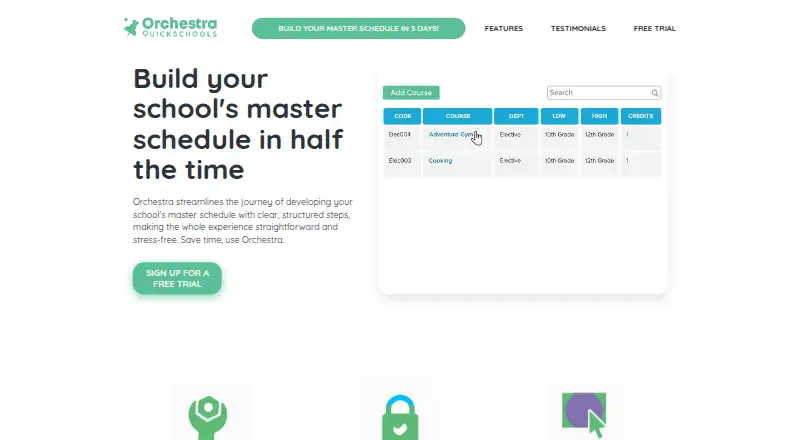
Where it wins
- Automatic generation with configurable scheduling constraints
- Drag-and-drop editing with conflict identification and resolution
- Student loading, save points, imports, and live chat support
Where it doesn't
- Pricing uses a contact-sales model
- There is no free plan
- Access is browser-based rather than native desktop or mobile
Our verdict on Orchestra Master Scheduler
Orchestra Master Scheduler is a browser-based cloud application for building master schedules in K–12 schools and colleges. It brings course-request collection, course-request refinement, configurable constraints, automatic schedule generation, and drag-and-drop editing into one scheduling workflow. Schools can import teachers, courses, and course-request templates, then load students to evaluate schedule candidates. The product is aimed at scheduling teams that want online access and live chat support alongside automated timetable creation.
Its strongest area is the scheduling workflow itself. Automatic generation handles the initial schedule, while conflict identification and resolution support follow-up adjustments. Staff can refine a generated timetable through drag-and-drop editing rather than treating the first output as final. Student loading adds a way to examine how schedule candidates work for students, and save points allow schedules to be restored. These capabilities make Orchestra a fit for schools managing changing requests and constraints, especially when the schedule needs repeated refinement before release.
Orchestra is offered through a contact-sales pricing model and has no free plan, so schools should expect a sales conversation before selecting a package. Its browser-based cloud deployment suits teams that prefer access through the web, while organizations seeking native desktop or mobile applications should consider a different type of platform. Schools that need automatic schedule generation, student loading, imports, restoration points, and support should shortlist Orchestra. Those prioritizing publicly defined plans or a free tier should look elsewhere.
Your product? Our editors can test Orchestra Master Scheduler in depth and publish a review, labelled as paid · from $149/mo →
Orchestra Master Scheduler pricing
Orchestra Master Scheduler fact sheet
| Free plan | No |
|---|---|
| Paid from | Not verified |
| Timetable automation | Automatic |
| Conflict detection | Yes |
| Teacher constraints | Not verified |
| Room constraints | Not verified |
| Student group scheduling | Yes |
| Multi-campus support | Not verified |
| Deployment | Cloud, Browser extension |
| Platforms | Web |
| Compliance & security | GDPR |
| Support | Live chat · 24/7 |
| Built for | Small business, Mid-market, Enterprise (editorial estimate) |
| Pricing | Pricing on request |
| Website | orchestra.quickschools.com |
| Facts checked | 20 Sep 2026 |
Alternatives to Orchestra Master Scheduler
- TimeEdit ScheduleA deep scheduling system for complex, multi-campus academic timetables.9.4
- UniTimeA free, open-source scheduler covering courses, exams, students, instructors, rooms, and events.9.3
- TimetableMasterA broad school scheduler with free access, AI generation, and advanced tiers for larger operations.9.2



See all Orchestra Master Scheduler alternatives →
Used Orchestra Master Scheduler? Be the first to review it
The editor score above is our own research. What this page doesn't have yet is a reader's view — what you used Orchestra Master Scheduler for, what worked and what didn't. No stars are seeded and no review is paid for; an editor reads every one before it appears.
Write a reviewTwo minutes · verified accounts only · read by an editor before it appears
Featured on iTechGuides

Orchestra Master Scheduler is listed in our School Scheduling Software directory. Add the badge to your site — it links back to this page.
<a href="https://www.itechguides.com/products/orchestra-master-scheduler/"><img src="https://www.itechguides.com/best/badge/orchestra-master-scheduler.svg" alt="Featured on iTechGuides" width="230" height="46"></a>
Reviewed by iTechGuides Editors · Editorial team · Updated Oct 2026
Advertiser disclosure: iTechGuides is reader-supported. Vendors can pay for top positions in our rankings and for a place on other products' pages, and we may earn a commission when you click some links. Bought places stand at the number bought; this page and our disclosure say so. Paying vendors may get a fuller, more detailed review from our editors, and that review can change their score. How we rank.
Last updated · How we research and update