OpenSlides
OpenSlides: A focused, free tool for building animated code slides offline. Ranked #24 of 25 in Animated Presentation Software by our editors (6.3/10); pricing: Free plan; best for code-based offline slide animation.
At a glance
- Editor score6.3 / 10
- PricingFree plan
- Best forCode-based offline slide animation
- Free planYes
- Paid fromFree
- Facts checked20 Sep 2026
Where it wins
- Free, open-source desktop app for Windows, macOS, and Linux
- Magic Move transitions and step-by-step line highlighting
- Offline storage with timing, themes, search, and keyboard navigation
Where it doesn't
- Focused on code-based presentations rather than general slide design
- No verified video export, collaboration, or integrations
- Desktop-only workflow may not suit browser-based presentation teams
Our verdict on OpenSlides
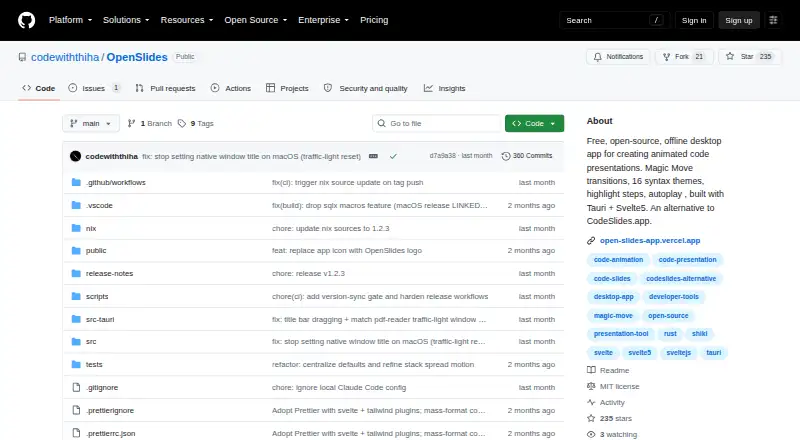
OpenSlides is a free, open-source desktop application for developers, educators, content creators, and technical presenters who want to create animated presentations from source code. Its workflow centers on code-based slide creation, with Magic Move transitions between code states and step-by-step line highlighting. Presenters can use light or dark themes, full-screen mode, autoplay with per-slide timing, and keyboard navigation. OpenSlides runs on Windows, macOS, and Linux and stores projects locally for offline use.
The main strength is its focused animation model for technical material. Magic Move transitions can show changes between code states, while stepped highlights help direct attention through a snippet. Slide search, thumbnails, drag-and-drop slide stacks, and project import and export support organization without moving the workflow into a browser. The Free plan includes the open-source desktop application, offline use, and animated code presentations, so the product is straightforward for individuals who prefer local files and a code-centric presentation process.
That focus also defines its limits. OpenSlides is better suited to technical walkthroughs and code demonstrations than presentations requiring broad design tools or a wider collaboration ecosystem. The published product positioning does not include verified video export, collaboration, or integrations, which may matter for teams sharing work or distributing rendered presentations. Choose OpenSlides if offline storage, open-source software, and animated code slides are priorities. Consider an alternative if you need collaborative editing, connected integrations, or verified video output as part of the presentation workflow.
Your product? Our editors can test OpenSlides in depth and publish a review, labelled as paid · from $149/mo →
OpenSlides pricing
All 1 OpenSlides plans and prices →
OpenSlides fact sheet
| Free plan | Yes |
|---|---|
| Paid from | Free |
| Character animation | Not verified |
| Motion graphics | Yes |
| Custom asset upload | Not verified |
| Video export | Not verified |
| Presentation export | Not verified |
| Team collaboration | Not verified |
| Maximum video length | Not verified |
| Deployment | Desktop |
| Platforms | Windows, macOS, Linux |
| Built for | Solo, Small business (editorial estimate) |
| Pricing | Free plan (source) |
| Website | github.com |
| Facts checked | 20 Sep 2026 |
Alternatives to OpenSlides
- PowtoonA broad web-based toolkit for animated presentations, videos, branding, and AI creation.9.4
- AnimakerA broad animation toolkit with AI creation, collaboration, and flexible export options.9.1
- PreziA flexible visual storytelling platform built around interactive, zoomable presentations.8.9


See all OpenSlides alternatives →
Used OpenSlides? Be the first to review it
The editor score above is our own research. What this page doesn't have yet is a reader's view — what you used OpenSlides for, what worked and what didn't. No stars are seeded and no review is paid for; an editor reads every one before it appears.
Write a reviewTwo minutes · verified accounts only · read by an editor before it appears
Featured on iTechGuides

OpenSlides is listed in our Animated Presentation Software directory. Add the badge to your site — it links back to this page.
<a href="https://www.itechguides.com/products/openslides/"><img src="https://www.itechguides.com/best/badge/openslides.svg" alt="Featured on iTechGuides" width="230" height="46"></a>
Reviewed by iTechGuides Editors · Editorial team · Updated Oct 2026
Advertiser disclosure: iTechGuides is reader-supported. Vendors can pay for top positions in our rankings and for a place on other products' pages, and we may earn a commission when you click some links. Bought places stand at the number bought; this page and our disclosure say so. Paying vendors may get a fuller, more detailed review from our editors, and that review can change their score. How we rank.
Last updated · How we research and update